







Question: Please make it compatible with the given python code! To enhance the inventory management system by creating a graphical user interface ( GUI ) using
Please make it compatible with the given python code!
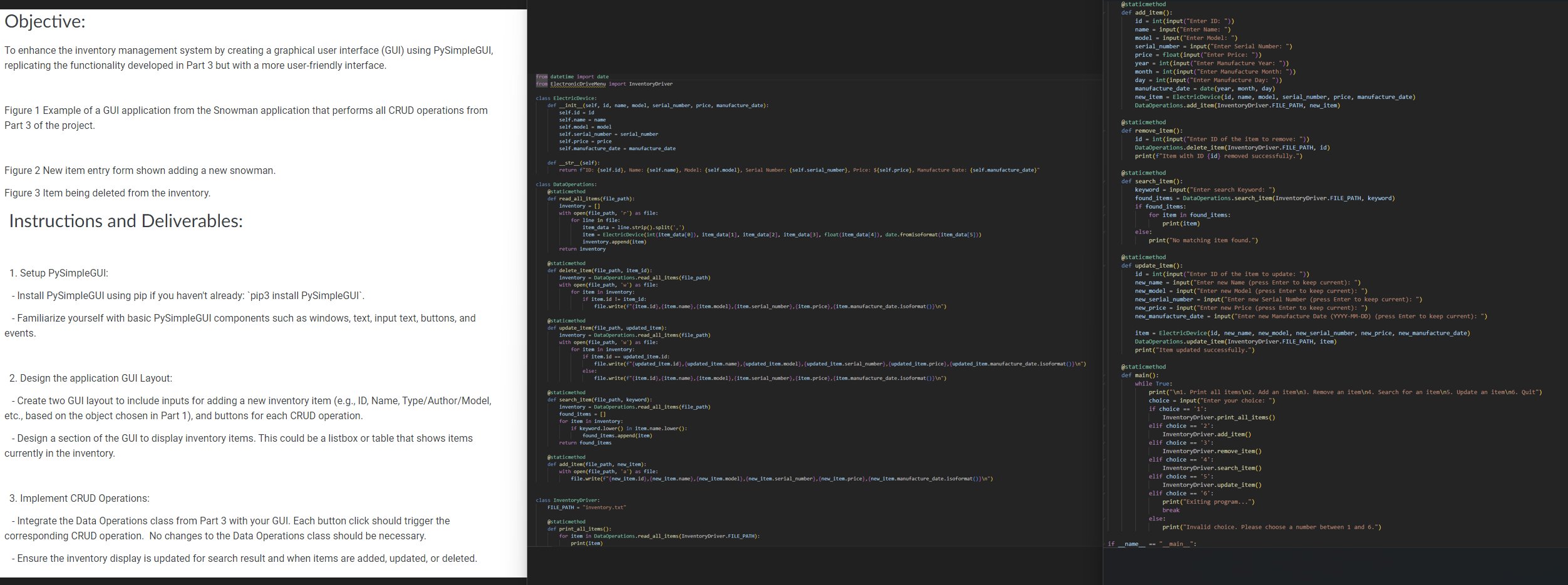
To enhance the inventory management system by creating a graphical user interface GUI using PySimpleGUI,
replicating the functionality developed in Part but with a more userfriendly interface.
Figure Example of a GUI application from the Snowman application that performs all CRUD operations from
Part of the project.
Figure New item entry form shown adding a new snowman.
Figure Item being deleted from the inventory.
Instructions and Deliverables:
Setup PySimpleGUI:
Install PySimpleGUI using pip if you haven't already: 'pip install PySimpleGUI'.
Familiarize yourself with basic PySimpleGUI components such as windows, text, input text, buttons, and
events.
Design the application GUI Layout:
Create two GUI layout to include inputs for adding a new inventory item eg ID Name, TypeAuthorModel
etc., based on the object chosen in Part and buttons for each CRUD operation.
Design a section of the GUI to display inventory items. This could be a listbox or table that shows items
currently in the inventory.
Implement CRUD Operations:
Integrate the Data Operations class from Part with your GUI. Each button click should trigger the
corresponding CRUD operation. No changes to the Data Operations class should be necessary.
Ensure the inventory display is updated for search result and when items are added, updated, or deleted.
Step by Step Solution
There are 3 Steps involved in it
1 Expert Approved Answer
Step: 1 Unlock

Question Has Been Solved by an Expert!
Get step-by-step solutions from verified subject matter experts
Step: 2 Unlock
Step: 3 Unlock
 Study Help