







Question: Please need full code to this Java GUI practice exercise. Exercise: Practicing GUI Components Create a java application named GYMMembership.java which would have a graphical
Please need full code to this Java GUI practice exercise.
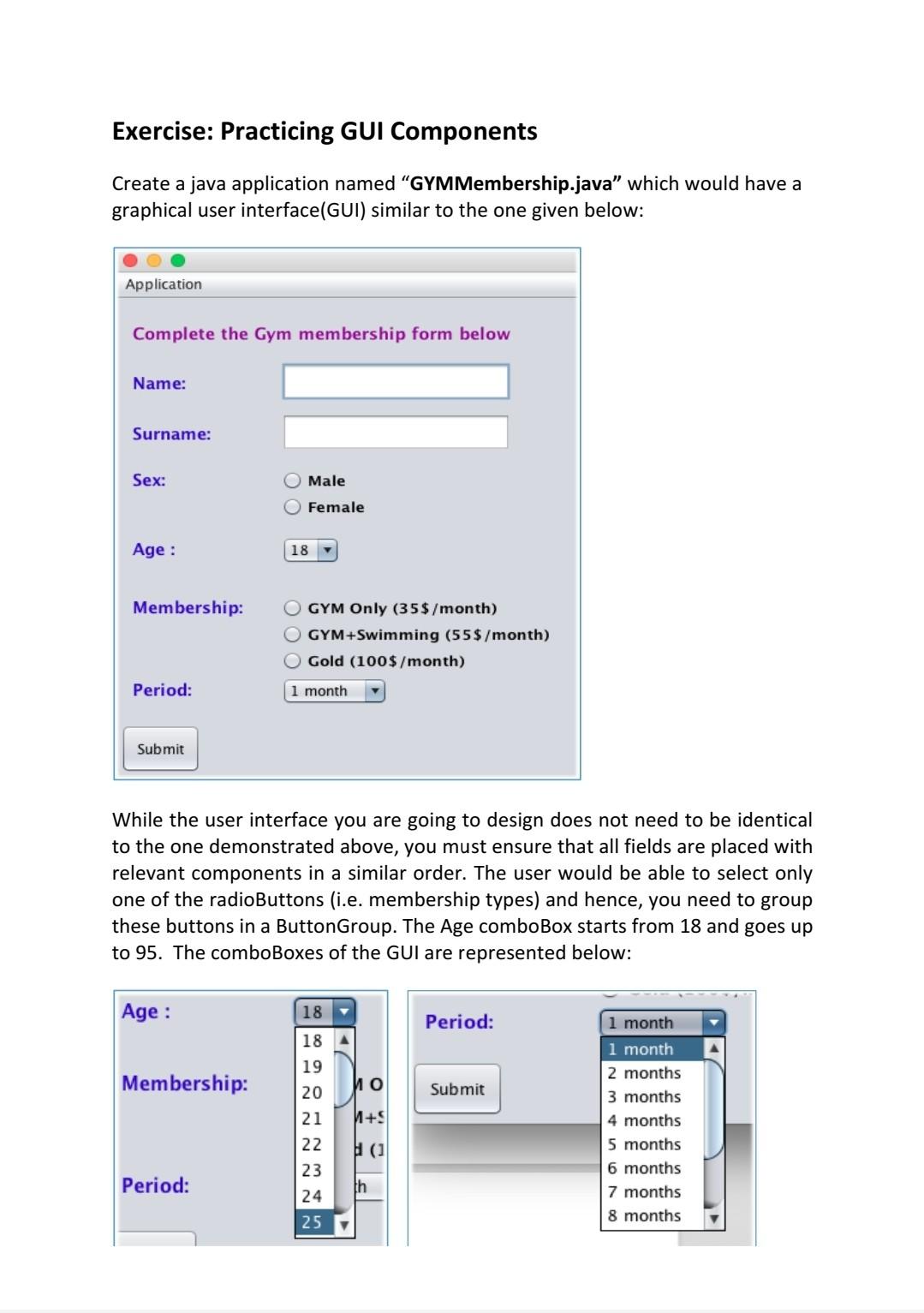
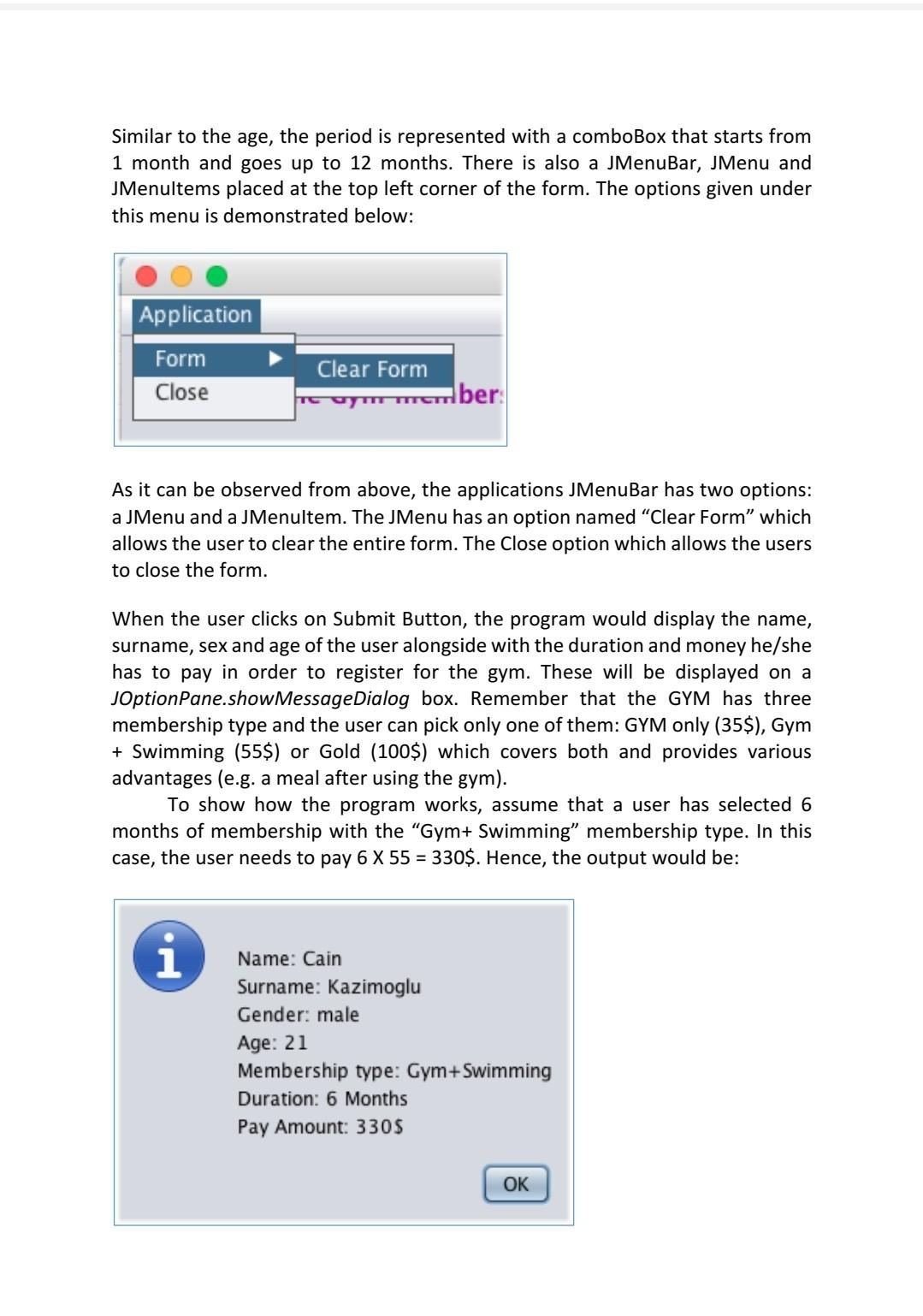
Exercise: Practicing GUI Components Create a java application named "GYMMembership.java which would have a graphical user interface(GUI) similar to the one given below: Application Complete the Gym membership form below Name: Surname: Sex: O Male Female Age : 18 Membership: O GYM Only (35$/month) GYM+Swimming (55$/month) Gold (100$/month) Period: 1 month bmit While the user interface you are going to design does not need to be identical to the one demonstrated above, you must ensure that all fields are placed with relevant components in a similar order. The user would be able to select only one of the radioButtons (i.e. membership types) and hence, you need to group these buttons in a Button Group. The Age comboBox starts from 18 and goes up to 95. The comboBoxes of the GUI are represented below: Age : 18 Period: 18 A 19 Membership: Submit 20 21 +S 1 month 1 month 2 months 3 months 4 months 5 months 6 months 7 months 8 months 22 23 (1 NNN Period: th 24 25 Similar to the age, the period is represented with a comboBox that starts from 1 month and goes up to 12 months. There is also a JMenuBar, JMenu and JMenultems placed at the top left corner of the form. The options given under this menu is demonstrated below: Application Form Close Clear Form TUTT member As it can be observed from above, the applications MenuBar has two options: a JMenu and a Menultem. The JMenu has an option named Clear Form which allows the user to clear the entire form. The Close option which allows the users to close the form. When the user clicks on Submit Button, the program would display the name, surname, sex and age of the user alongside with the duration and money he/she has to pay in order to register for the gym. These will be displayed on a JOptionPane.showMessageDialog box. Remember that the GYM has three membership type and the user can pick only one of them: GYM only (35$), Gym + Swimming (55$) or Gold (100$) which covers both and provides various advantages (e.g. a meal after using the gym). To show how the program works, assume that a user has selected 6 months of membership with the "Gym+ Swimming membership type. In this case, the user needs to pay 6 X 55 = 330$. Hence, the output would be: i Name: Cain Surname: Kazimoglu Gender: male Age: 21 Membership type: Gym+Swimming Duration: 6 Months Pay Amount: 330$ OK
Step by Step Solution
There are 3 Steps involved in it

Get step-by-step solutions from verified subject matter experts
 Study Help