







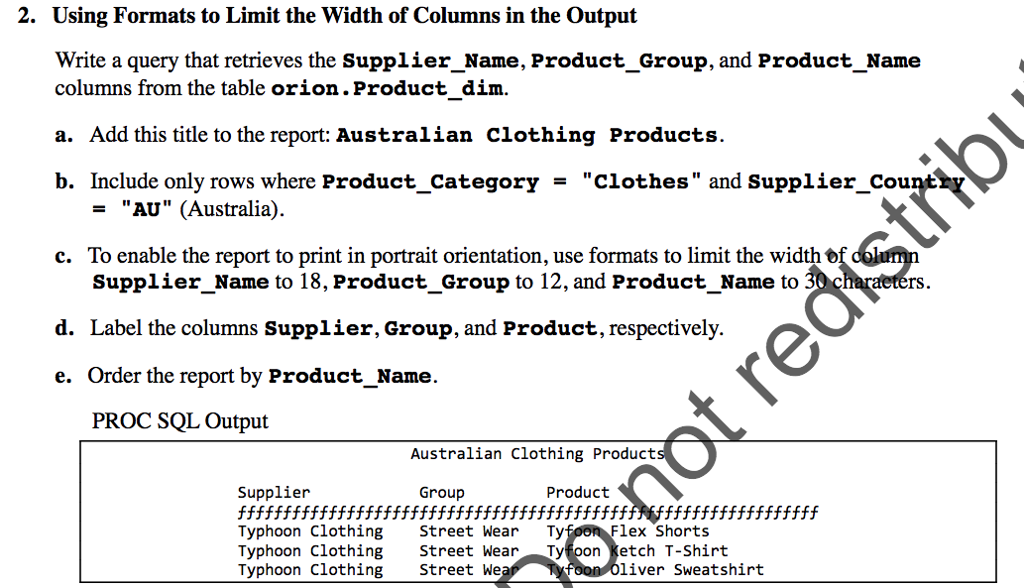
Question: Please paste full code, complete in S A S product_dim Customer 2. Using Formats to Limit the Width of Columns in the Output Write a
Please paste full code, complete in S A S
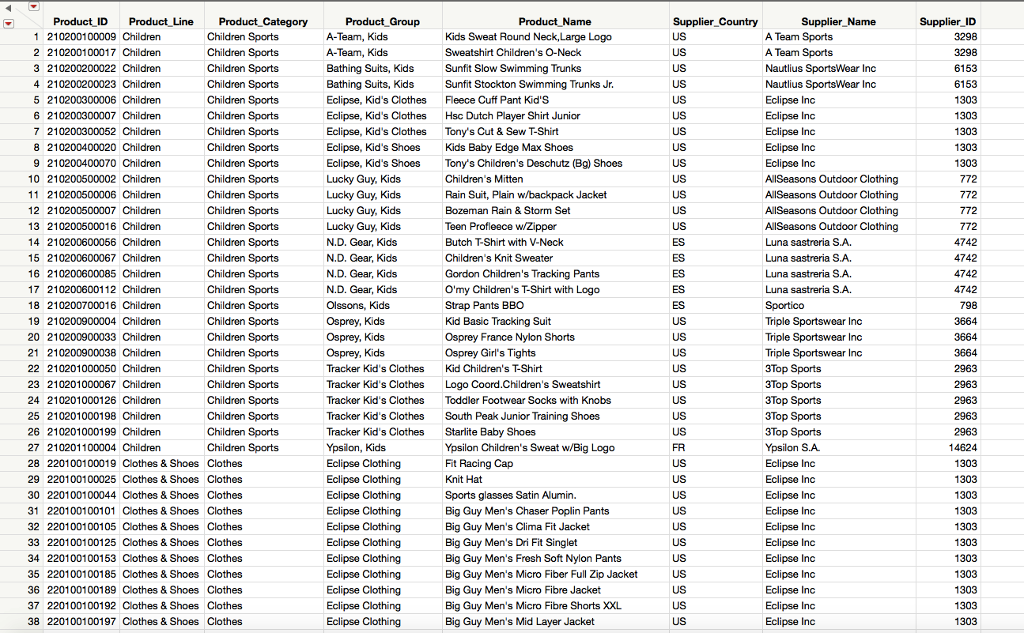 product_dim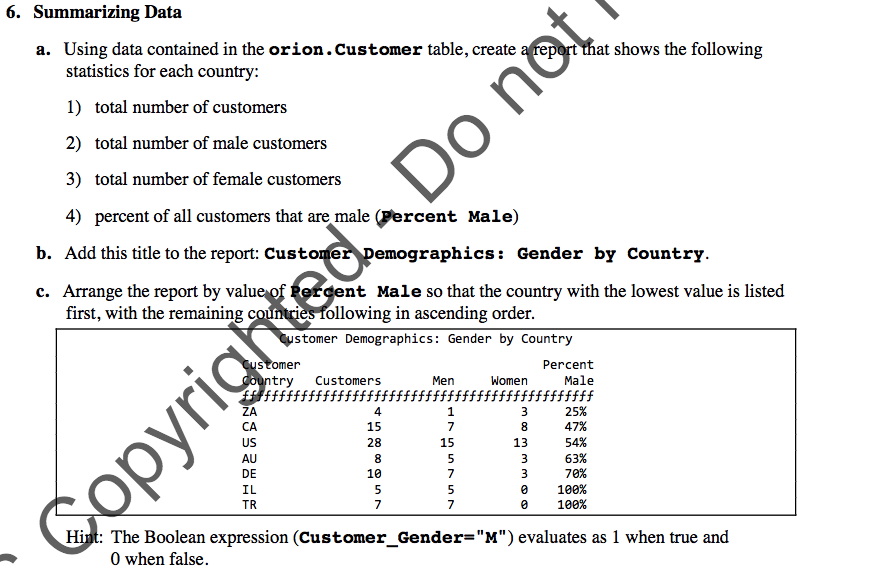
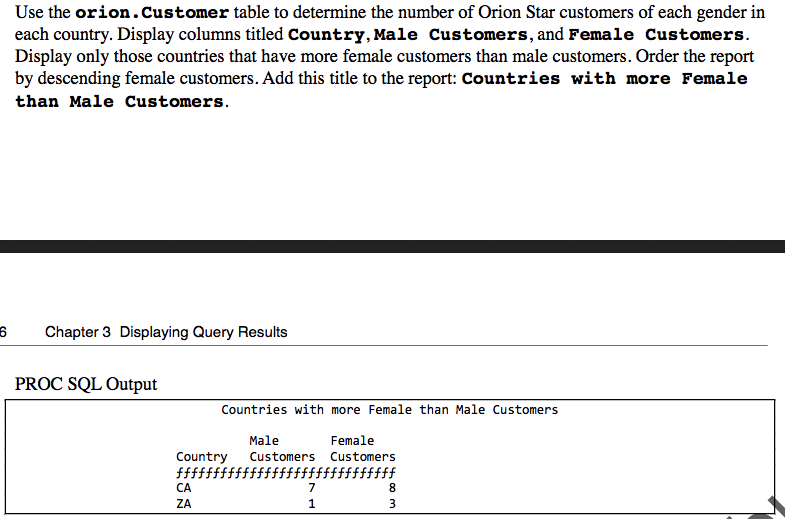
 Customer
2. Using Formats to Limit the Width of Columns in the Output Write a query that retrieves the Supplier Name, Product_Group, and Product Name columns from the table orion.Product dim. a. Add this title to the report: Australian clothing Products. b. Include only rows where Product-Category = "clothes" and supplier-County "AU" (Australia). = To enable the report to print in portrait orientation, use formats to limit the Supplier_Name to 18, Product_Group to 12, and Product Name to c. rs d. Label the columns Supplier, Group, and Product, respectively. e. Order the report by Product_Name. PROC SQL Output Australian Clothing Product Supplier Group Product Typhoon Clothing Street Wear Tyfoon Ketch T-Shirt 2. Using Formats to Limit the Width of Columns in the Output Write a query that retrieves the Supplier Name, Product_Group, and Product Name columns from the table orion.Product dim. a. Add this title to the report: Australian clothing Products. b. Include only rows where Product-Category = "clothes" and supplier-County "AU" (Australia). = To enable the report to print in portrait orientation, use formats to limit the Supplier_Name to 18, Product_Group to 12, and Product Name to c. rs d. Label the columns Supplier, Group, and Product, respectively. e. Order the report by Product_Name. PROC SQL Output Australian Clothing Product Supplier Group Product Typhoon Clothing Street Wear Tyfoon Ketch T-Shirt
Step by Step Solution
There are 3 Steps involved in it

Get step-by-step solutions from verified subject matter experts
 Study Help