







Question: please please please dont use ai and please include pseudocode so i can learn from it thank you REQUIREMENTS Create a folder named with your
please please please dont use ai and please include pseudocode so i can learn from it thank you
REQUIREMENTS
Create a folder named with your surname followed by then then the word prep example smithprep In this folder, write Python programs to solve the problem described below.
Two programs are required. In each program:
Start with a comment that includes your name and course number.
Before submitting your assignment for grading, add a collaboration statement as described in the syllabus as a comment in the program after the comment above. State "collaborator: none" if you did not have a collaborator. Submissions without a collaboration statement may be assigned a zero grade.
Include pseudocode as comments at the beginning of your program that describes all steps required to solve the problem.
Employ variable names that describe the values they store and adhere to Python naming conventions.
Include additional comments as needed to annotate your code.
Use correct spelling and grammar.
Use fstrings for outputs.
When done, you have to zipcompress your folder for submitting. Do this by rightclicking on your folder and selecting "Send to "Compressed zipped folder". This will make a zip file. Only zips are acceptable. Compression formats such as rar or z will be assigned a zero grade.
Upload this zipped folder to the assignment drop box.
Write a program named filemaker.py that will be used to store the first name and age of some friends in a text file named friends.txt which should be opened in write mode. The program must use a while loop that prompts the user to enter the first name and age of each friend. Each of these entries should be writteREQUIREMENTS
Create a folder namedwith yoursurname followed by then then the word prepexamplesmithprep In this folder, write Pythonprograms tosolvethe problem described below.
Two programs are required. In each program:
Start with a comment that includes your name and course number.
Before submitting your assignment for grading, adda collaboration statementas described in the syllabus as a comment in the program after the comment above. State "collaborator: none" if you did not have a collaborator. Submissions without acollaborationstatement may be assigned azero grade.
Include pseudocode as comments at the beginning of your program that describes all steps required to solve the problem.
Employ variable names that describe the values they store and adhere to Python naming conventions.
Include additional comments as needed to annotate your code.
Use correct spelling and grammar.
Usefstrings for outputs.
When done,you have to zipcompress your folder for submitting. Do this byrightclicking on yourfolder and selecting "Send to "Compressed zipped folder".This will make azip file. Only zips are acceptable.Compression formats such asraror z will be assigned a zero grade.
Uploadthiszipped folder to the assignmentdrop box.
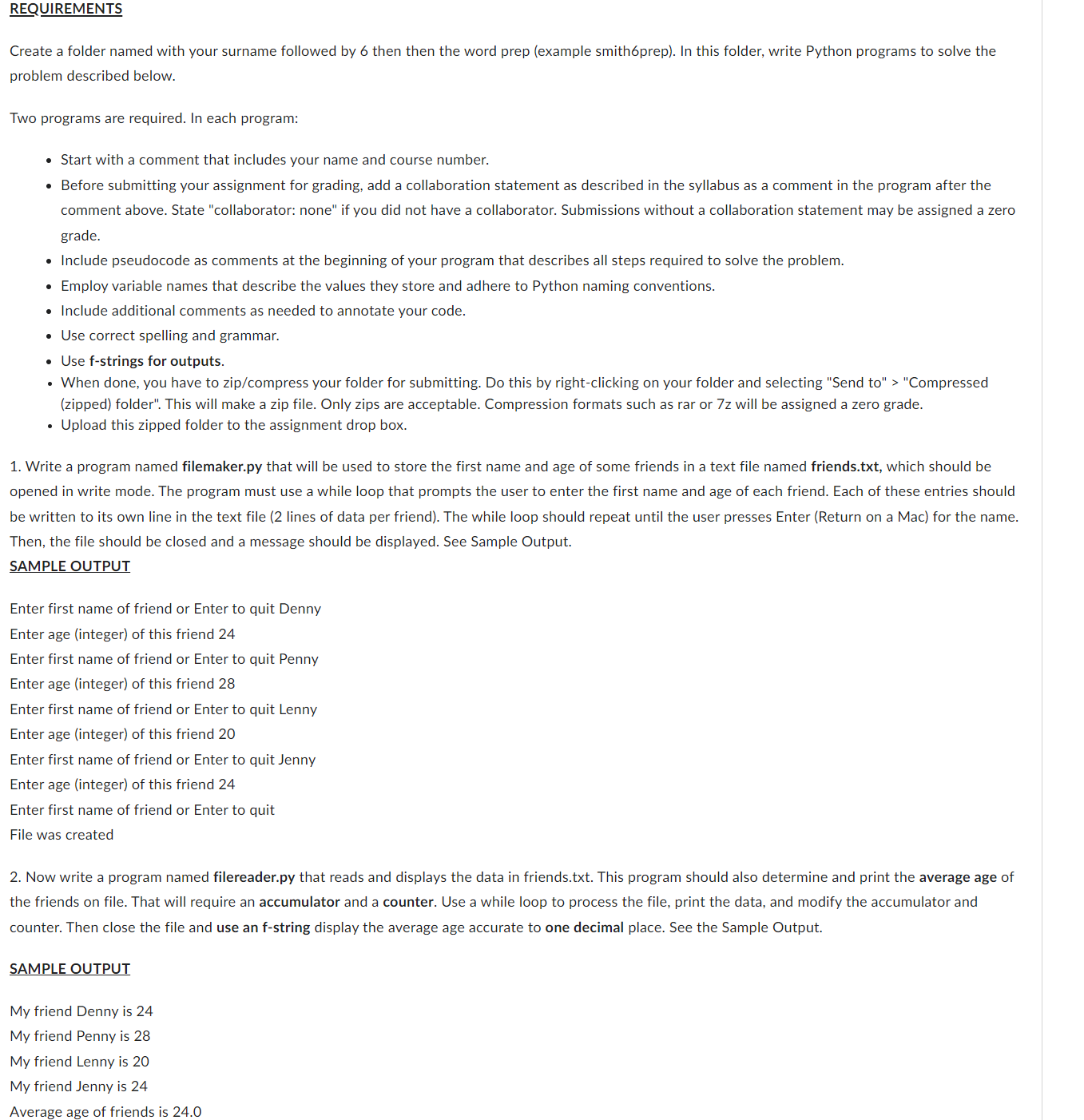
Write a program named filemaker.pythat will be used to store the first name and age of some friends in a text file named friends.txtwhich should be opened in write mode. The program must use a while loop that prompts the user to enter the first name and age of each friend. Each of these entries should be written to its own line in the text file lines of data per friend The while loop should repeat until the user presses Enter Return on a Mac for the name. Then, the file should be closed and a message should be displayed. See Sample Output.
SAMPLE OUTPUT
Enter first name of friend or Enter to quit Denny
Enter age integer of this friend
Enter first name of friend or Enter to quit Penny
Enter age integer of this friend
Enter first name of friend or Enter to quit Lenny
Enter age integer of this friend
Enter first name of friend or Enter to quit Jenny
Enter age integer of this friend
Enter first name of friend or Enter to quit
File was created
Now write a program named filereader.py that reads and displays the data in friends.txt This program should also determine and print the average age of the friends on file. That will require an accumulator and a counter. Use a while loop to process the file, print the data, and modify the accumulator and counter. Then close the file and use an fstring display the average age accurate to one decimal place. See the Sample Output.
SAMPLE OUTPUT
My friend Denny is
My friend Penny is
My friend Lenny is
My friend Jenny is
Average age of friends is REQUIREMENTS
Create a folder named with your surname followed by then then the word prep example smithprep In this folder, write Python programs to solve the problem described below.
Two programs are required. In each program:
Start with a comment that includes your name and course number.
Before submitting your assignment for grading, add a collaboration statement as described in the syllabus as a comment in the program after the comment above. State "collaborator:
Step by Step Solution
There are 3 Steps involved in it
1 Expert Approved Answer
Step: 1 Unlock

Question Has Been Solved by an Expert!
Get step-by-step solutions from verified subject matter experts
Step: 2 Unlock
Step: 3 Unlock
 Study Help