







Question: Please program in Python 3.9, the program under the problem is what goes with the statement. # add import statement here and run this program
Please program in Python 3.9, the program under the problem is what goes with the statement.
# add import statement here and run this program to get the output
myList = UnorderedList() myList.add(31) myList.add(77) myList.add(17) myList.add(93) myList.add(26) myList.add(54) myList.append(89) myList.printList() print() print(myList.size()) print(myList.search(17)) print(myList.index(17)) myList.insert(2, 15) myList.printList() print() myList.remove(93) myList.remove(22) myList.printList()
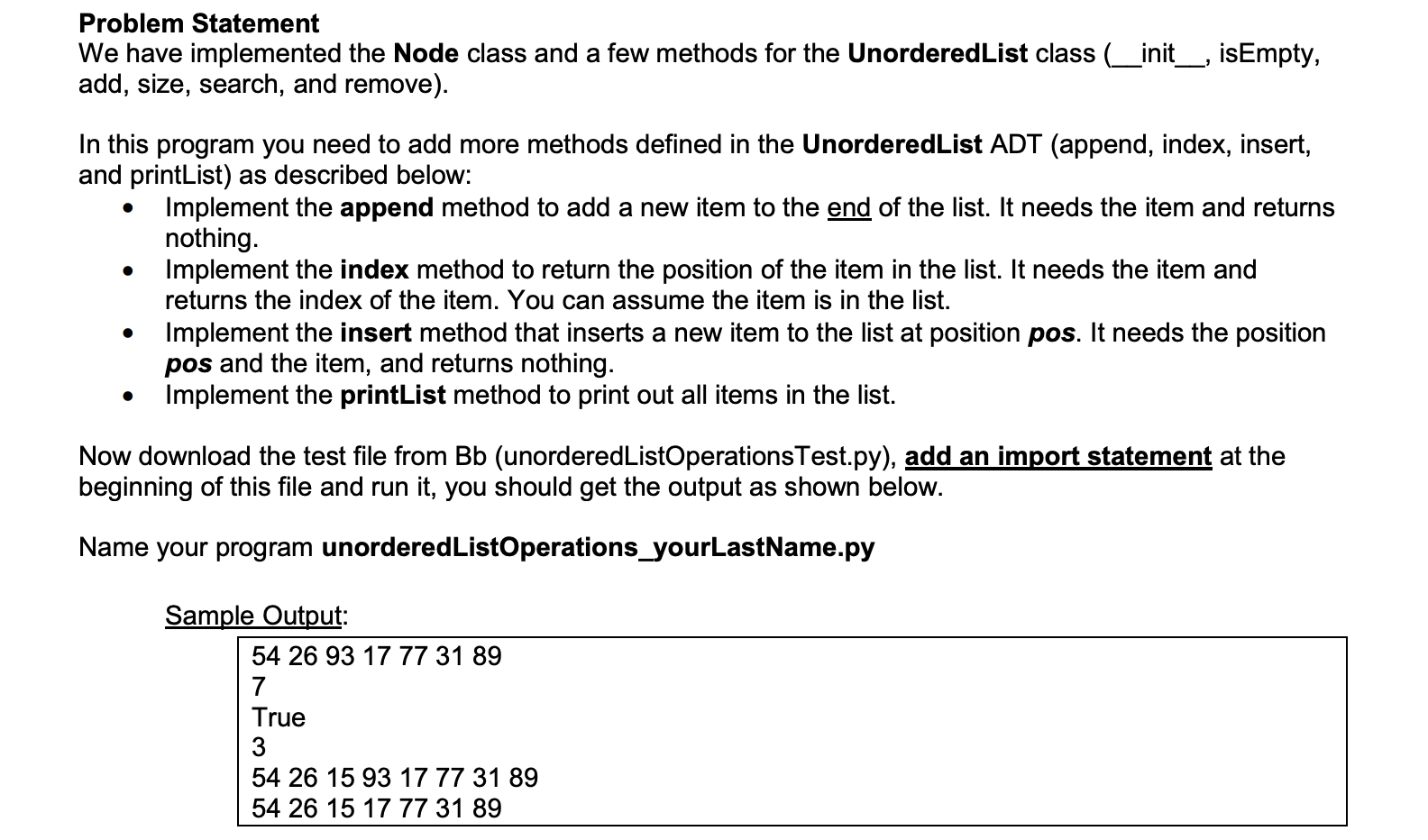
Problem Statement We have implemented the Node class and a few methods for the Unordered List class (_init__, isEmpty, add, size, search, and remove). In this program you need to add more methods defined in the Unordered List ADT (append, index, insert, and printList) as described below: Implement the append method to add a new item to the end of the list. It needs the item and returns nothing. Implement the index method to return the position of the item in the list. It needs the item and returns the index of the item. You can assume the item is in the list. Implement the insert method that inserts a new item to the list at position pos. It needs the position pos and the item, and returns nothing. Implement the printList method to print out all items in the list. . Now download the test file from Bb (unordered ListOperationsTest.py), add an import statement at the beginning of this file and run it, you should get the output as shown below. Name your program unordered ListOperations_yourLastName.py Sample Output: 54 26 93 17 77 31 89 7 True 3 54 26 15 93 17 77 31 89 54 26 15 17 77 31 89
Step by Step Solution
There are 3 Steps involved in it

Get step-by-step solutions from verified subject matter experts
 Study Help