







Question: Please provide testing screenshots. Design and implement a JavaFX application that allows the user to change the color of a displayed circle by selecting a
Please provide testing screenshots. Design and implement a JavaFX application that allows the user to change the color of a displayed circle by selecting a color out of three options provided by a set of radio buttons. The application also comes with a slider that controls the size of the circle. You must use the JavaFX property value to observe the slider value change and then update the circle size based on slider value. In addition, the application expects the user to select either a radio button control or the slider control only. When the user selects areas other than these controls, a sound effect with each mouse click on these areas will be played.
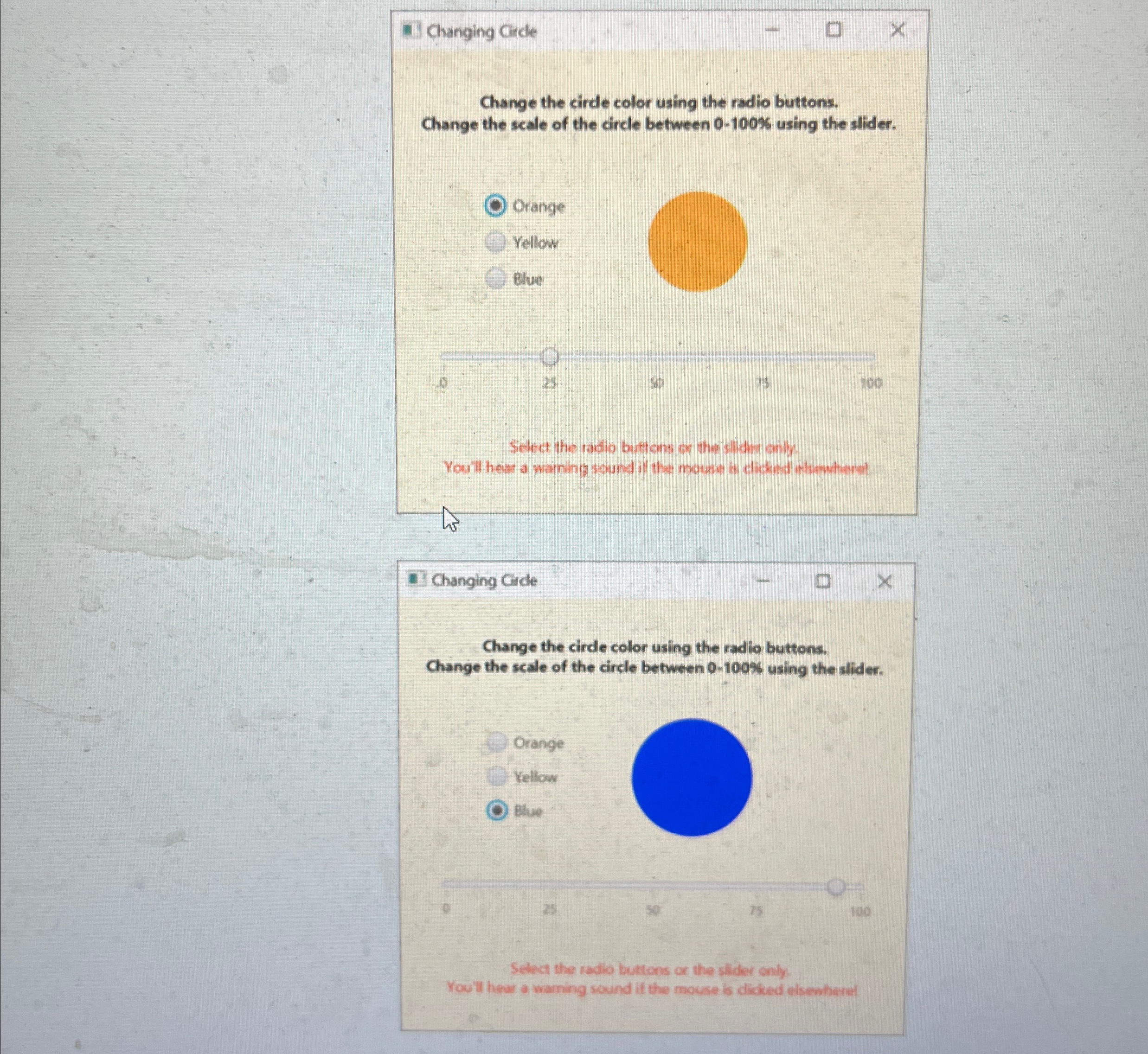
Your application should closely resemble the output format as shown in the diagrams. The diagrams show two different scenarios when the application is running. The application must fulfill the following requirements:
The application has an instruction eg Change the circle color using the radio buttons. Change the scale of the circle between using the slider about its usage. It is placed at the top of the application window.
The set of radio buttons and the circle shape are placed below the instruction. The three radio buttons must be aligned and placed on the left side of the application window. The circle is placed on the right side of the application window. The color of the circle is changed immediately based on the choice of the radio button.
A slider is placed horizontally below both the set of radio buttons and the circle shape. The size of the circle between and is updated when the slider is moving along its scale.
When the application is launched, the radio button "orange" has been selected, the displayed circle is orange, the size of the orange is and the knob of the slider is selected at on the scale.
A warning message eg Select the radio buttons or the slider only. You'll hear a warning sound if the mouse is clicked elsewhere! is placed at the bottom of the application.
The application plays a "warning" sound when the user is selecting neither any radio button nor the slider. An example of the sound could be "a beeping sound", or a "telephone ringing sound". Search a sound clip online or create it yourself.
Note:
Please submit one single zip file that contains all source code files iejava files the sound clip and test exhibits ie screenshots showing program execution
You will receive a zero grade for the whole assignment if the program fails to compile or prodces warnin
gs in compilation.
Step by Step Solution
There are 3 Steps involved in it
1 Expert Approved Answer
Step: 1 Unlock

Question Has Been Solved by an Expert!
Get step-by-step solutions from verified subject matter experts
Step: 2 Unlock
Step: 3 Unlock
 Study Help