







Question: Please provide the linux commands for the following: Use a combination of file permission settings and file ownership settings to change the file permissions and
Please provide the linux commands for the following: 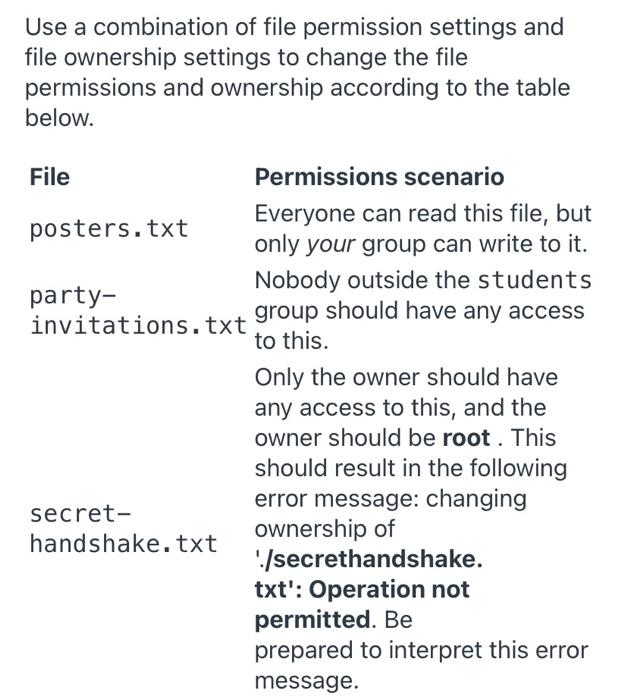
Use a combination of file permission settings and file ownership settings to change the file permissions and ownership according to the table below. File Permissions scenario Everyone can read this file, but posters.txt only your group can write to it. party- Nobody outside the students invitations.txt group should have any access to this. Only the owner should have any access to this, and the owner should be root. This should result in the following secret- error message: changing handshake.txt ownership of './secrethandshake. txt': Operation not permitted. Be prepared to interpret this error message
Step by Step Solution
There are 3 Steps involved in it
1 Expert Approved Answer
Step: 1 Unlock

Question Has Been Solved by an Expert!
Get step-by-step solutions from verified subject matter experts
Step: 2 Unlock
Step: 3 Unlock
 Study Help