







Question: Please read the instruction below and upgrade this flowchart according to the instruction. SOFTWARE USED: FLOWGORITHM Instruction: The flowchart provided will simulate two files of
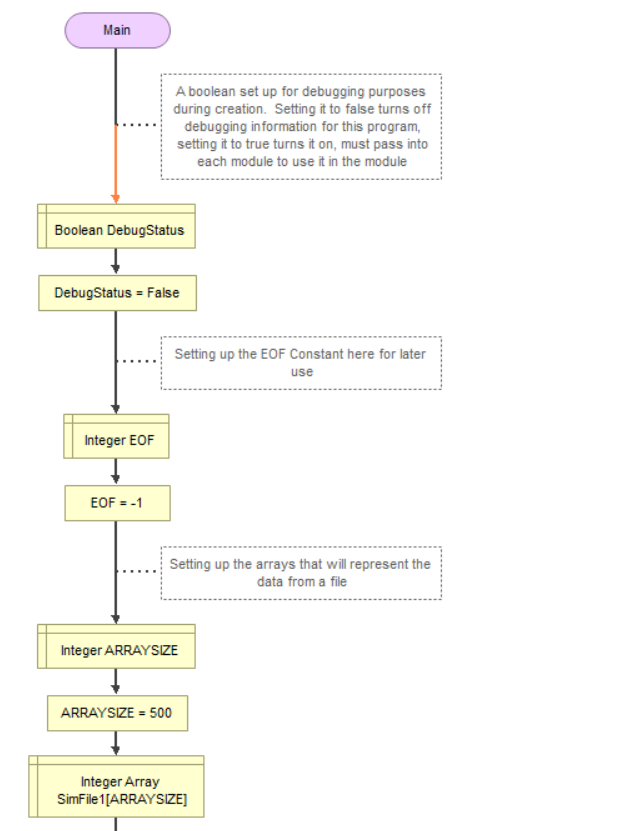
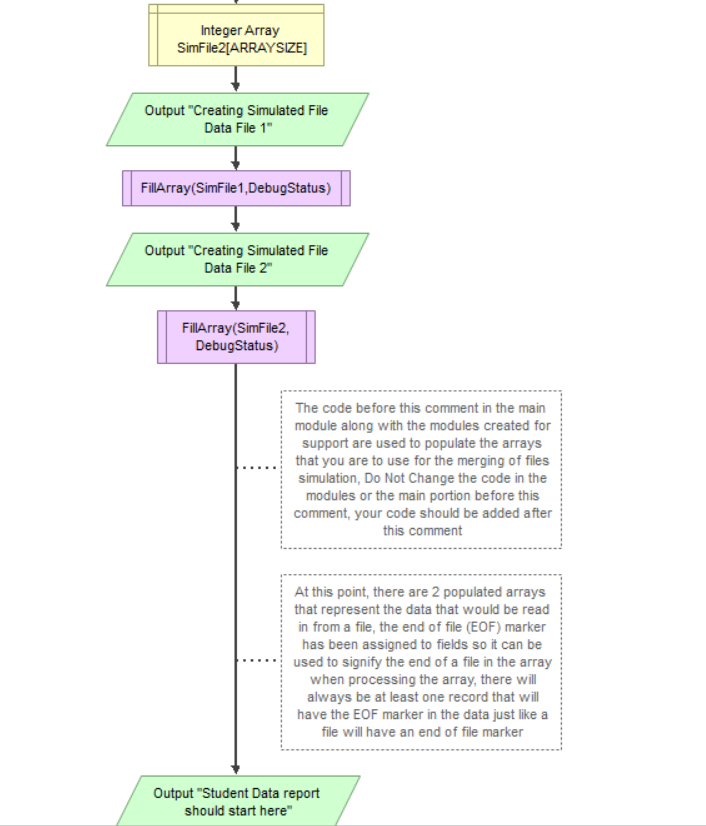
Please read the instruction below and upgrade this flowchart according to the instruction. SOFTWARE USED: FLOWGORITHM
Instruction:
The flowchart provided will simulate two files of data. It does this by creating, initializing and then populating 2 arrays. These two arrays are no parallel. Each array represents a file that has sorted numbers in the file. By utilizing the concepts, logic and flowcharts presented in the chapter, the two arrays are to be merged into a single array thus simulating merging two files into a single file. There is a lot of code provided that does the initialization and populating of the arrays. The code you are to add to the file will do the merging of the arrays.
The number of records in the data set may not fill the arrays completely. Each empty record element will contain the End of File Marker (EOF) of -1. This can be used to detect the end of the data just as one would would EOF when detecting when a file is complete. All of the data in the data set will be generated new with each running of the program. This means that no two data sets will likely be the same ever. To help with your own debugging and making sure the values are coming out correctly, code was added to the the flowchart that when turned on, will display the entire dataset and arrays for inspection. There is an assignment in the main module that says DebugStatus = False. If that is changed to DebugStatus = True, the contents of the arrays will be printed as part of the output. When you submit the file for grading, it is expected that the DebugStatus be set to False. The DebugStatus is passed into modules when the module has a need to see debug output.
No code changes should be made other than the DebugStatus code change to the code provided. Append your changes to the flowchart after the comment that indicates where you should append those changes. Changing the code provided other that the appending nature of the assignment will result in a major deduction to the grade.
Your appended code should merge the arrays and then output the single array for the user to see. The array you merge into should be exactly the size it needs to be to hold the data. Do not make a HUGE array and then only part of the array. Create the array with information about how big the other two arrays are filled so that there is no wasted space in that third array. This may require you to write your own "array sizing" module to determine how many elements are actually used in the large arrays. The hint there is the EOF marker in the empty sales will come into play.
Thank you :)
Main A boolean set up for debugging purposes during creation. Setting it to false turns off debugging information for this program, setting it to true turns it on, must pass into each module to use it in the module; Boolean DebugStatus DebugStatus -False Setting up the EOF Constant here for later use Integer EOF EOF-1 Setting up the arrays that will represent the data from a file ARRAYSIZE-500 Integer Array SimFile1[ARRAYSIZE] Main A boolean set up for debugging purposes during creation. Setting it to false turns off debugging information for this program, setting it to true turns it on, must pass into each module to use it in the module; Boolean DebugStatus DebugStatus -False Setting up the EOF Constant here for later use Integer EOF EOF-1 Setting up the arrays that will represent the data from a file ARRAYSIZE-500 Integer Array SimFile1[ARRAYSIZE]
Step by Step Solution
There are 3 Steps involved in it

Get step-by-step solutions from verified subject matter experts
 Study Help