







Question: please READ THE TASK and CONSTRUCT THE CODE CORRECTLY(with comments if you can), please write in C++ Last expert code was WRONG and not easy
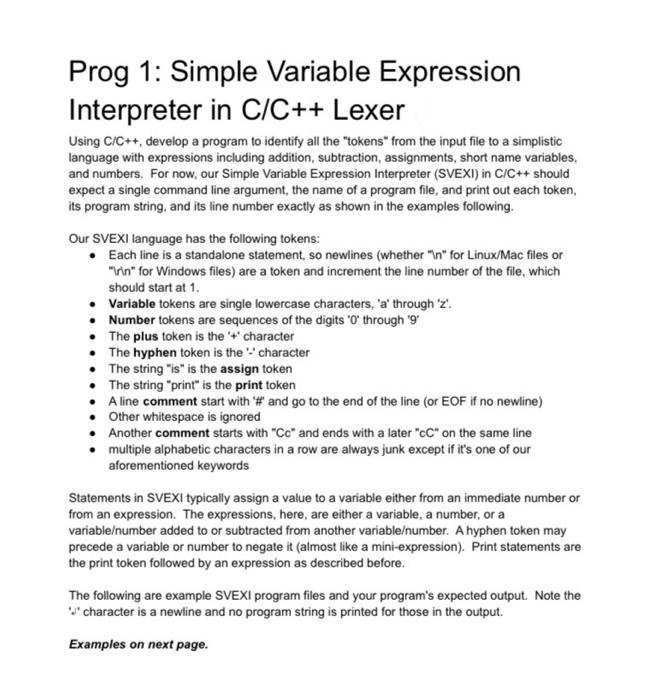
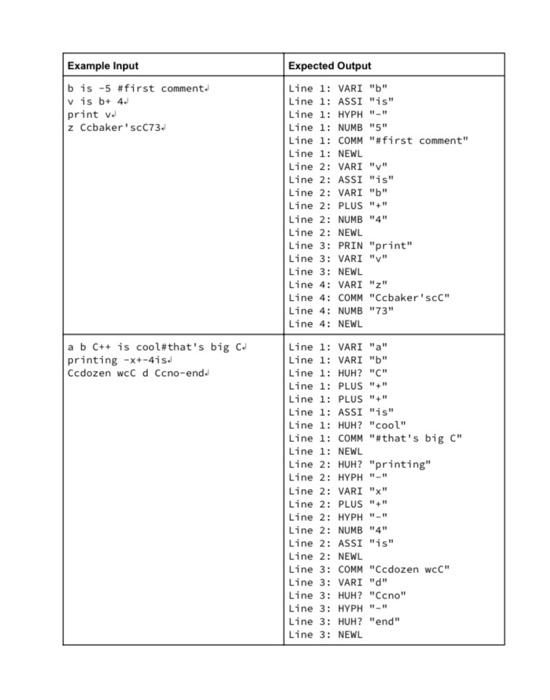
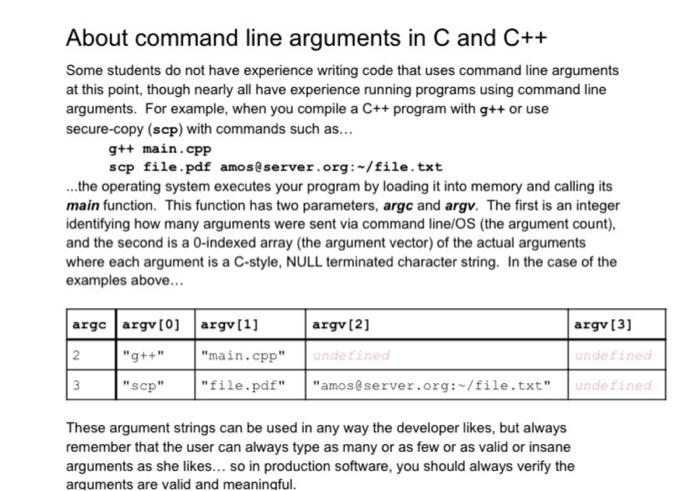
Prog 1: Simple Variable Expression Interpreter in C/C++ Lexer Using C/C++, develop a program to identify all the "tokens" from the input file to a simplistic language with expressions including addition, subtraction, assignments, short name variables, and numbers. For now, our Simple Variable Expression Interpreter (SVEXI) in C/C++ should expect a single command line argument, the name of a program file, and print out each token its program string, and its line number exactly as shown in the examples following. Our SVEXI language has the following tokens: Each line is a standalone statement, so newlines (whethern" for Linux/Mac files or inn" for Windows files) are a token and increment the line number of the file, which should start at 1. Variable tokens are single lowercase characters, 'a' through 'z'. Number tokens are sequences of the digits 'O' through 9 The plus token is the '+ character The hyphen token is the character The string "is" is the assign token The string "print" is the print token A line comment start with # and go to the end of the line (or EOF if no newline) Other whitespace is ignored Another comment starts with "Cc" and ends with a later "C" on the same line multiple alphabetic characters in a row are always junk except if it's one of our aforementioned keywords Statements in SVEXI typically assign a value to a variable either from an immediate number or from an expression. The expressions, here, are either a variable, a number, or a variableumber added to or subtracted from another variableumber. A hyphen token may precede a variable or number to negate it (almost like a mini-expression). Print statements are the print token followed by an expression as described before. The following are example SVEXI program files and your program's expected output. Note the "character is a newline and no program string is printed for those in the output. Examples on next page. Example Input bis -5 #first comment v is b+ 4. print v 2 Ccbaker' scc73. Expected Output Line 1: VARI "b" Line 1: ASSI "is" Line 1: HYPH Line 1: NUMB "5" Line 1: COMM "#first comment" Line 1: NEWL Line 2: VARI "V" Line 2: ASSI "is" Line 2: VARI "b" Line 2: PLUS". Line 2: NUMB "4" Line 2: NEWL Line 3: PRIN "print" Line 3: VARI "V" Line 3: NEWL Line 4: VARI "2" Line 4: COMM "Ccbaker's Line 4: NUMB"73" Line 4: NEWL a b C++ is cool#that's big C printing -+-415. Ccdozen wcc d Ccno-end. Line 1: VARI "a" Line 1: VARI "b" Line 1: HUH? "C" Line 1: PLUS "" Line 1: PLUS" Line 1: ASSI "is" Line 1: HUH? "cool" Line 1: COMM "#that's big C". Line 1: NEWL Line 2: HUH? "printing" Line 2: HYPH". Line 2: VARI "X" Line 2: PLUS Line 2: HYPH". Line 2: NUMB "4" Line 2: ASSI "is" Line 2: NEWL Line 3: COMM "Ccdozen wcC" Line 3: VARI "d" Line 3: HUH? "Ccno" Line 3: HYPH". Line 3: HUH? "end" Line 3: NEWL About command line arguments in C and C++ Some students do not have experience writing code that uses command line arguments at this point, though nearly all have experience running programs using command line arguments. For example, when you compile a C++ program with g++ or use secure-copy (scp) with commands such as... g++ main.cpp scp file.pdf amos@server.org:-/file.txt ...the operating system executes your program by loading it into memory and calling its main function. This function has two parameters, argc and argv. The first is an integer identifying how many arguments were sent via command line/OS (the argument count). and the second is a 0-indexed array (the argument vector) of the actual arguments where each argument is a C-style, NULL terminated character string. In the case of the examples above... argv[2] argv[3] argc argv[0] argv[1] 2 "g++" "main.cpp" 3 "scp" "file.pdf" undefined undefined "amos@server.org:-/file.txt" undefined These argument strings can be used in any way the developer likes, but always remember that the user can always type as many or as few or as valid or insane arguments as she likes... so in production software, you should always verify the arguments are valid and meaningful
Step by Step Solution
There are 3 Steps involved in it

Get step-by-step solutions from verified subject matter experts
 Study Help