



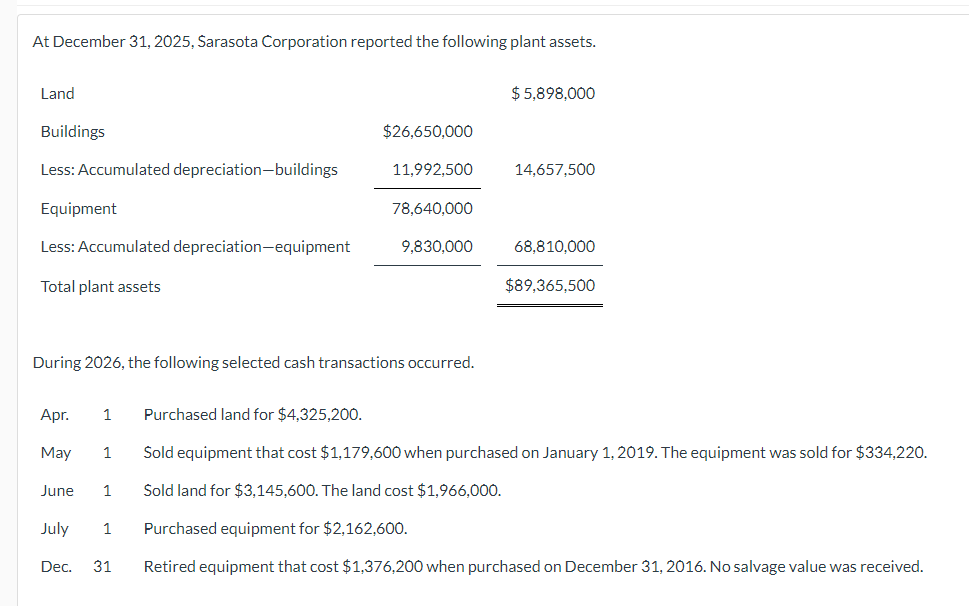
Question: PLEASE RECORD ADJUSTING ENTRIES FOR 2026, ABOVE ARE THE CONTEXT FOR THE ASSIGMENT At December 31, 2025, Sarasota Corporation reported the following plant assets. During
PLEASE RECORD ADJUSTING ENTRIES FOR 2026, ABOVE ARE THE CONTEXT FOR THE ASSIGMENT
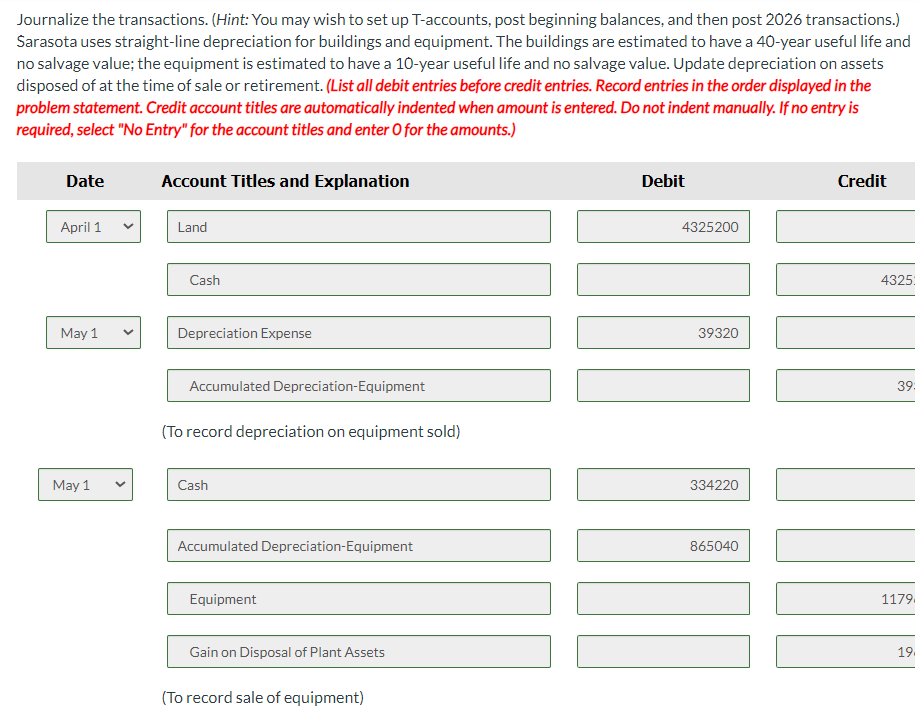
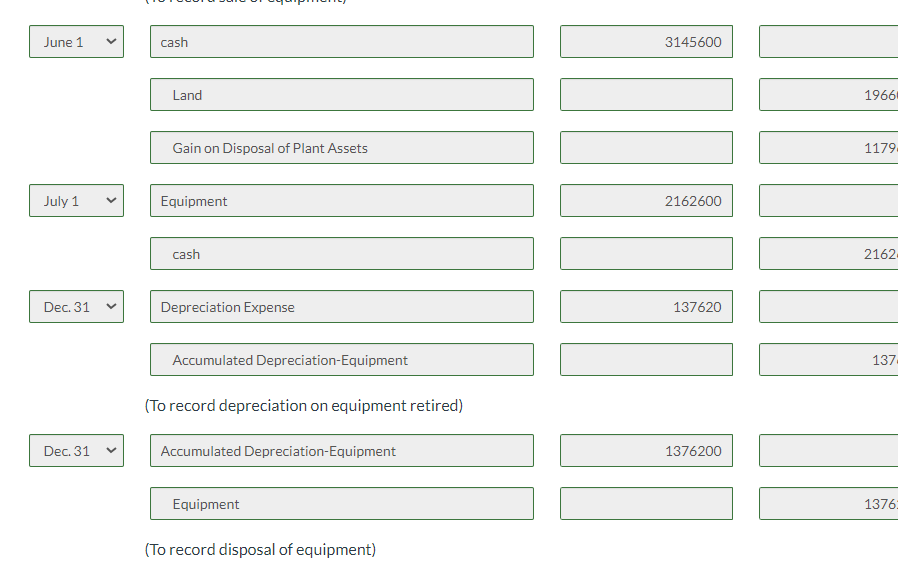
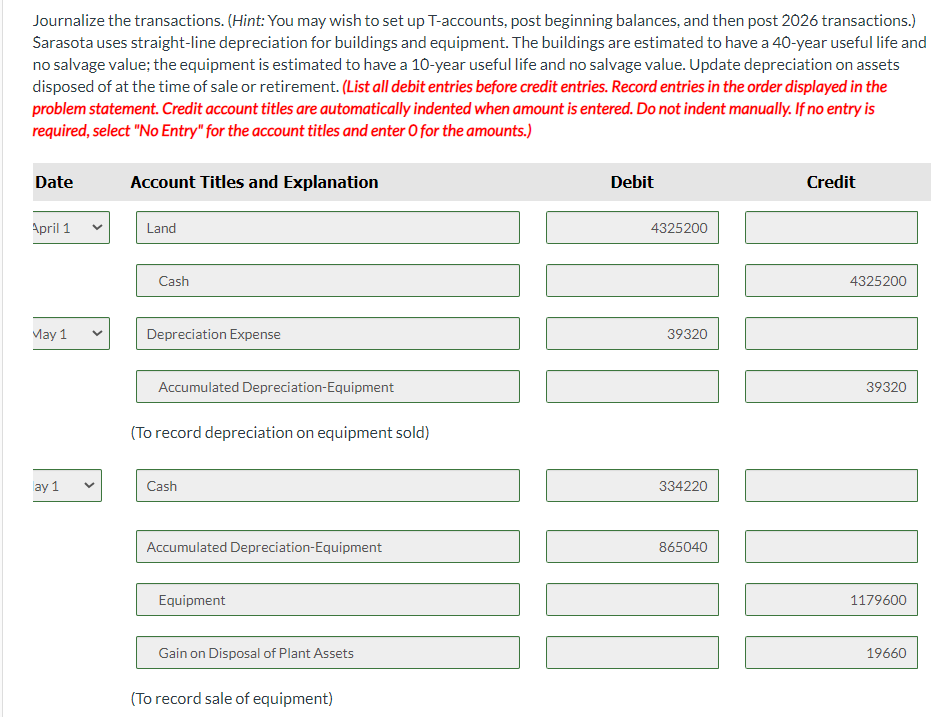
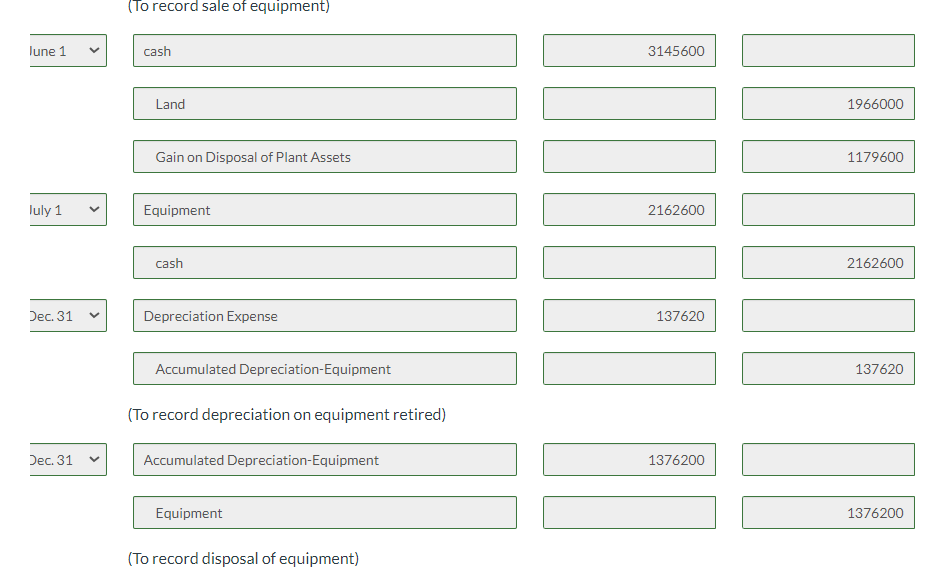
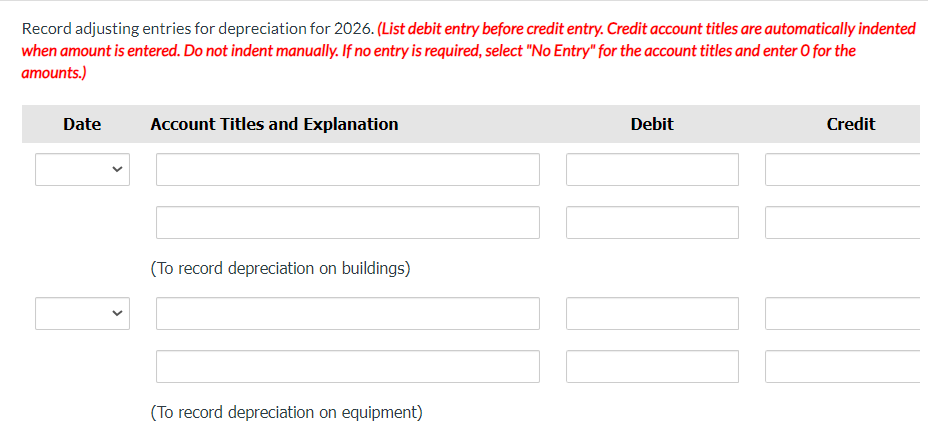
At December 31, 2025, Sarasota Corporation reported the following plant assets. During 2026, the following selected cash transactions occurred. Apr. 1 Purchased land for $4,325,200. May 1 Sold equipment that cost $1,179,600 when purchased on January 1, 2019. The equipment was sold for $334,220. June 1 Sold land for $3,145,600. The land cost $1,966,000. July 1 Purchased equipment for $2,162,600. Dec. 31 Retired equipment that cost $1,376,200 when purchased on December 31, 2016. No salvage value was received. Journalize the transactions. (Hint: You may wish to set up T-accounts, post beginning balances, and then post 2026 transactions.) Sarasota uses straight-line depreciation for buildings and equipment. The buildings are estimated to have a 40 -year useful life and no salvage value; the equipment is estimated to have a 10-year useful life and no salvage value. Update depreciation on assets disposed of at the time of sale or retirement. (List all debit entries before credit entries. Record entries in the order displayed in the problem statement. Credit account titles are automatically indented when amount is entered. Do not indent manually. If no entry is required, select "No Entry" for the account titles and enter 0 for the amounts.) June 1 cash Land Gain on Disposal of Plant Assets July 1 Equipment cash Dec. 31 Depreciation Expense Accumulated Depreciation-Equipment (To record depreciation on equipment retired) Dec. 31 \begin{tabular}{l} Accumulated Depreciation-Equipment \\ \hline Equipment \\ \hline \end{tabular} 3145600 19661 1179 2162600 2162 137620 1376200 (To record disposal of equipment) Journalize the transactions. (Hint: You may wish to set up T-accounts, post beginning balances, and then post 2026 transactions.) Sarasota uses straight-line depreciation for buildings and equipment. The buildings are estimated to have a 40 -year useful life and no salvage value; the equipment is estimated to have a 10-year useful life and no salvage value. Update depreciation on assets disposed of at the time of sale or retirement. (List all debit entries before credit entries. Record entries in the order displayed in the problem statement. Credit account titles are automatically indented when amount is entered. Do not indent manually. If no entry is required, select "No Entry" for the account titles and enter 0 for the amounts.) D (To record sale of equipment) \begin{tabular}{|c|c|c|c|c|} \hline \multirow[t]{3}{*}{ lune 1} & & cash & 3145600 & \\ \hline & & Land & & 1966000 \\ \hline & & Gain on Disposal of Plant Assets & & 1179600 \\ \hline \multirow[t]{2}{*}{ luly 1} & & Equipment & 2162600 & \\ \hline & & cash & & 2162600 \\ \hline \multirow[t]{3}{*}{ Jec. 31} & & Depreciation Expense & 137620 & \\ \hline & & Accumulated Depreciation-Equipment & & 137620 \\ \hline & & (To record depreciation on equipment & & \\ \hline \multirow[t]{2}{*}{ Jec. 31} & & Accumulated Depreciation-Equipment & 1376200 & \\ \hline & & Equipment & & 1376200 \\ \hline \end{tabular} Record adjusting entries for depreciation for 2026. (List debit entry before credit entry. Credit account titles are automatically indented when amount is entered. Do not indent manually. If no entry is required, select "No Entry" for the account titles and enter 0 for the amounts.)
Step by Step Solution
There are 3 Steps involved in it

Get step-by-step solutions from verified subject matter experts