







Question: Please run this program in JGRASP and take a screenshot of coding and output. Please correct coding if needed, thanks. Problem 12: 1 import java.text.Decimal
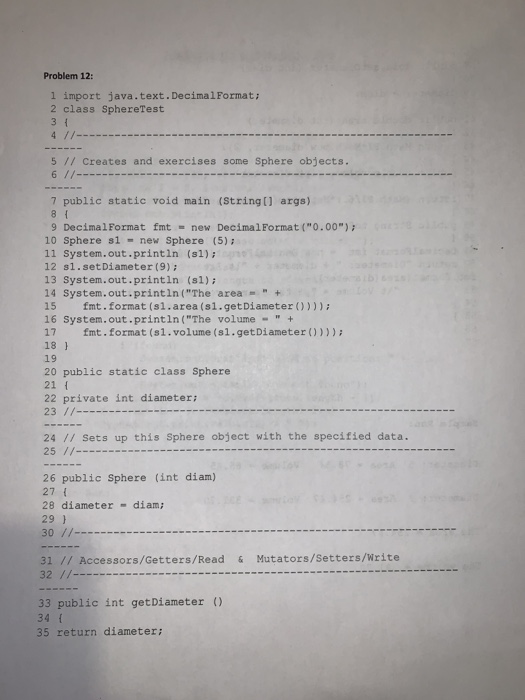
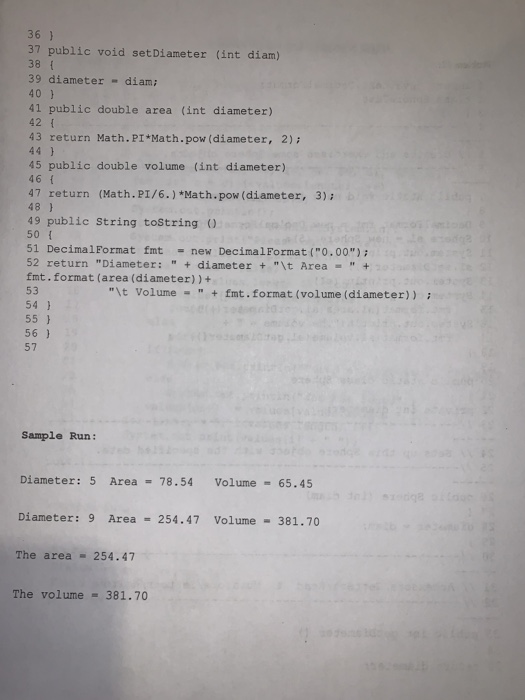
Problem 12: 1 import java.text.Decimal Format: 2 class Sphere Test 31 4 // 5 // Creates and exercises some Sphere objects. 6 // - 7 public static void main (String[] args) 81 9 Decimal Format fmt = new Decimal Format("0.00"); 10 Sphere sl = new Sphere (5) 11 System.out.println (sl); 12 sl.set Diameter (9); 13 System.out.println (sl); 14 System.out.println("The area = " + 15 fmt. format (sl.area (s1.getDiameter())); 16 System.out.println("The volume - " + 17 fmt.format(s1.volume (sl.getDiameter()))); 18 ] 19 20 public static class Sphere 21 [ 22 private int diameter; 23 //- 24 // Sets up this Sphere object with the specified data. 25/- 26 public Sphere (int diam) 27 { 28 diameter - diam; 29} 30 //--- 31 // Accessors/Getters/Read & Mutators/Setters/Write 32 //--- 33 public int getDiameter () 34 35 return diameter; 36 ) 37 public void set Diameter (int diam) 38 39 diameter - diam; 40 ) 41 public double area (int diameter) 42 43 return Math.PI*Math.pow (diameter, 2); 44 ) 45 public double volume (int diameter) 46 { 47 return (Math.PI/6.) * Math.pow (diameter, 3);b 48 ) 49 public String toString() 50 51 DecimalFormat fmt = new Decimal Format("0.00"); 52 return "Diameter: " + diameter + "\t Area = " + fmt.format(area (diameter)) + "\t Volume - " + imt. format (volume (diameter)) ? 54 ) 55 ) 56 ) 53 Sample Run: Diameter: 5 Area - 78.54 Volume - 65.45 Diameter: 9 Area = 254.47 Volume - 381.70 The area = 254.47 The volume = 381.70
Step by Step Solution
There are 3 Steps involved in it

Get step-by-step solutions from verified subject matter experts
 Study Help