







Question: Please show ALL steps and explanations in Java Modify the Binary Search in the slides to work with array lists. Create an array list with

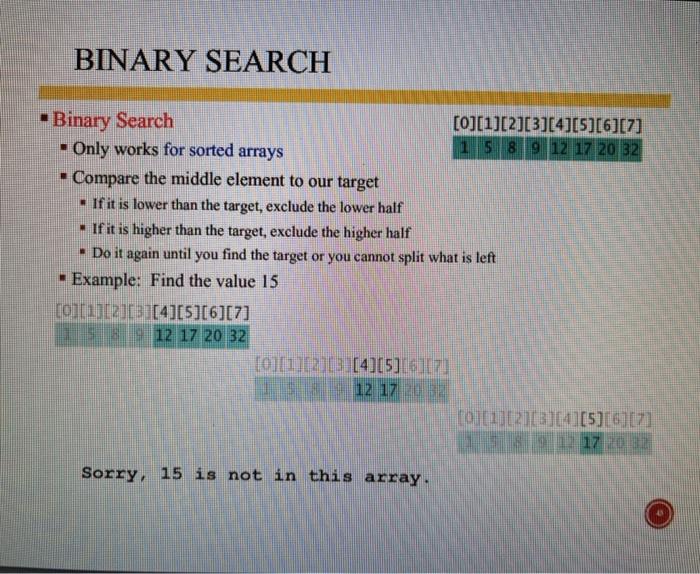
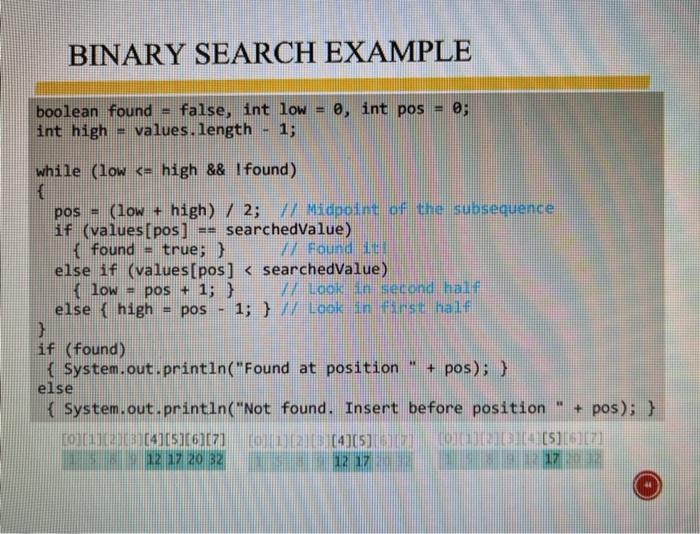
Modify the Binary Search in the slides to work with array lists. Create an array list with at least 10 elements and you can choose the data type. Test the modified binary search using your array list. BINARY SEARCH -Binary Search [0][1][2][3][4][5][6][7] - Only works for sorted arrays 1 5 8 9 12 17 20 32 Compare the middle element to our target - If it is lower than the target, exclude the lower half - If it is higher than the target, exclude the higher half - Do it again until you find the target or you cannot split what is left - Example: Find the value 15 com2013[4][5][6][7] 12 17 20 32 101112 (415) 12 1720 01.2013][4][5][6][71 17 2017 Sorry, 15 is not in this array. BINARY SEARCH EXAMPLE e, int pos = 0; boolean found = false, int low int high values. length 1, while (low
Step by Step Solution
There are 3 Steps involved in it

Get step-by-step solutions from verified subject matter experts
 Study Help