







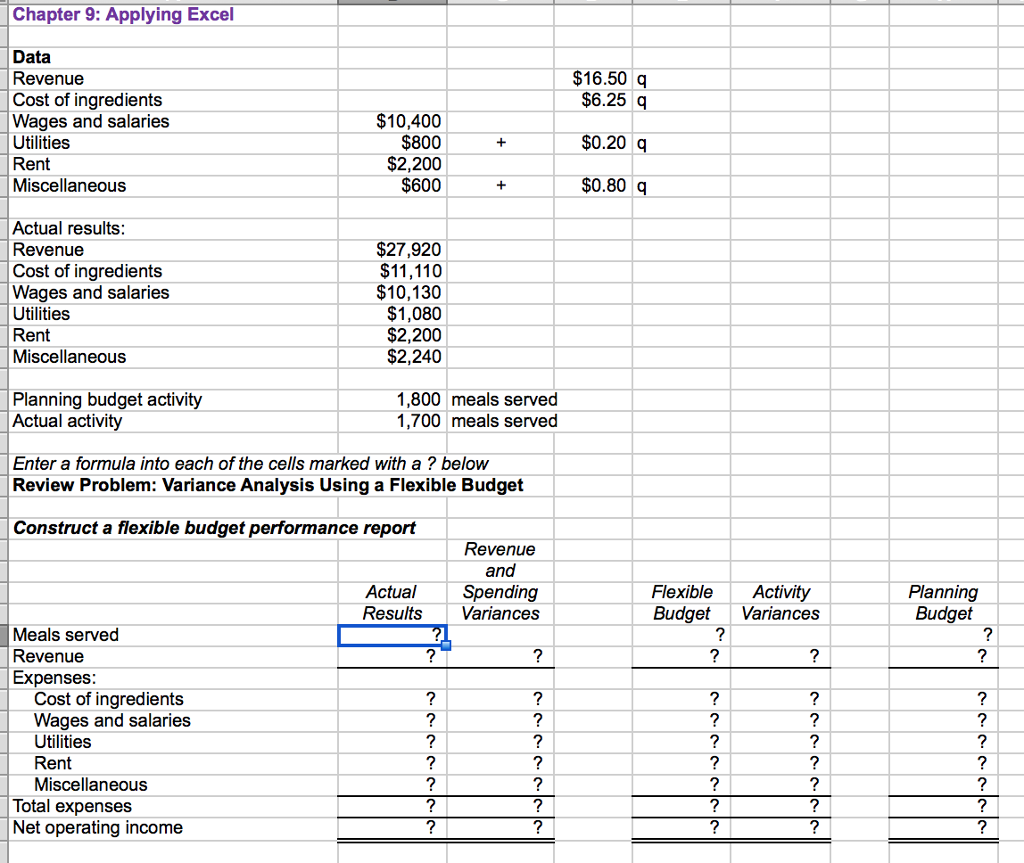
Question: please show how numbers were computed Chapter 9: Applying Excel Data Revenue Cost of ingredients Wages and salaries Utilities Rent Miscellaneous $16.50 q $10,400 $800
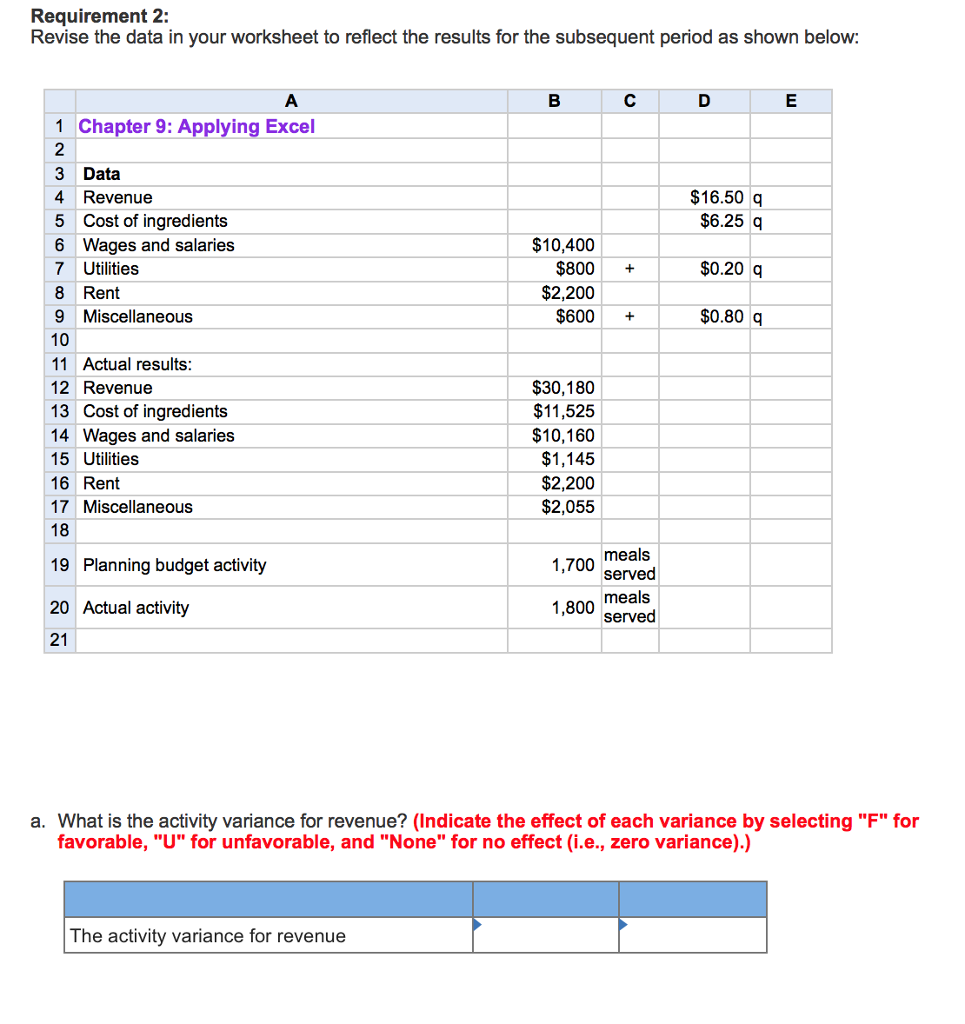
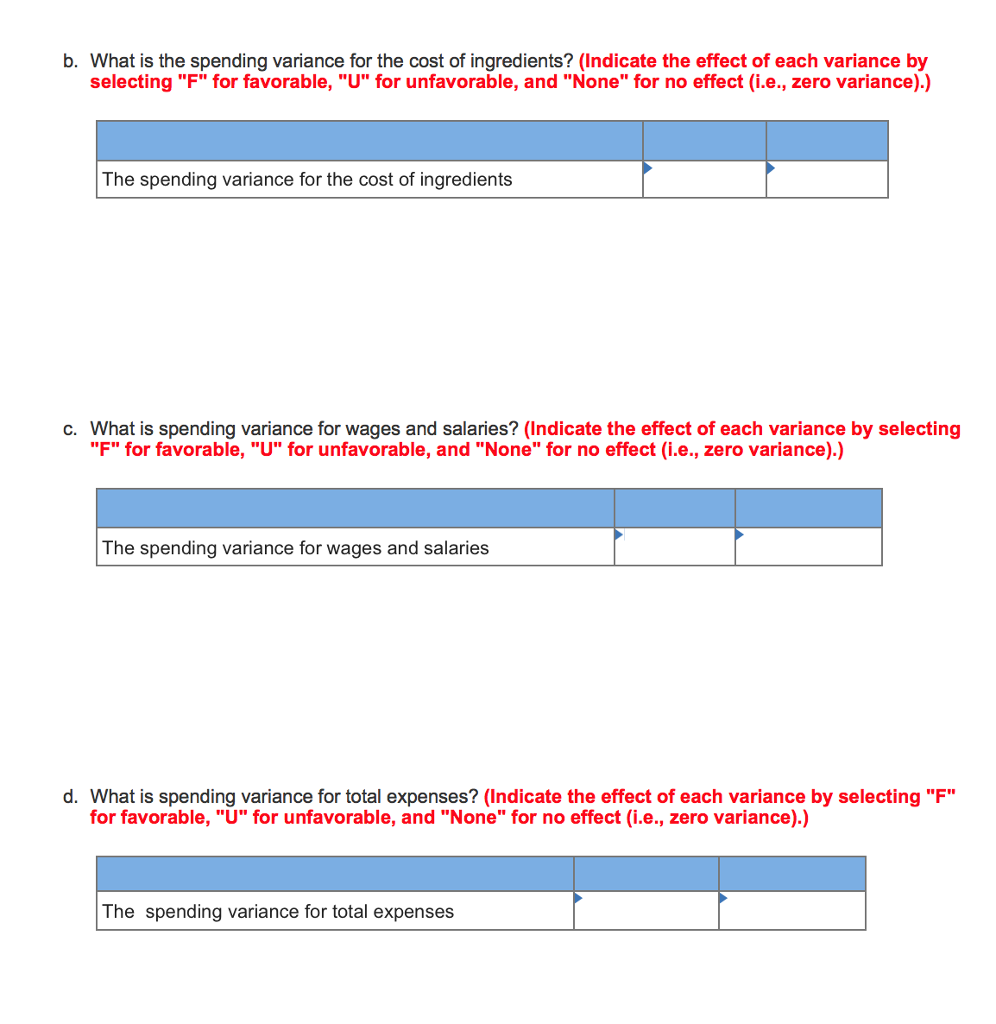 please show how numbers were computed
Chapter 9: Applying Excel Data Revenue Cost of ingredients Wages and salaries Utilities Rent Miscellaneous $16.50 q $10,400 $800 $2,200 $600 $6.25 q $0.20 q $0.80 Actual results Revenue Cost of ingredients Wages and salaries Utilities Rent Miscellaneous $27,920 $11,110 $10,130 $1,080 $2,200 $2,240 Planning budget activity Actual activi 1,800 meals served 1,700 meals served Enter a formula into each of the cells marked with a ? below Review Problem: Variance Analysis Using a Flexible Budget Construct a flexible budget performance report Revenue and Actual Spending Results Variances FlexibleActivity BudgetVariances Planning Budget Meals served Revenue Expenses Cost of ingredients Wages and salaries Utilities Rent Miscellaneous Total expenses Net operating income Chapter 9: Applying Excel Data Revenue Cost of ingredients Wages and salaries Utilities Rent Miscellaneous $16.50 q $10,400 $800 $2,200 $600 $6.25 q $0.20 q $0.80 Actual results Revenue Cost of ingredients Wages and salaries Utilities Rent Miscellaneous $27,920 $11,110 $10,130 $1,080 $2,200 $2,240 Planning budget activity Actual activi 1,800 meals served 1,700 meals served Enter a formula into each of the cells marked with a ? below Review Problem: Variance Analysis Using a Flexible Budget Construct a flexible budget performance report Revenue and Actual Spending Results Variances FlexibleActivity BudgetVariances Planning Budget Meals served Revenue Expenses Cost of ingredients Wages and salaries Utilities Rent Miscellaneous Total expenses Net operating income
Step by Step Solution
There are 3 Steps involved in it

Get step-by-step solutions from verified subject matter experts
 Study Help