







Question: Please show matlab code. Will upvote. 2. Do Exercise 3.4 in NCM. If you follow the instructions in the book, you can save your hand

Please show matlab code. Will upvote.
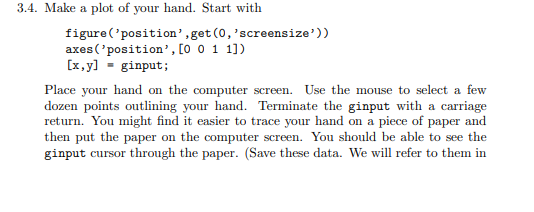
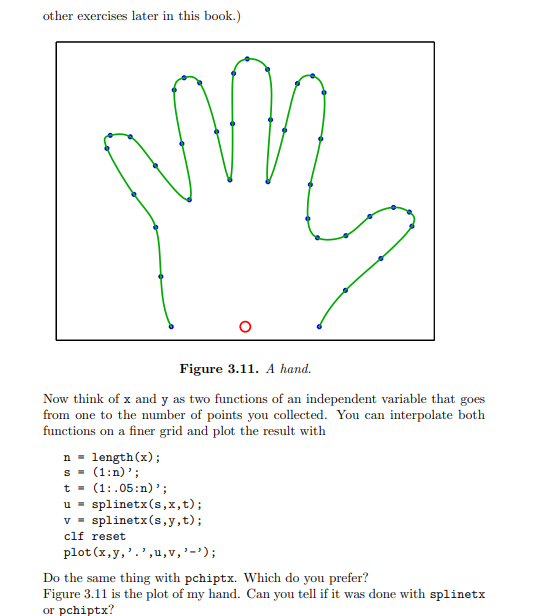
2. Do Exercise 3.4 in NCM. If you follow the instructions in the book, you can save your hand data in the file myhand.mat using the Matlab command save myhand xyy and retrieve it in a later Matlab session with load myhand. We will use this hand data in a future computer assignment. 3.4. Make a plot of your hand. Start with figure ('position', get (0, , screensize')) axes ('position', [0011]) [x,y]= ginput; Place your hand on the computer screen. Use the mouse to select a few dozen points outlining your hand. Terminate the ginput with a carriage return. You might find it easier to trace your hand on a piece of paper and then put the paper on the computer screen. You should be able to see the ginput cursor through the paper. (Save these data. We will refer to them in other exercises later in this book.) Figure 3.11. A hand. Now think of x and y as two functions of an independent variable that goes from one to the number of points you collected. You can interpolate both functions on a finer grid and plot the result with n= length (x); s=(1:n); t=(1:.05:n); u=splinetx(s,x,t); v= splinetx (s,y,t); clf reset plot (x,y,,,u,v,,); Do the same thing with pchiptx. Which do you prefer? Figure 3.11 is the plot of my hand. Can you tell if it was done with splinetx or pchiptx
Step by Step Solution
There are 3 Steps involved in it

Get step-by-step solutions from verified subject matter experts
 Study Help