







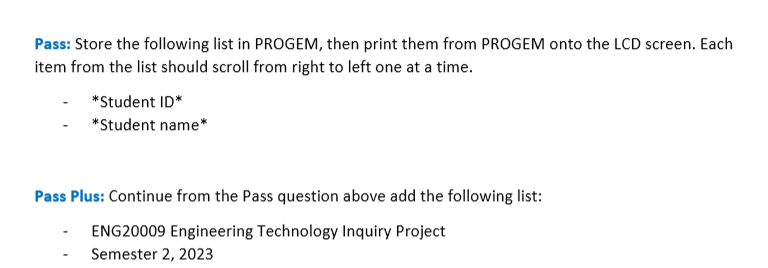
Question: please solve both p and pp and provide the code you used Pass: Store the following list in PROGEM, then print them from PROGEM onto
please solve both p and pp and provide the code you used Pass: Store the following list in PROGEM, then print them from PROGEM onto the LCD screen. Each
item from the list should scroll from right to left one at a time.
Pass Plus: Continue from the Pass question above add the following list:
ENG Engineering Technology Inquiry Project
Semester Pass: Using the interrupt hardware for pushbutton, display a nonalphanumeric symbol on the LCD.
Pass Plus: Using timer interruptnot delay, micros, millis make an LED turn on for second and then
off for seconds. Arduino Programming USB Port
The Arduino Programming USB port is the preferred port for uploading code to the Arduino.
The Native USB port can be used in the same way as well, but the Programming port is the most
reliable.
The External USB and Barrel connector can be used to provide power for the Arduino without a
connection to a PC
Component Connections:
LED BARGRAPH connections Dip Switch connections
LED Matrix
Push Buttons
DC Motor, Stepper Motor, Serv
Potentiometer, LDR Microphone
EEPROM One Wire
IMU & RTC
Buzzer
SD Card
Step by Step Solution
There are 3 Steps involved in it
1 Expert Approved Answer
Step: 1 Unlock

Question Has Been Solved by an Expert!
Get step-by-step solutions from verified subject matter experts
Step: 2 Unlock
Step: 3 Unlock
 Study Help