







Question: Please solve with the following instructions and code in Python: Project 3.9 File: testquicksort.py Tests the quicksort algorithm def insertionSort(lyst, left, right): def
Please solve with the following instructions and code in Python:
"""
Project 3.9
File: testquicksort.py
Tests the quicksort algorithm
"""
def insertionSort(lyst, left, right):
def quicksort(lyst):
quicksortHelper(lyst, 0, len(lyst) - 1)
def quicksortHelper(lyst, left, right):
if left
pivotLocation = partition(lyst, left, right)
quicksortHelper(lyst, left, pivotLocation - 1)
quicksortHelper(lyst, pivotLocation + 1, right)
def partition(lyst, left, right):
# Find the pivot and exchange it with the last item
middle = (left + right) // 2
pivot = lyst[middle]
lyst[middle] = lyst[right]
lyst[right] = pivot
# Set boundary point to first position
boundary = left
# Move items less than pivot to the left
for index in range(left, right):
if lyst[index]
swap(lyst, index, boundary)
boundary += 1
# Exchange the pivot item and the boundary item
swap (lyst, right, boundary)
return boundary
def swap(lyst, i, j):
"""Exchanges the items at positions i and j."""
# You could say lyst[i], lyst[j] = lyst[j], lyst[i]
# but the following code shows what is really going on
temp = lyst[i]
lyst[i] = lyst[j]
lyst[j] = temp
import random
def main(size = 20, sort = quicksort):
lyst = []
for count in range(size):
lyst.append(random.randint(1, size + 1))
print(lyst)
sort(lyst)
print(lyst)
if __name__ == "__main__":
main()
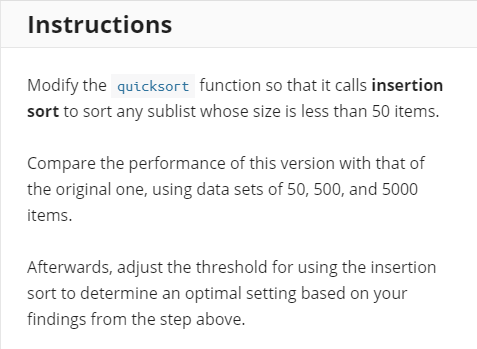
Instructions Modify the quicksort function so that it calls insertion sort to sort any sublist whose size is less than 50 items. Compare the performance of this version with that of the original one, using data sets of 50, 500, and 5000 items. Afterwards, adjust the threshold for using the insertion sort to determine an optimal setting based on your findings from the step above
Step by Step Solution
There are 3 Steps involved in it

Get step-by-step solutions from verified subject matter experts
 Study Help