



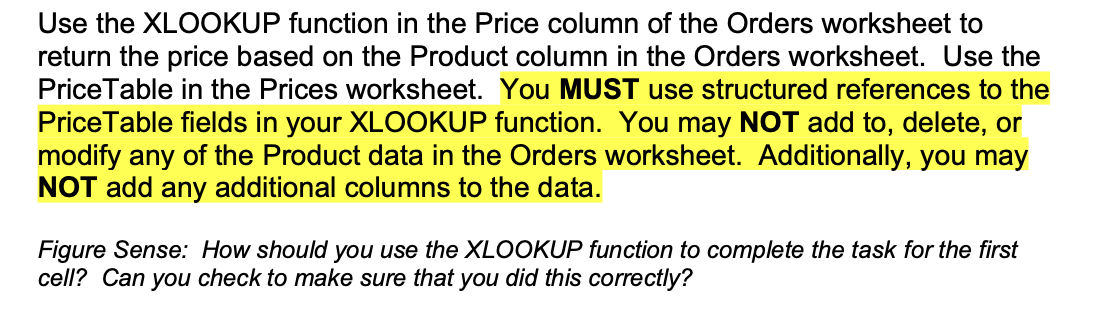
Question: Please state the formula used in I2 on the orders sheet! Orders sheet goes down to cell 984. Use the XLOOKUP function in the Price
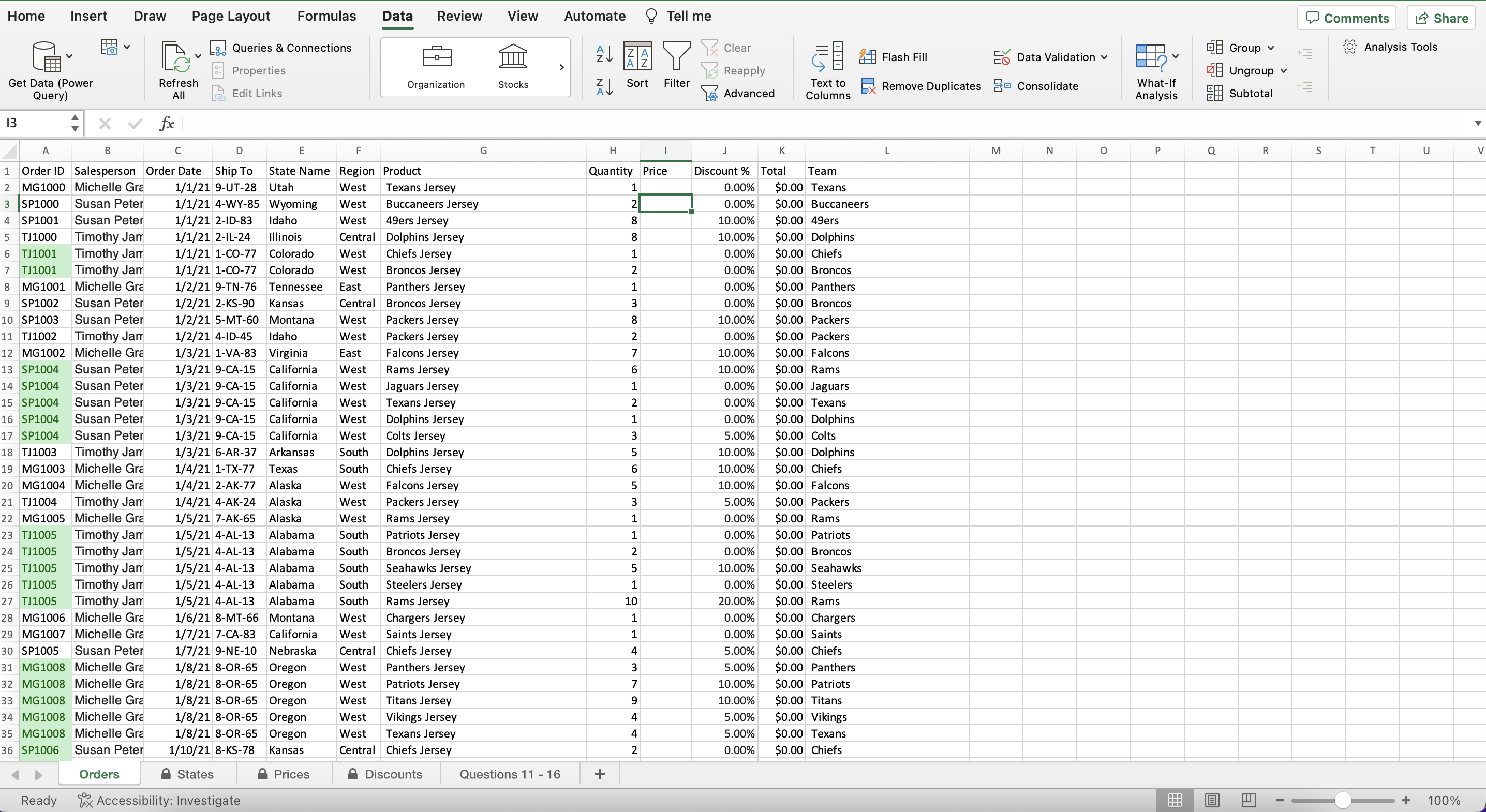
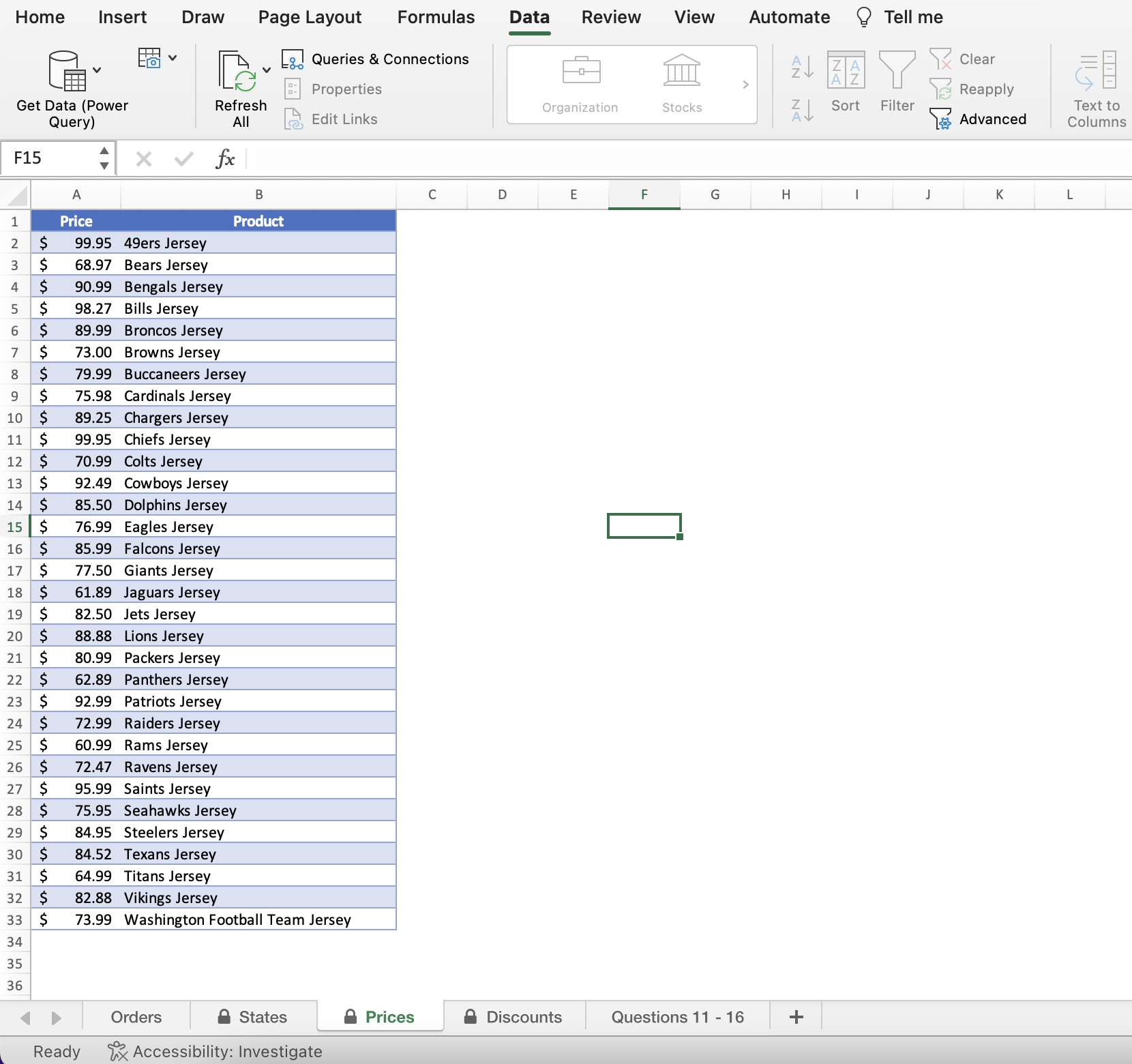
Please state the formula used in I2 on the orders sheet! Orders sheet goes down to cell 984.
Use the XLOOKUP function in the Price column of the Orders worksheet to return the price based on the Product column in the Orders worksheet. Use the PriceTable in the Prices worksheet. You MUST use structured references to the PriceTable fields in your XLOOKUP function. You may NOT add to, delete, or modify any of the Product data in the Orders worksheet. Additionally, you may NOT add any additional columns to the data. Figure Sense: How should you use the XLOOKUP function to complete the task for the first cell? Can you check to make sure that you did this correctly? Home Insert Draw Page Layout Formulas Data Review View Automate @ Tell me Use the XLOOKUP function in the Price column of the Orders worksheet to return the price based on the Product column in the Orders worksheet. Use the PriceTable in the Prices worksheet. You MUST use structured references to the PriceTable fields in your XLOOKUP function. You may NOT add to, delete, or modify any of the Product data in the Orders worksheet. Additionally, you may NOT add any additional columns to the data. Figure Sense: How should you use the XLOOKUP function to complete the task for the first cell? Can you check to make sure that you did this correctly? Home Insert Draw Page Layout Formulas Data Review View Automate @ Tell me
Step by Step Solution
There are 3 Steps involved in it

Get step-by-step solutions from verified subject matter experts