







Question: Please test the following bash program locally #!/bin/bash # 1. Looks for a log file logfile=$1 if [ ! -f $logfile ]; then echo log
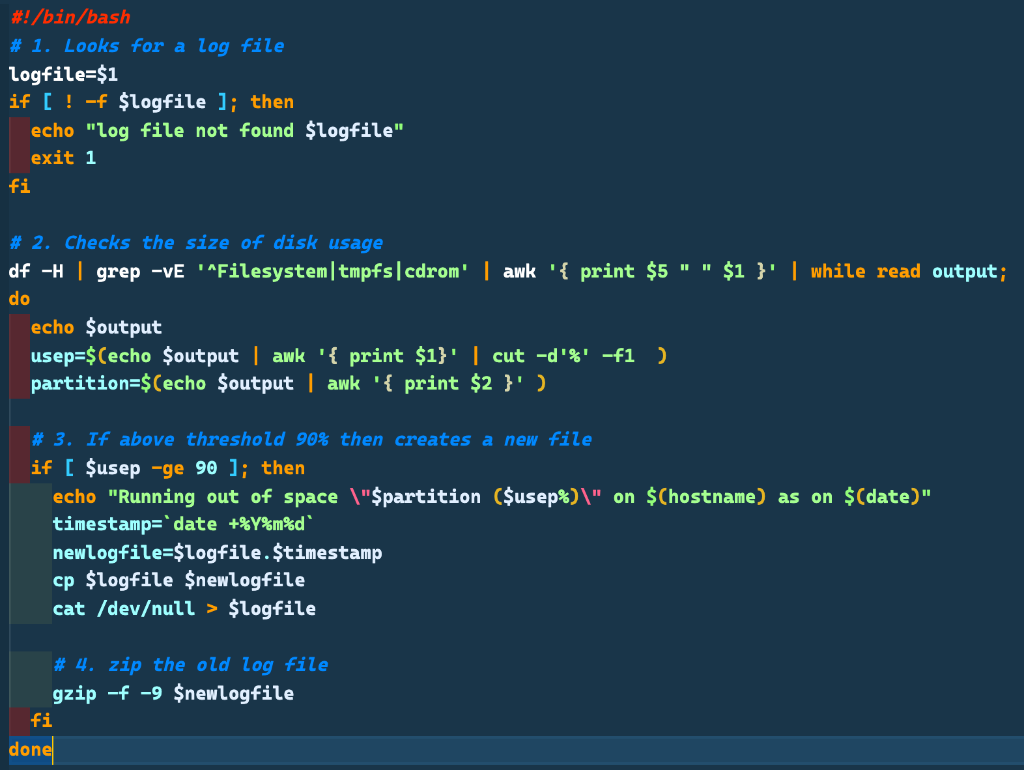
Please test the following bash program locally
#!/bin/bash # 1. Looks for a log file logfile=$1 if [ ! -f $logfile ]; then echo "log file not found $logfile" exit 1 fi # 2. Checks the size of disk usage df -H | grep -ve Filesystem/tmpfs|cdrom' | awk '{ print $5"" $1 }' | while read output; do echo $output usep=$(echo $output | awk '{ print $1}' | cut -d'%' -f1 ) partition=$(echo $output | awk '{ print $2}' ) # 3. If above threshold 90% then creates a new file if [ $usep -ge 90 ]; then echo "Running out of space \"$partition ($usep%)\" on $Chostname) as on $(date)" timestamp='date +%Y%m%d" newlogfile=$logfile. $timestamp cp flogfile $newlogfile cat /devull > flogfile # 4. zip the old log file gzip -f -9 $newlogfile fi done
Step by Step Solution
There are 3 Steps involved in it

Get step-by-step solutions from verified subject matter experts
 Study Help