







Question: Please upload the coding for the function and calling script. Go to airfoiltools.com, and choose an airfoil of your choice. Find the (x, y) coordinates
 Please upload the coding for the function and calling script.
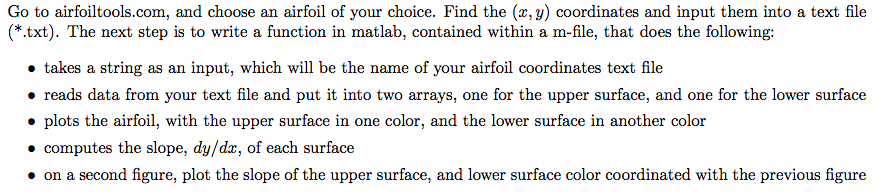
Go to airfoiltools.com, and choose an airfoil of your choice. Find the (x, y) coordinates and input them into a text file (*.txt). The next step is to write a function in matlab, contained within a m-file, that does the following: takes a string as an input, which will be the name of your airfoil coordinates text file reads data from your text file and put it into two arrays, one for the upper surface, and one for the lower surface plots the airfoil, with the upper surface in one color, and the lower surtace in another color computes the slope, dy/dz, of each surface on a second figure, plot the slope of the upper surface, and lower surface color coordinated with the previous figure Go to airfoiltools.com, and choose an airfoil of your choice. Find the (x, y) coordinates and input them into a text file (*.txt). The next step is to write a function in matlab, contained within a m-file, that does the following: takes a string as an input, which will be the name of your airfoil coordinates text file reads data from your text file and put it into two arrays, one for the upper surface, and one for the lower surface plots the airfoil, with the upper surface in one color, and the lower surtace in another color computes the slope, dy/dz, of each surface on a second figure, plot the slope of the upper surface, and lower surface color coordinated with the previous figure
Step by Step Solution
There are 3 Steps involved in it

Get step-by-step solutions from verified subject matter experts
 Study Help