







Question: Please use and call functions for all in PYTHON Lab2-5015 Due Thursday septrber 21 Lab 2 cts 5015 801din Fall 2017 s Tab involves using
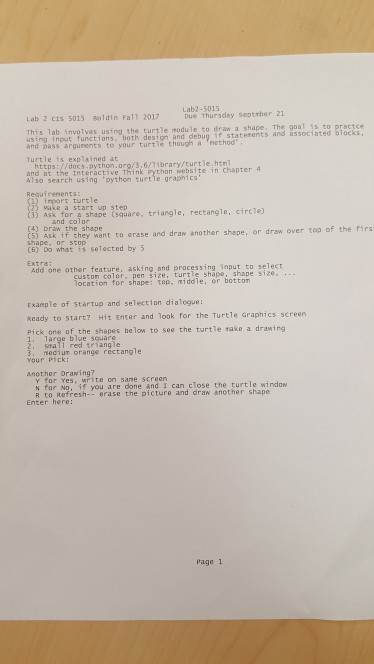
Please use and call functions for all in PYTHON
Lab2-5015 Due Thursday septrber 21 Lab 2 cts 5015 801din Fall 2017 s Tab involves using the turtle module to draw a shape. The goal is co practce bass argunents to your turtle thougha nethod Turtle is explained at https:(/docs.aython.org/3,6/71brary/turtle.htm and at the Inte Anso seareh us ing python trt oraphee n chapter entrlestetriange ea startup step rport turtle ndrpe (square, triangle, rectangle, circle) 9a sor te want to erase and dran another shape, or draw over top of the firs 2) 4) Draw the shape C6) Do what is selected by 5 Extrai custon color, pen size, turtle shape, shape size location for shape: top, riddle, or botton rxanple of startup and selection dialogue: keady to start? Hit Enter and look for the Turtle Graphics screen Pick, one of the shapes below to see the turtle rake a drawing 1. large blue square srall red tr angle eciur orange rectangle another Orawing Y for Yes, write on sane screen N for No, if you are done and I can close the turtle window R to Refresh-- erase the picture and draw another shape Enter here: Page 1
Step by Step Solution
There are 3 Steps involved in it

Get step-by-step solutions from verified subject matter experts
 Study Help