







Question: Please use any front-end tool that can help achieve this effect. Please refer to Chanel's website for a similar effect. https://www.chanel.com/us/ Please do not copy
Please use any front-end tool that can help achieve this effect.
Please refer to Chanel's website for a similar effect. https://www.chanel.com/us/
Please do not copy and paste answers from Chegg as the results are not what I am looking for
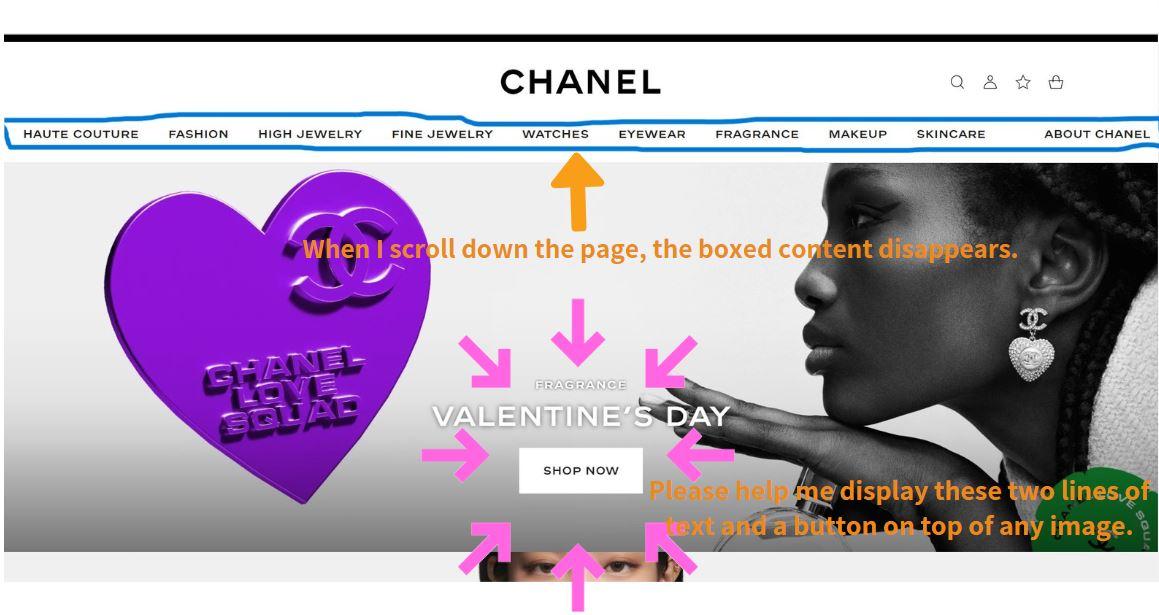
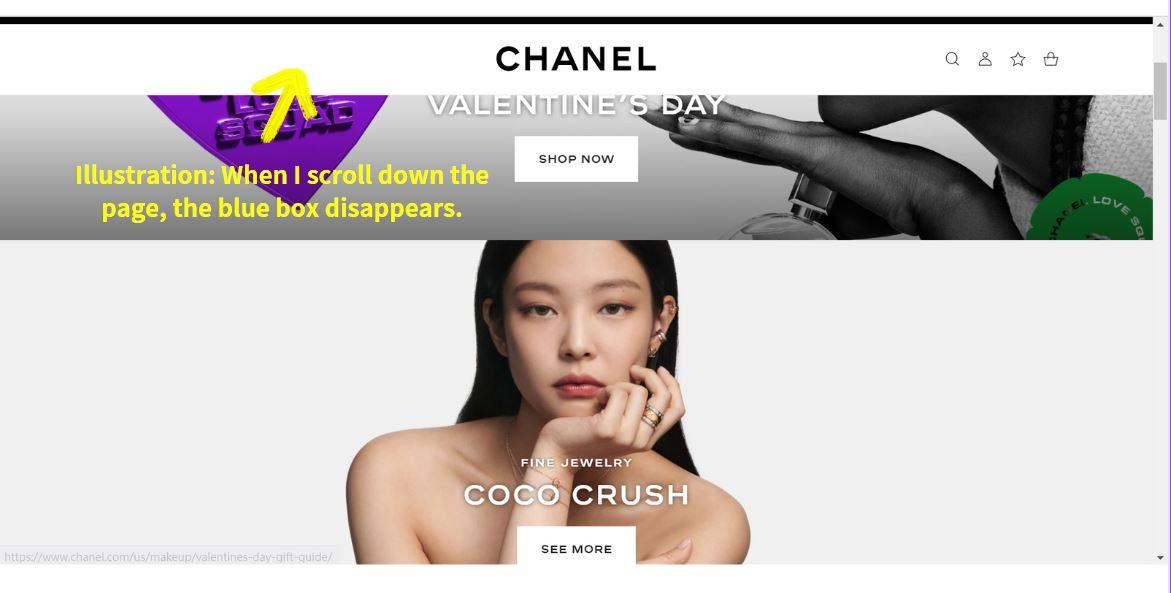
Diagram: The blue frame will disappear.
Here is my code. Please use this code to make modifications
Please provide me with the actual code, not just an explanation in words. Thank you.
HTML
integrity="sha512-MV7K8+y+gLIBoVD59lQIYicR65iaqukzvfwasF0nqhPay5w/9lJmVM2hMDcnK1OnMGCdVK+iQrJ7lzPJQd1w=="
crossorigin="anonymous" referrerpolicy="no-referrer" />
H'STYLE
Welcome to H'style
Discover the latest collections and experience the unique world of H'style
shop now
Welcome to H'style
Discover the latest collections and experience the unique world of H'style
shop now
const spy = document.querySelector("[data-bs-spy=scroll]");
spy.addEventListener("activate.bs.scrollspy", (e) => {
console.log(e.relatedTarget.getAttribute("n"));
});
CSS
header {
background-color: white;
color: rgb(12, 13, 12);
opacity: 0.9;
/* */
padding: 20px;
text-align: center;
}
header:hover {
background-color: black;
transition: 0.5s;
}
/* header {
width: 100%;
height: 100vh;
background-size: cover;
background-position: center center;
} */
.area {
width: 100%;
height: 100vh;
background-size: cover;
background-position: center center;
}
.area1 {
background-image: url(./images/chanel1.jpg);
}
.area2 {
background-image: url(./images/chanel2.jpg);
}
.area3 {
background-image: url(./images/chanel3.jpg);
}
.area4 {
background-image: url(./images/chanel4.jpg);
}
.area5 {
background-image: url(./images/chanel5.jpg);
}
.myList .list-group-item {
position: relative;
padding: 0;
margin: 0;
width: 20px;
height: 20px;
background-color: #ffffff;
border-radius: 50%;
border: none;
outline: none;
margin-bottom: 5px;
opacity: 0.5;
}
.myList .active {
background-color: #1b9dc4;
opacity: 0.7;
}
.myList .list-group-item:hover::after {
position: absolute;
top: -2px;
left: -60px;
background-color: rgb(141, 218, 241);
content: attr(option-text);
width: 50px;
text-align: center;
border-radius: 10px;
}
.title {
text-align: center;
}
.hero-text {
text-align: center;
color: #fff;
position: absolute;
top: 100%;
left: 50%;
transform: translate(-50%, -50%);
}
.btn:not(.nav-btns button){
background-color: #fff;
color: rgb(12, 13, 12);
padding: 10px 28px;
border-radius: 25px;
border: 1px solid rgb(12, 13, 12);
}
.btn:not(.nav-btns button):hover{
background-color: aqua;
color: #fff;
border-color: aqua;
}
CHANEL CHANEL Illustration: When I scroll down the page, the blue box disappears. SHOP NOW
Step by Step Solution
There are 3 Steps involved in it

Get step-by-step solutions from verified subject matter experts
 Study Help