







Question: PLEASE USE ANY TYPE OF FORMAT TO UPLOAD THE EXAMPLE....! CAN BE A SCREEN SHOT OR IN WRITING EA1-A1 Display the Accounting Equation In this
 PLEASE USE ANY TYPE OF FORMAT TO UPLOAD THE EXAMPLE....! CAN BE A SCREEN SHOT OR IN WRITING
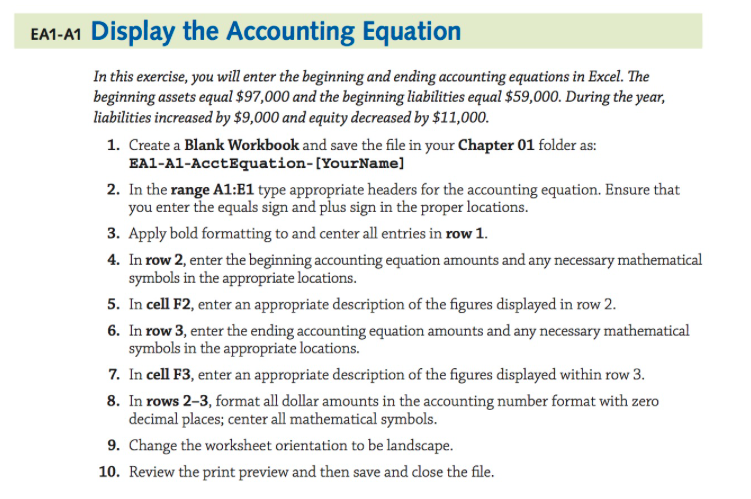
EA1-A1 Display the Accounting Equation In this exercise, you will enter the beginning and ending accounting equations in Excel. The beginning assets equal $97,000 and the beginning liabilities equal $59,000. During the year, liabilities increased by $9,000 and equity decreased by $11,000 1. Create a Blank Workbook and save the file in your Chapter 01 folder as: EA1-A1-AcctEquation-[YourName] 2. In the range A1:E1 type appropriate headers for the accounting equation. Ensure that you enter the equals sign and plus sign in the proper locations. . Apply bold formatting to and center all entries in row1 4. In row 2, enter the beginning accounting equation amounts and any necessary mathematical symbols in the appropriate locations. 5. In cell F2, enter an appropriate description of the figures displayed in row 2 6. In row 3, enter the ending accounting equation amounts and any necessary mathematical symbols in the appropriate locations. In cell F3, enter an appropriate description of the figures displayed within row 3. In rows 2-3, format all dollar amounts in the accounting number format with zero decimal places; center all mathematical symbols. 7. 8. 9. Change the worksheet orientation to be landscape. 10. Review the print preview and then save and close the file
Step by Step Solution
There are 3 Steps involved in it

Get step-by-step solutions from verified subject matter experts
 Study Help