







Question: Please, use C programming, not C++. And need switch statement not a bunch of if else statement. No pointers are allowed in this lab as
Please, use "C" programming, not C++. And need "switch" statement not a bunch of if else statement. No pointers are allowed in this lab as well. Please I need help, will be mere appreciated if you provide me some comment on each step. Thank you
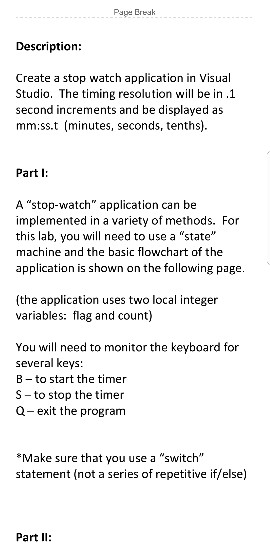
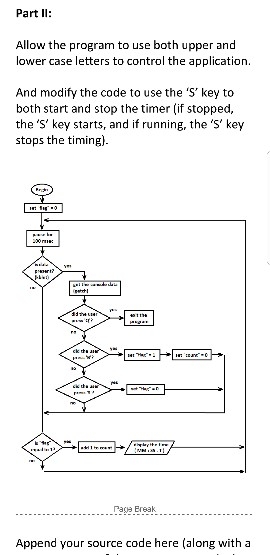
Page Ereuk Description: Create a stop watch application in Visual Studio. The timing resolution will be in .1 second increments and be displayed as mm:ss.t (minutes, seconds, tenths). Part I: A "stop-watch" application can be implemented in a variety of methods. For this lab, you will need to use a "state" machine and the basic flowchart of the application is shown on the following page. (the application uses two local integer variables: flag and count) You will need to monitor the keyboard for several keys: B-to start the timer S-to stop the timer Q-exit the program *Make sure that you use a "switch" statement (not a series of repetitive if/else) Part II: Part II: Allow the program to use both upper and lower case letters to control the application. And modify the code to use the 'S'key to both start and stop the timer (if stopped, the 's' key starts, and if running, the 's' key stops the timing) Paga Ersak Append your source code here (along with a Page Ereuk Description: Create a stop watch application in Visual Studio. The timing resolution will be in .1 second increments and be displayed as mm:ss.t (minutes, seconds, tenths). Part I: A "stop-watch" application can be implemented in a variety of methods. For this lab, you will need to use a "state" machine and the basic flowchart of the application is shown on the following page. (the application uses two local integer variables: flag and count) You will need to monitor the keyboard for several keys: B-to start the timer S-to stop the timer Q-exit the program *Make sure that you use a "switch" statement (not a series of repetitive if/else) Part II: Part II: Allow the program to use both upper and lower case letters to control the application. And modify the code to use the 'S'key to both start and stop the timer (if stopped, the 's' key starts, and if running, the 's' key stops the timing) Paga Ersak Append your source code here (along with a
Step by Step Solution
There are 3 Steps involved in it

Get step-by-step solutions from verified subject matter experts
 Study Help