







Question: Please use CMake ( and not qmake ) when setting up your assignment projects. Qt Designer should not be used to design user interfaces, and
Please use CMake and not qmake when setting up your assignment projects. Qt Designer should not be used to design user interfaces, and you are expected to manually set up GUIs to ensure that you properly handle memory using Qts parentchild functionality. Good programming practices should be followed. Follow standard naming conventions: class names start with a capital letter, variable and function names start with a lowercase letter, using camelCase for names made up of multiple words. Ensure consistent code layout and use of blank lines. Use forward class declarations in header files. Use initialiser lists in constructors. Have proper GUI management: setting cursor focus, sequential tabbing, clearing input widgets like text input fields being cleared and spin boxes being returned to some default value and enabling and disabling buttons as appropriate. Provide appropriate user feedback. Your code should build and run without any warnings.
Question
Write a class named PrimeFinder, capable of running as a thread, to find prime numbers between two given numbers.
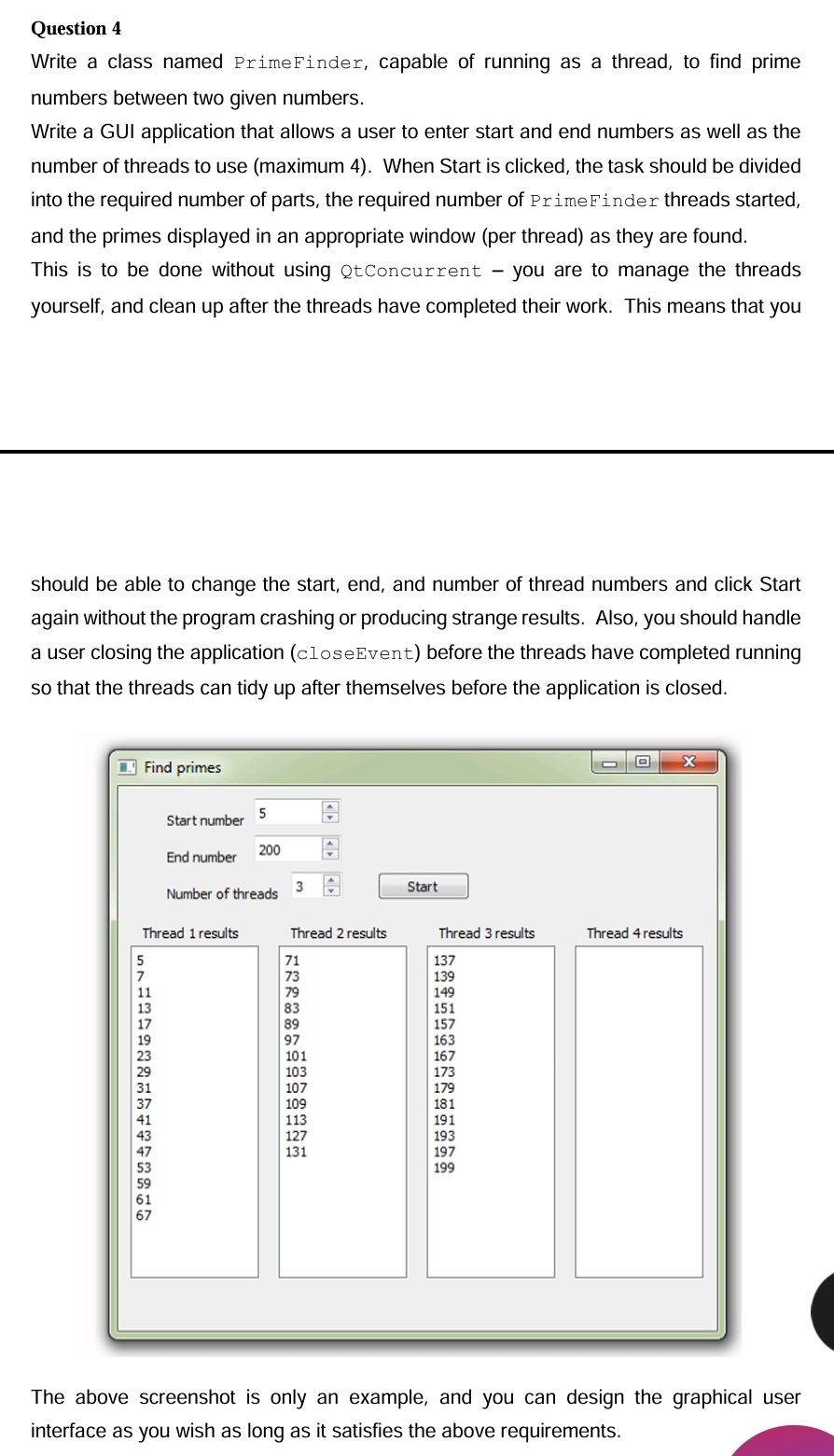
Write a GUI application that allows a user to enter start and end numbers as well as the number of threads to use maximum When Start is clicked, the task should be divided into the required number of parts, the required number of PrimeFinder threads started, and the primes displayed in an appropriate window per thread as they are found.
This is to be done without using QtConcurrent you are to manage the threads yourself, and clean up after the threads have completed their work. This means that you
should be able to change the start, end, and number of thread numbers and click Start again without the program crashing or producing strange results. Also, you should handle a user closing the application closeEvent before the threads have completed running so that the threads can tidy up after themselves before the application is closed.
The above screenshot is only an example, and you can design the graphical user interface as you wish as long as it satisfies the above requirements.
Step by Step Solution
There are 3 Steps involved in it
1 Expert Approved Answer
Step: 1 Unlock

Question Has Been Solved by an Expert!
Get step-by-step solutions from verified subject matter experts
Step: 2 Unlock
Step: 3 Unlock
 Study Help