







Question: Please use java 4 Quick Lab 2c Collections 4.1 Setup 1. In Eclipse create a java project called qlab2e 4.2 Rating 1. In your qlab2e
Please use java
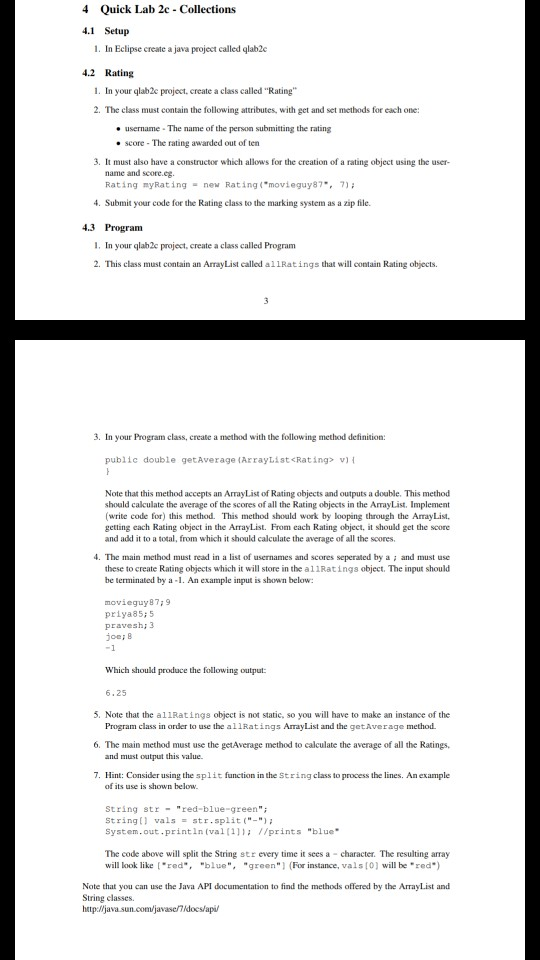
4 Quick Lab 2c Collections 4.1 Setup 1. In Eclipse create a java project called qlab2e 4.2 Rating 1. In your qlab2e project, create a class called "Rating" 2. The class must contain the following attributes, with get and set methods for each one: e username The name of the person submitting the rating . score-The rating awarded out of ten 3. It must also have a constructor which allows for the creation of a rating object using the user- name and score.eg. Rating myRating new Rating("movieguy87,7) 4. Submit your code for the Rating class to the marking system as a zip file. 4.3 Program I. In your qlab2c project, create a class called Program 2. This class must contain an Array List called allRatings that will contain Rating objects. 3. In your Program class, create a method with the following method definition public double getAverage (ArrayListcRating> v) Note that this method accepts an ArrayList of Rating objects and outputs a double. This method should calculate the average of the scores of all the Rating objects in the ArrayList. Implement (write code for) this method. This method should work by looping through the ArrayList. getting each Rating object in the ArrayList. From each Rating object, it should get the score and add it to a total, from which it should calculate the average of all the scores. 4. The main method must read in a list of usernames and scores seperated by a and must use these to create Rating objects which it will store in the al1Ratings object. The input should be terminated by a-1. An example input is shown below movieguy89 priya85; 5 pravesh 3 joei8 Which should produce the following output 6,25 5. Note that the allRatings object is not static, so you will have to make an instance of the 6. The main method must use the getAverage method to calculate the average of all the Ratings, . Hint: Consider using the split function in the String class to process the lines. An example Program class in order to use the allRatings ArrayList and the getAverage method and must output this value. of its use is shown below String strred-blue-green" String valsstr.split ("- System.out printin (val ( //prints "blue The code above will split the String str every time it sees a character. The resulting array will look like red",blue", "green" (For instance, vals[0) will be "red") Note that you can use the Java API documentation to find the methods offered by the ArrayList and String classes. htp:/ljava sun.com/javasedocs/api
Step by Step Solution
There are 3 Steps involved in it

Get step-by-step solutions from verified subject matter experts
 Study Help