







Question: Please Use Java Script And also do in html and sync them both for web page Thank You Exercise 3-2 Enhance the Test Scores application
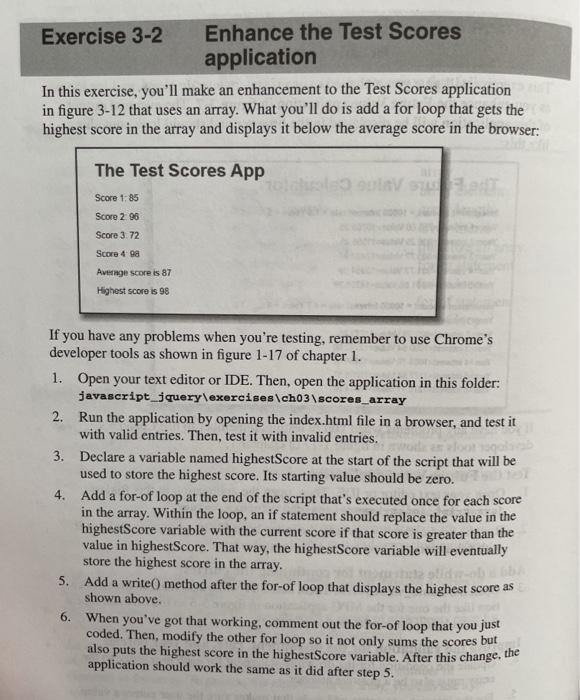
Exercise 3-2 Enhance the Test Scores application In this exercise, you'll make an enhancement to the Test Scores application in figure 3-12 that uses an array. What you'll do is add a for loop that gets the highest score in the array and displays it below the average score in the browser: The Test Scores App Score 1.85 Score 2. 96 Score 3.72 Score 4 ga Average score is 87 Highest score is 98 If you have any problems when you're testing, remember to use Chrome's developer tools as shown in figure 1-17 of chapter 1. 1. Open your text editor or IDE. Then, open the application in this folder: javascript_jquery\exercises.ch03\scores_array 2. Run the application by opening the index.html file in a browser, and test it with valid entries. Then, test it with invalid entries. 3. Declare a variable named highestScore at the start of the script that will be used to store the highest score. Its starting value should be zero. 4. Add a for-of loop at the end of the script that's executed once for each score in the array. Within the loop, an if statement should replace the value in the highestScore variable with the current score if that score is greater than the value in highestScore. That way, the highest Score variable will eventually store the highest score in the array. 5. Add a write() method after the for-of loop that displays the highest score as shown above. When you've got that working, comment out the for-of loop that you just coded. Then, modify the other for loop so it not only sums the scores but also puts the highest score in the highestScore variable. After this change, the application should work the same as it did after step 5. 6
Step by Step Solution
There are 3 Steps involved in it

Get step-by-step solutions from verified subject matter experts
 Study Help