







Question: Please use P 5 . js . I want to do face detection by using keystrokes ( i . e . 1 , 2 ,
Please use Pjs
I want to do face detection by using keystrokes
ie etc. and replace the detected face image
with:
a A greyscale image
b A blurred image adjust blurring so your face is not recognisable
c A colour converted image reuse code from task
d A pixelate image. To perform pixelation use the following approach
i Run step a so that your image is greyscale
ii Split the detected face image into x pixel blocks
iii. Calculate the average pixel intensity of each block using image.getx
y; or use the pixel array to access each pixels intensity
iv Paint the entire block using the average pixel intensity. Utilise this
command: outimage.setx y avePixInt; or use the pixel array
v Loop through all blocks repeating steps iii and iv in the lowest row again.
Use objectdetect.js or objectdetect.frontalface
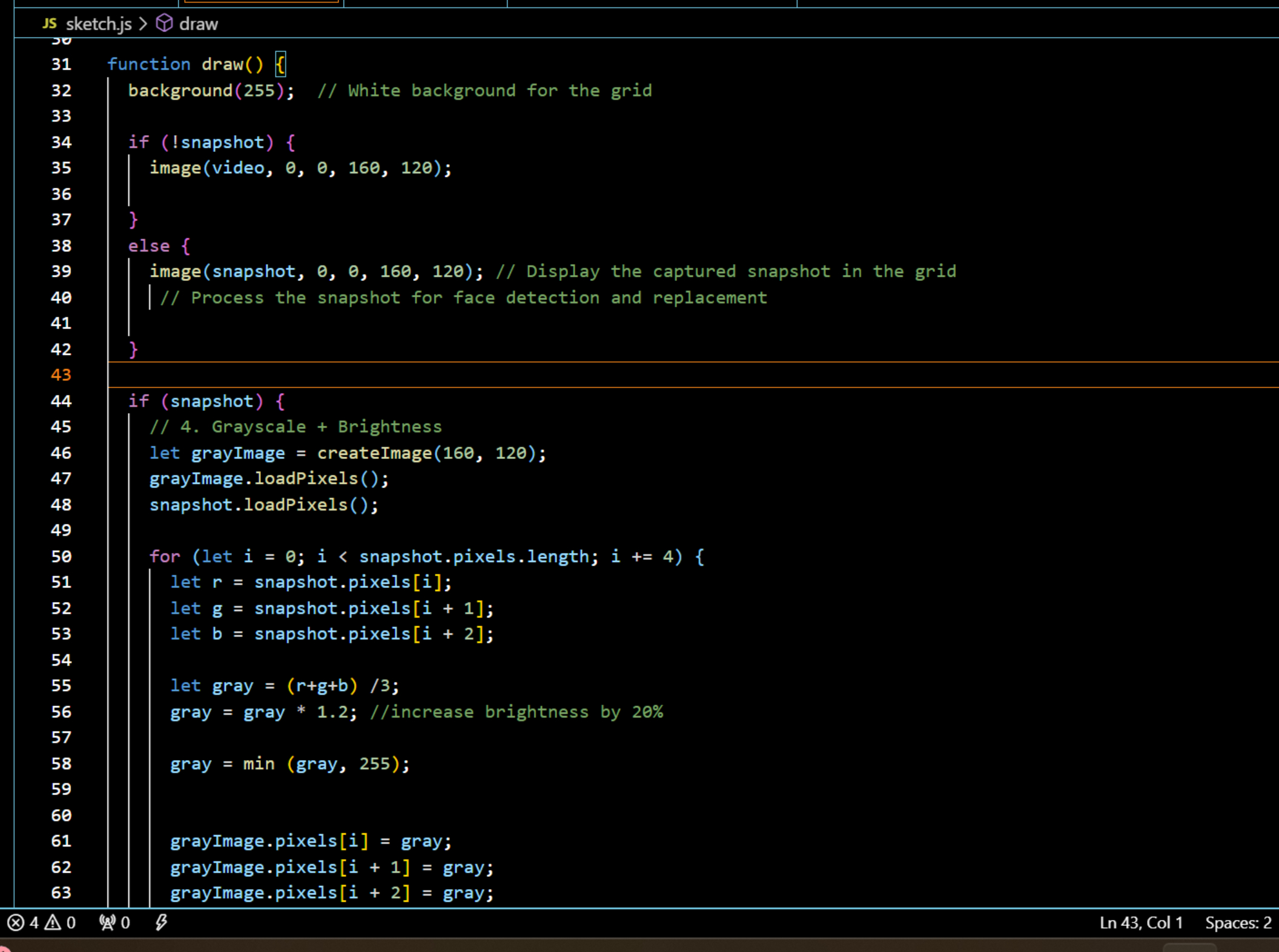
Please add these code into my code I added the picture of my code.
I can only post the five photos that's why I pasted some part of my code here.
sketch.js
let video;
let snapshot;
let sliderRed;
let sliderGreen;
let sliderBlue;
function setup
let canvas createCanvas; Create a canvas for the grid
canvas.parentcanvascontainer'; Append to the HTML container
video createCaptureVIDEO; Capture webcam feed
video.size; Set the webcam feed resolution to x
video.hide; Hide the live video feed well display snapshots instead
let snapshotButton select#snapshotbutton'; Capture snapshot on button press
snapshotButton.mousePressedtakeSnapshot;
snapshotButton.position;
sliderRed createSlider;
sliderRed.position; Position of the Red slider
sliderGreen createSlider;
sliderGreen.position; Position of the Green slider
sliderBlue createSlider;
sliderBlue.position; Position of the Blue slider
Step by Step Solution
There are 3 Steps involved in it
1 Expert Approved Answer
Step: 1 Unlock

Question Has Been Solved by an Expert!
Get step-by-step solutions from verified subject matter experts
Step: 2 Unlock
Step: 3 Unlock
 Study Help