







Question: Please use Python 3.9, and please show the options/error messages. Objectives: Practice reading and writing to files Practice using exceptions Continue working past programming practices
Please use Python 3.9, and please show the options/error messages. 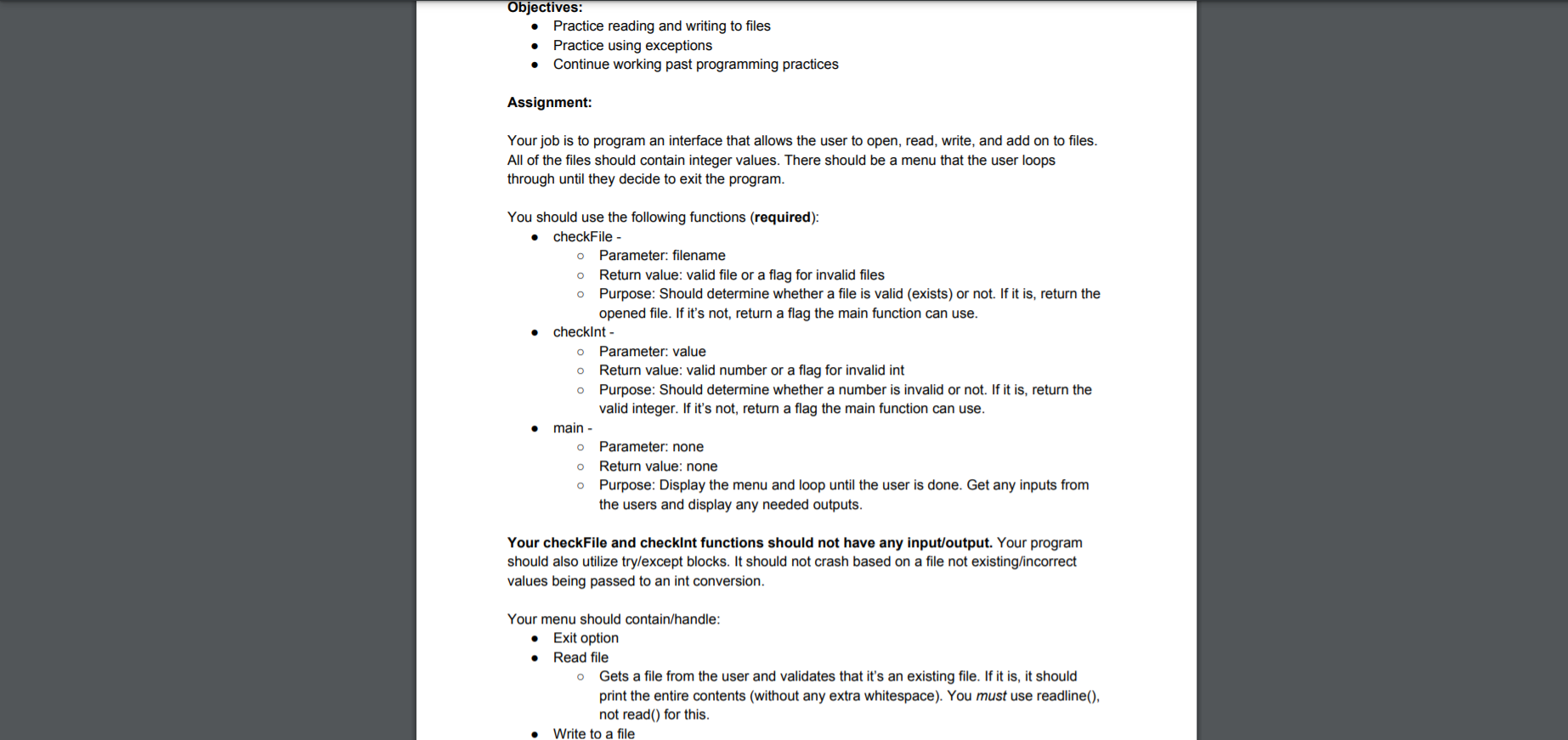
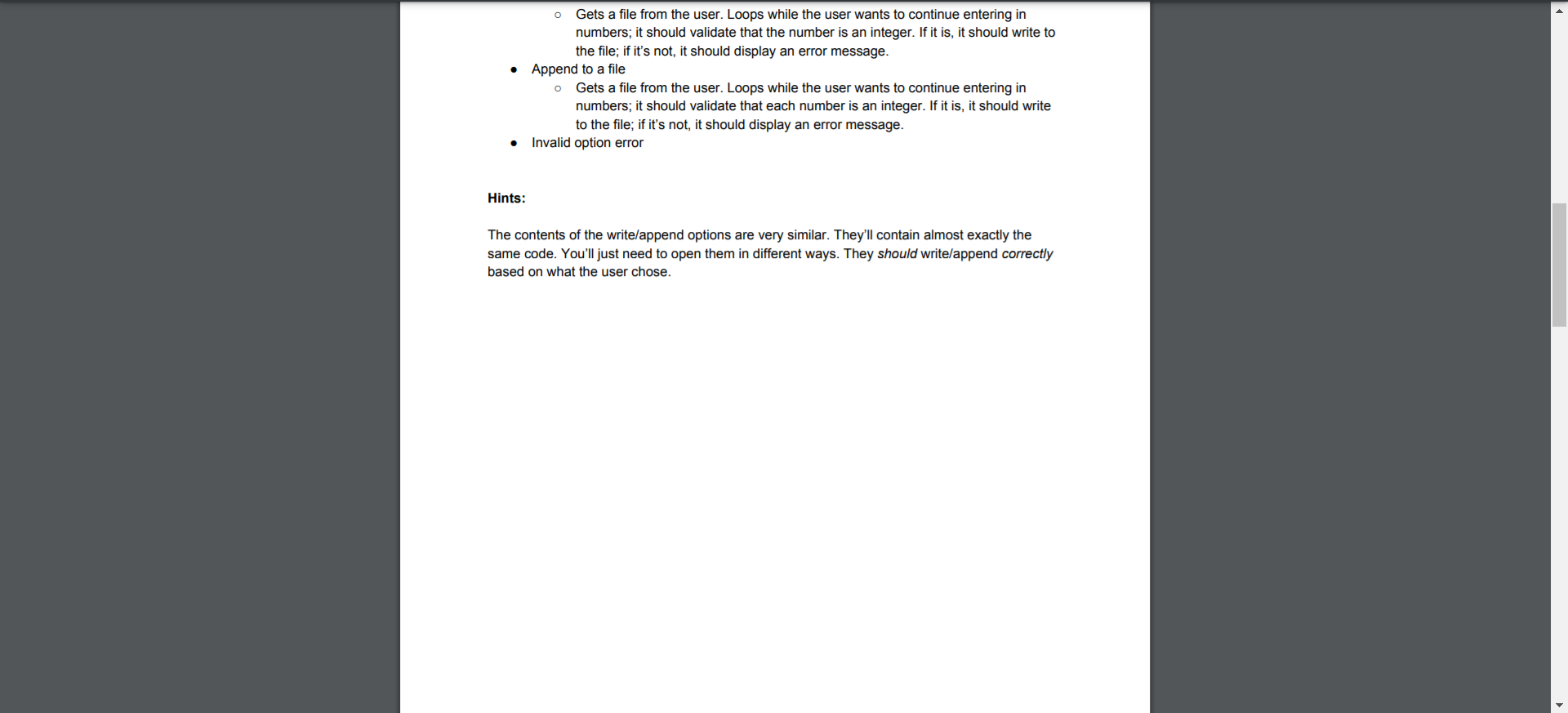
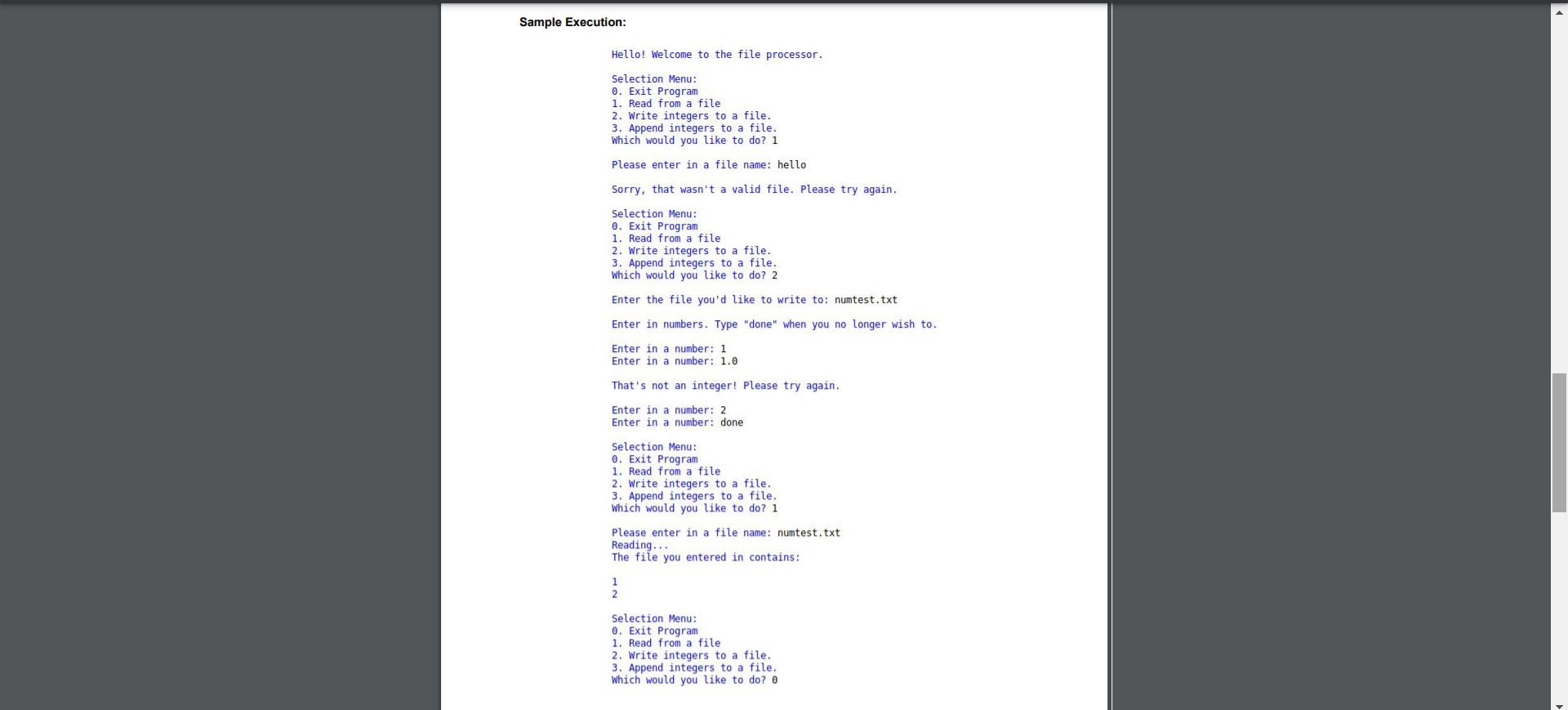
Objectives: Practice reading and writing to files Practice using exceptions Continue working past programming practices Assignment: Your job is to program an interface that allows the user to open, read, write, and add on to files. All of the files should contain integer values. There should be a menu that the user loops through until they decide to exit the program. O You should use the following functions (required): checkFile - O Parameter: filename Return value: valid file or a flag for invalid files Purpose: Should determine whether a file is valid (exists) or not. If it is, return the opened file. If it's not, return a flag the main function can use. checkint - O Parameter: value Return value: valid number or a flag for invalid int Purpose: Should determine whether a number is invalid or not. If it is, return the valid integer. If it's not, return a flag the main function can use. main - Parameter: none Return value: none Purpose: Display the menu and loop until the user is done. Get any inputs from the users and display any needed outputs. 0 o Your checkFile and checkint functions should not have any input/output. Your program should also utilize try/except blocks. It should not crash based on a file not existing/incorrect values being passed to an int conversion. Your menu should contain/handle: Exit option Read file o Gets a file from the user and validates that it's an existing file. If it is, it should print the entire contents (without any extra whitespace). You must use readline(), not read() for this. Write to a file O Gets a file from the user. Loops while the user wants to continue entering in numbers; it should validate that the number is an integer. If it is, it should write to the file; if it's not, it should display an error message. Append to a file Gets a file from the user. Loops while the user wants to continue entering in numbers; it should validate that each number is an integer. If it is, it should write to the file; if it's not, it should display an error message. Invalid option error Hints: The contents of the write/append options are very similar. They'll contain almost exactly the same code. You'll just need to open them in different ways. They should write/append correctly based on what the user chose. Sample Execution: Hello! Welcome to the file processor. Selection Menu: 0. Exit Program 1. Read from a file 2. Write integers to a file. 3. Append integers to a file. Which would you like to do? 1 Please enter in a file name: hello Sorry, that wasn't a valid file. Please try again. Selection Menu: 0. Exit Program 1. Read from a file 2. Write integers to a file. 3. Append integers to a file. Which would you like to do? 2 Enter the file you'd like to write to: numtest.txt Enter in numbers. Type "done" when you no longer wish to. Enter in a number: 1 Enter in a number: 1.0 That's not an integer! Please try again. Enter in a number: 2 Enter in a number: done Selection Menu: 0. Exit Program 1. Read from a file 2. Write integers to a file. 3. Append integers to a file. Which would you like to do? 1 Please enter in a file name: numtest.txt Reading... The file you entered in contains: 1 Selection Menu: 0. Exit Program 1. Read from a file 2. Write integers to a file. 3. Append integers to a file. which would you like to do
Step by Step Solution
There are 3 Steps involved in it

Get step-by-step solutions from verified subject matter experts
 Study Help