







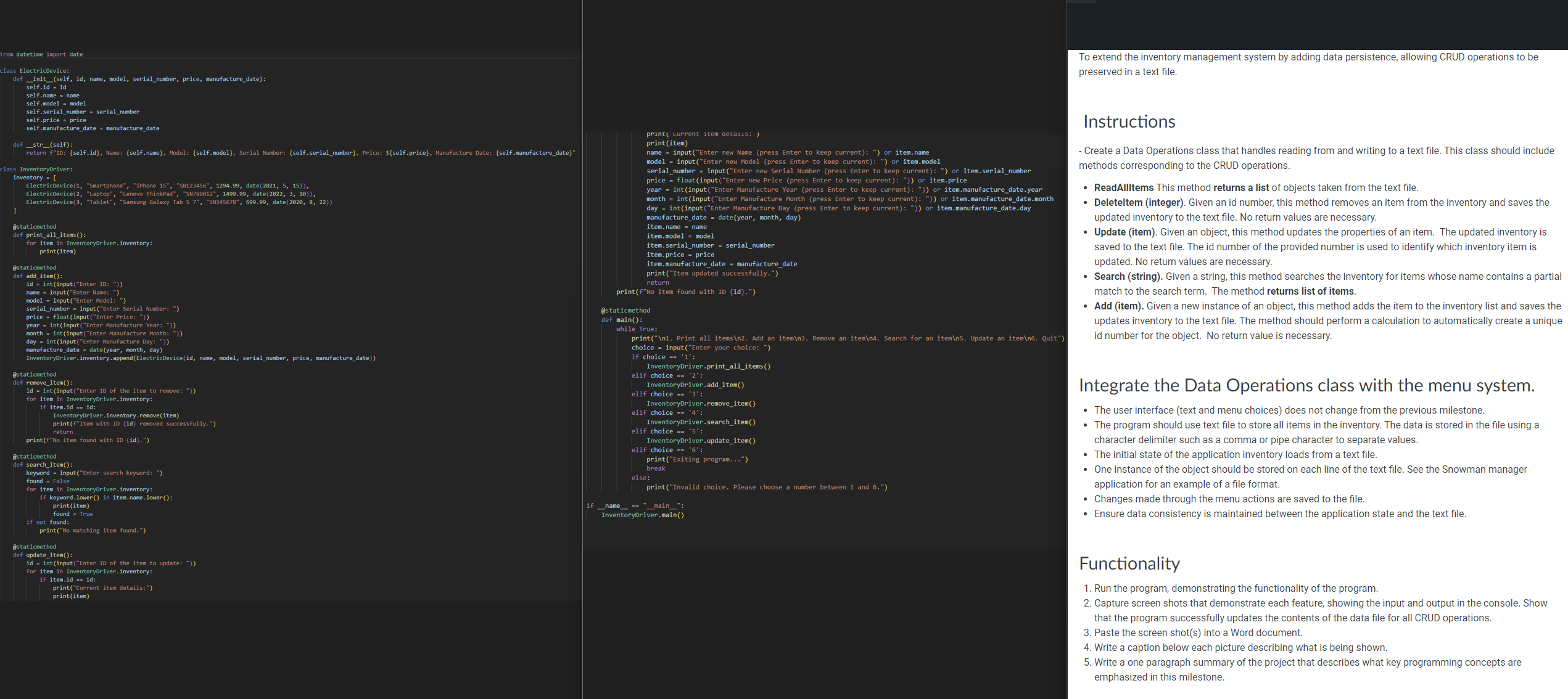
Question: Please use python and the code that is included to make the new project, please let it be compatible with the code that was given.
Please use python and the code that is included to make the new project, please let it be compatible with the code that was given.
To extend the inventory management system by adding data persistence, allowing CRUD operations to be
preserved in a text file.
Instructions
Create a Data Operations class that handles reading from and writing to a text file. This class should include
methods corresponding to the CRUD operations.
ReadAlltems This method returns a list of objects taken from the text file.
Deleteltem integer Given an id number, this method removes an item from the inventory and saves the
updated inventory to the text file. No return values are necessary.
Update item Given an object, this method updates the properties of an item. The updated inventory is
saved to the text file. The id number of the provided number is used to identify which inventory item is
updated. No return values are necessary.
Search string Given a string, this method searches the inventory for items whose name contains a partial
match to the search term. The method returns list of items.
Add item Given a new instance of an object, this method adds the item to the inventory list and saves the
updates inventory to the text file. The method should perform a calculation to automatically create a unique
id number for the object. No return value is necessary.
Integrate the Data Operations class with the menu system.
The user interface text and menu choices does not change from the previous milestone.
The program should use text file to store all items in the inventory. The data is stored in the file using a
character delimiter such as a comma or pipe character to separate values.
The initial state of the application inventory loads from a text file.
One instance of the object should be stored on each line of the text file. See the Snowman manager
application for an example of a file format.
Changes made through the menu actions are saved to the file
Ensure data consistency is maintained between the application state and the text file.
Step by Step Solution
There are 3 Steps involved in it
1 Expert Approved Answer
Step: 1 Unlock

Question Has Been Solved by an Expert!
Get step-by-step solutions from verified subject matter experts
Step: 2 Unlock
Step: 3 Unlock
 Study Help