Question: Please use the C language. Feede ACTIVITY 4.2.2: Basic while loop with user input Write an expression that executes the loop while the user enters
Please use the C language.
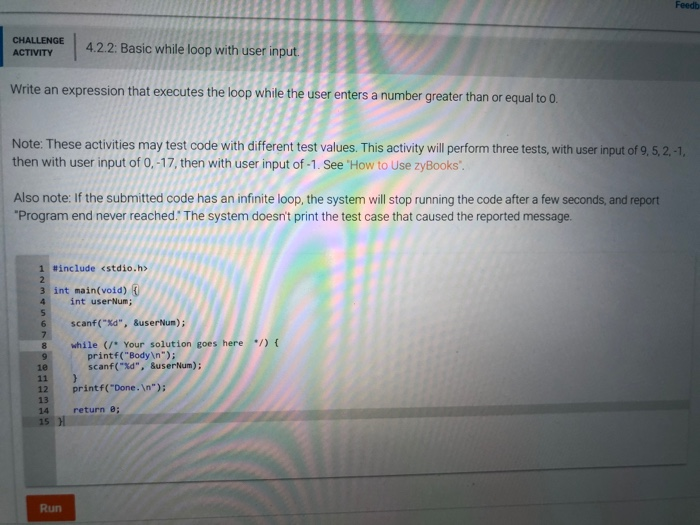
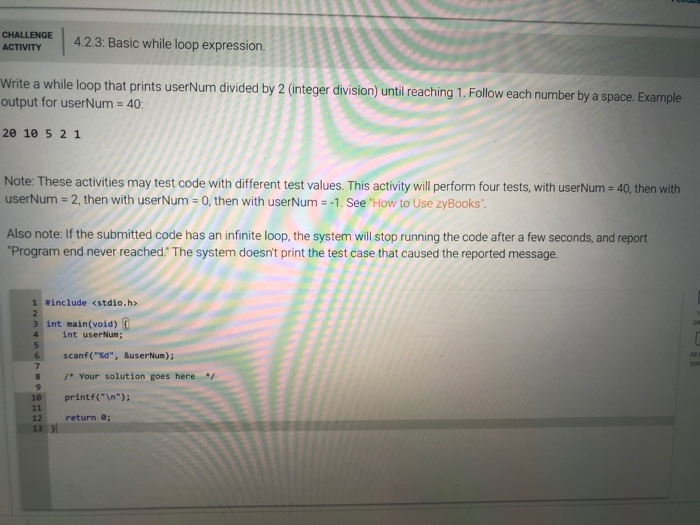
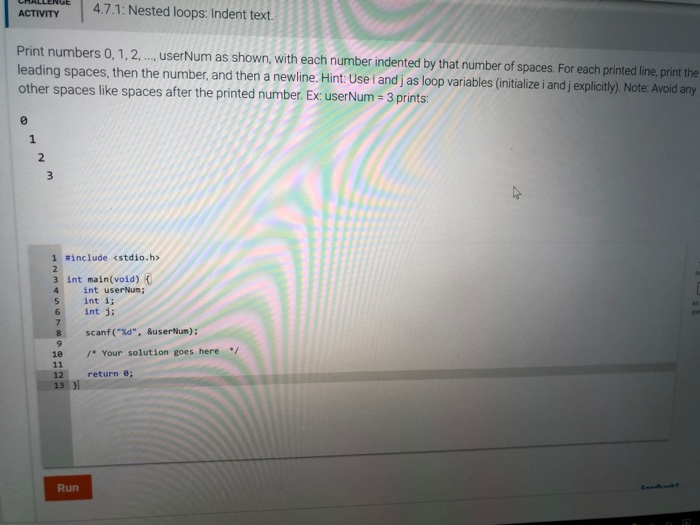
Feede ACTIVITY 4.2.2: Basic while loop with user input Write an expression that executes the loop while the user enters a number greater than or equal to 0. Note: These activities may test code with different test values. This activity will perform three tests, with user input of 9, 5, 2, then with user input of 0,-17, then with user input of -1. See 'How to Use zyBooks'. Also note: If the submitted code has an infinite loop, the system will stop running the code after a few seconds, and report "Program end never reached.' The system doesn't print the test case that caused the reported message. 1 #include 3 int main(void) { int user Num; scanf("%d", Suser Nun); le 11 12 while (* Your solution goes here */) { printf("Body "); scanf("%d", Suser Num): printf("Done. "); return ; 14 15 Run CHALLENGE ACTIVITY 4.2.3: Basic while loop expression Write a while loop that prints userNum divided by 2 (integer division) until reaching 1. Follow each number by a space. Example output for userNum = 40: 20 10 5 2 1 Note: These activities may test code with different test values. This activity will perform four tests, with userNum = 40, then with userNum = 2, then with user Num = 0, then with userNum = -1. See 'How to Use zyBooks. Also note: If the submitted code has an infinite loop, the system will stop running the code after a few seconds, and report "Program end never reached. The system doesn't print the test case that caused the reported message. 1 include 3 int main(void) { int userun; scanf("%d", SuserNun); /* Your solution goes here */ printf(" "); return e: 13 ACTIVITY 4.7.1: Nested loops: Indent text. Print numbers 0,1,2,..., userNum as shown, with each number indented by that number of spaces. For each printed line, print the leading spaces, then the number, and then a newline. Hint: Use i andj as loop variables (initialize i and j explicitly). Note: Avoid any other spaces like spaces after the printed number. Ex: userNum = 3 prints: 1 Winclude int main(void) int userum; int i; int ji scanf("%d", userNum): * Your solution goes here 12 return 0; 13 )









 Study Help