







Question: please write a runnable code Keep in mind that your queries should work for ANY data stored, even if it changes over time. Some of
please write a runnable code
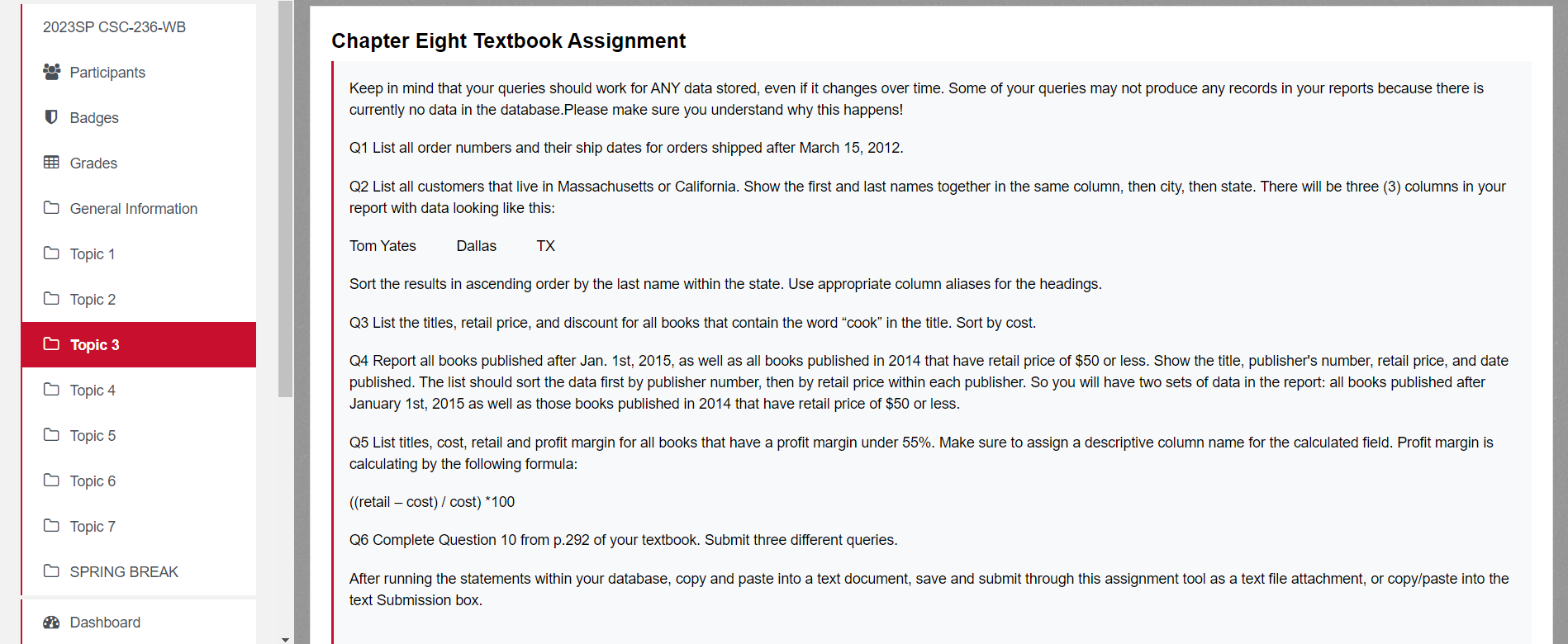
Keep in mind that your queries should work for ANY data stored, even if it changes over time. Some of your queries may not produce any records in your reports because there is currently no data in the database.Please make sure you understand why this happens! Q1 List all order numbers and their ship dates for orders shipped after March 15, 2012. Q2 List all customers that live in Massachusetts or California. Show the first and last names together in the same column, then city, then state. There will be three (3) columns in your report with data looking like this: TX Sort the results in ascending order by the last name within the state. Use appropriate column aliases for the headings. Q3 List the titles, retail price, and discount for all books that contain the word "cook" in the title. Sort by cost. Q4 Report all books published after Jan. 1st, 2015, as well as all books published in 2014 that have retail price of $50 or less. Show the title, publisher's number, retail price, and date published. The list should sort the data first by publisher number, then by retail price within each publisher. So you will have two sets of data in the report: all books published after January 1st, 2015 as well as those books published in 2014 that have retail price of $50 or less. Q5 List titles, cost, retail and profit margin for all books that have a profit margin under 55%. Make sure to assign a descriptive column name for the calculated field. Profit margin is calculating by the following formula: ((retailcost)/cost)100 Q6 Complete Question 10 from p.292 of your textbook. Submit three different queries. After running the statements within your database, copy and paste into a text document, save and submit through this assignment tool as a text file attachment, or copy/paste into the text Submission box
Step by Step Solution
There are 3 Steps involved in it

Get step-by-step solutions from verified subject matter experts
 Study Help