







Question: please write code CS 251 Lab Exercise 02 Main topics: Writing Classes Declaring /Using Instance Variables Writing Instance Methods Accessors and Mutators public vs private
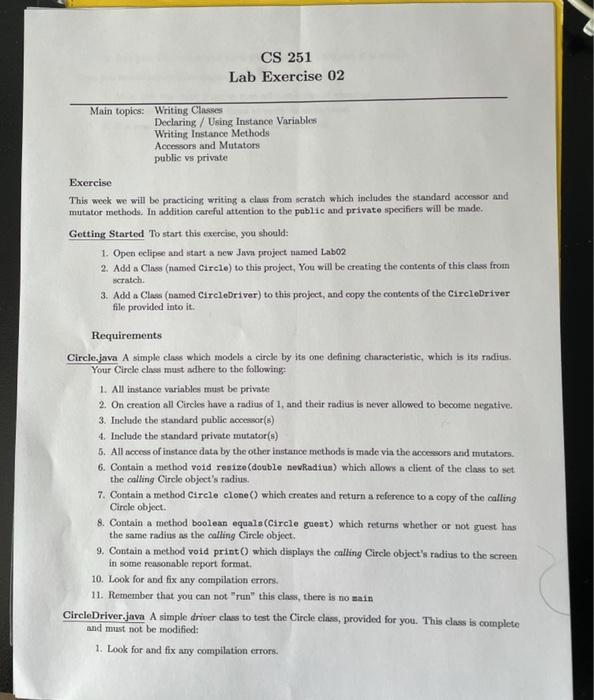
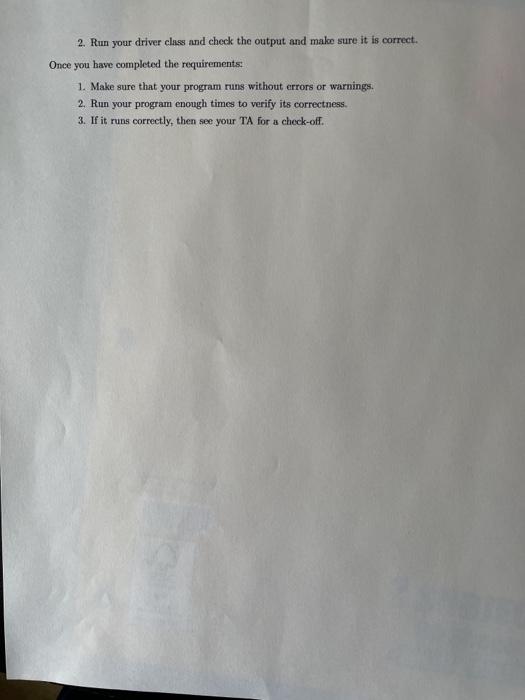
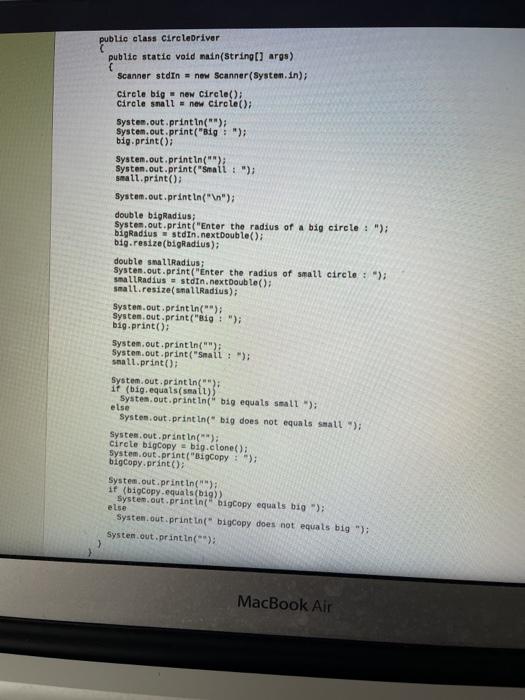
CS 251 Lab Exercise 02 Main topics: Writing Classes Declaring /Using Instance Variables Writing Instance Methods Accessors and Mutators public vs private Exercise This week we will be practicing writing a class from scratch which includes the standard accessor and mutator methods. In addition careful attention to the public and private specifiers will be made. Getting Started to start this exercise, you should: 1. Open eclipse and start a new Java project named Labo2 2. Add a Class (named Circle) to this project. You will be creating the contents of this class from scratch. 3. Add a Cla (named CircleDriver) to this project, and copy the contents of the CircleDriver file provided into it. Requirements Circle.java A simple class which models a circle by its one defining characteristic, which is its radius. Your Circle class must adhere to the following 1. All instance variables must be private 2. On creation all Circles have a radius of 1, and their radius is never allowed to become negative. 3. Include the standard public spessor(s) 4. Include the standard private mutator(s) 5. All access of instance data by the other instance methods is made via the accessors and mutators. 6. Contain a method void resize(double new Radius) which allows a client of the class to set the calling Circle object's radius. 7. Contain a method Circle clone () which creates and return a reference to a copy of the calling Circle object. 8. Contain a method boolean equals(Circle guest) which returns whether or not guest has the same radius as the calling Circle object. 9. Contain a method void printo which displays the calling Circle object's radius to the screen in some reasonable report format, 10. Look for and fix any compilation errors. 11. Remember that you can not "run" this class, there is no main CircleDriver.java A simple driver class to test the Circle class, provided for you. This class is complete and must not be modified: 1. Look for and fix any compilation errors. 2. Run your driver class and check the output and make sure it is correct. Once you have completed the requirements: 1. Make sure that your program runs without errors or warnings. 2. Run your program enough times to verify its correctness. 3. If it runs correctly, then see your TA for a check-off. public class circleDriver public public static void main(String[] args) Scanner stdin = new Scanner(System.in); Circle big new Circle(); Circle small new Circle(); System.out.println(""); System.out.print("Big : "); big.print(); System.out.println(""); Systen.out.print("Small : "); small.print(); System.out.println(" "); double bigRadius; Systen.out.print("Enter the radius of a big circle: "); bigRadius = stdin.nextDouble(); big.resize(bigRadius); double smal Radius; System.out.print("Enter the radius of small circle: "); small Radius = stdin.nextDouble(); small.resize(smallRadius); System.out.println(""); System.out.print("Big : "); big.print(); System.out.println(""); System.out.print("Small : "); small.print(); System.out.println(""); it (big.equals(small)) System.out.printin" big equals small"); else System.out.println(" big does not equals small "); System.out.println(""); circle bigcopy = big.clone(); System.out.print("Bigcopy : "); bigcopy.print(); System.out.println(""); if (bigcopy.equals(19) System.out.println("bigcopy equals big "); else System.out.println("bigcopy does not equals big "); System.out.println(""); MacBook Air
Step by Step Solution
There are 3 Steps involved in it

Get step-by-step solutions from verified subject matter experts
 Study Help