







Question: Please write in Jupyter notebook only. Iris dataset link: https://archive.ics.uci.edu/ml/datasets/Iris Goal: For the iris dataset, develop a KNN classifier to classify different iris species. Iris
Please write in Jupyter notebook only.
Iris dataset link: https://archive.ics.uci.edu/ml/datasets/Iris
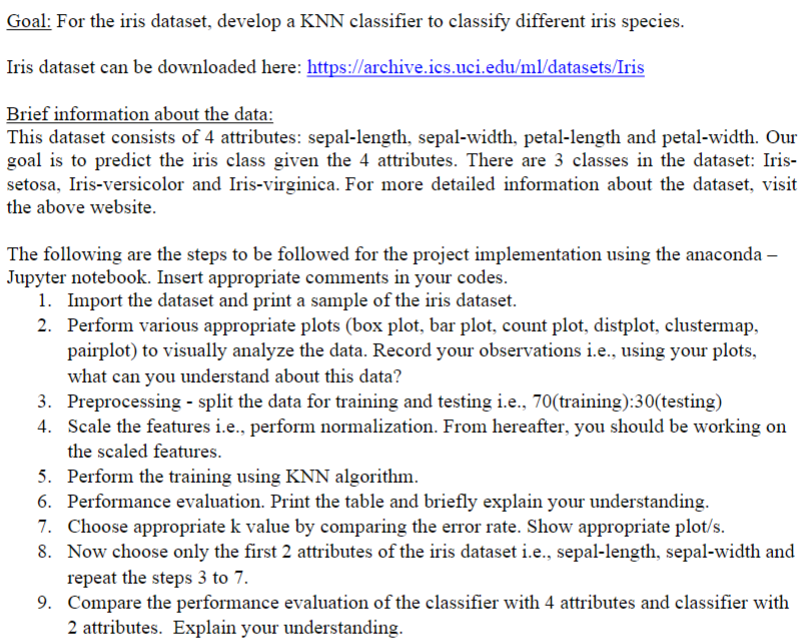
Goal: For the iris dataset, develop a KNN classifier to classify different iris species. Iris dataset can be downloaded here: https://archive.ics.uci.edu/ml/datasets/Iris Brief information about the data: This dataset consists of 4 attributes: sepal-length, sepal-width, petal-length and petal-width. Our goal is to predict the iris class given the 4 attributes. There are 3 classes in the dataset: Irissetosa, Iris-versicolor and Iris-virginica. For more detailed information about the dataset, visit the above website. The following are the steps to be followed for the project implementation using the anaconda Jupyter notebook. Insert appropriate comments in your codes. 1. Import the dataset and print a sample of the iris dataset. 2. Perform various appropriate plots (box plot, bar plot, count plot, distplot, clustermap, pairplot) to visually analyze the data. Record your observations i.e., using your plots, what can you understand about this data? 3. Preprocessing - split the data for training and testing i.e., 70(training):30(testing) 4. Scale the features i.e., perform normalization. From hereafter, you should be working on the scaled features. 5. Perform the training using KNN algorithm. 6. Performance evaluation. Print the table and briefly explain your understanding. 7. Choose appropriate k value by comparing the error rate. Show appropriate plot/s. 8. Now choose only the first 2 attributes of the iris dataset i.e., sepal-length, sepal-width and repeat the steps 3 to 7 . 9. Compare the performance evaluation of the classifier with 4 attributes and classifier with 2 attributes. Explain your understanding
Step by Step Solution
There are 3 Steps involved in it

Get step-by-step solutions from verified subject matter experts
 Study Help