







Question: PLEASE WRITE IN MATLAB. Write a script that will print a list consisting of C for temperature in degrees Celsius, F for temperature
PLEASE WRITE IN MATLAB.
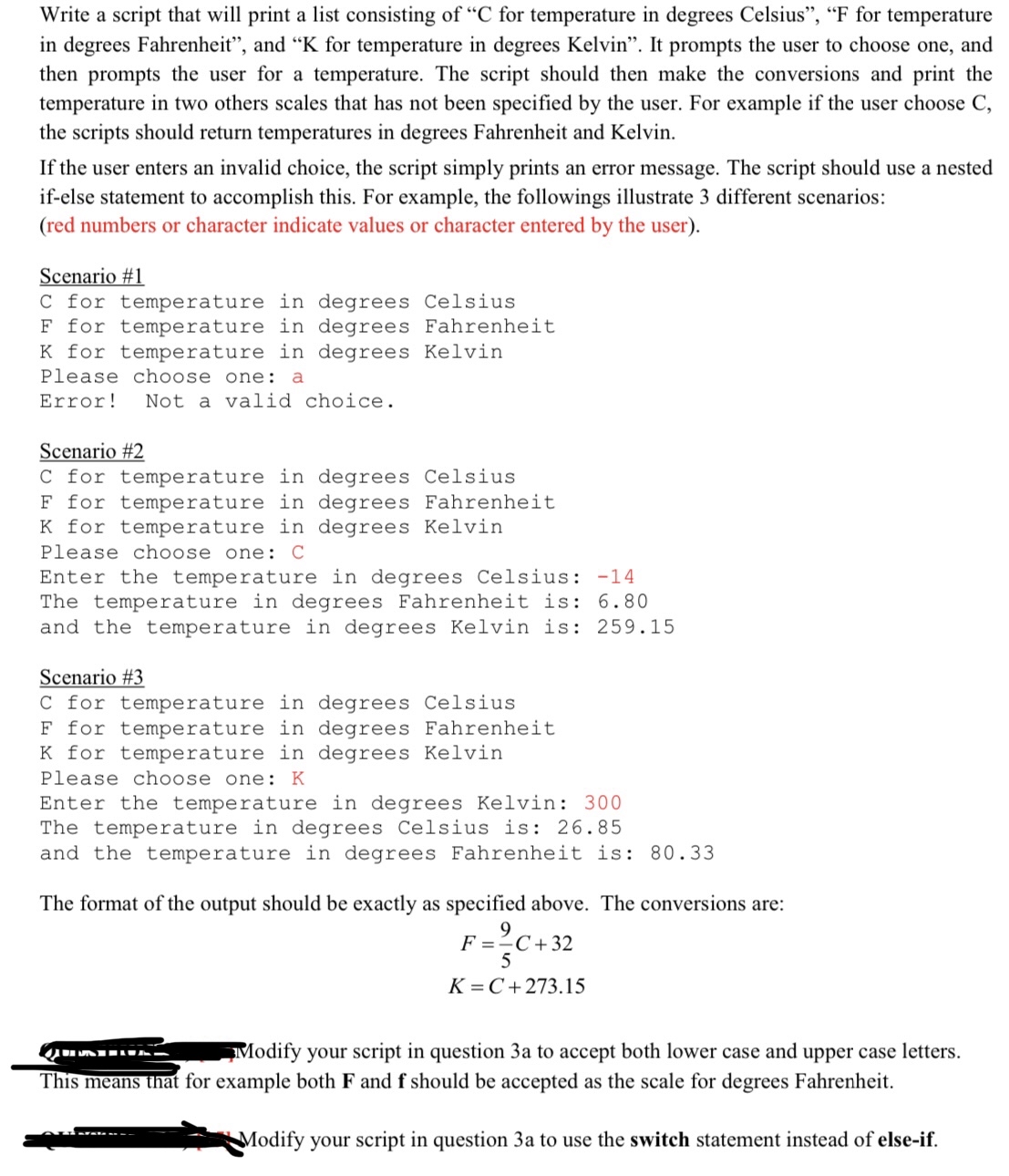
Write a script that will print a list consisting of C for temperature in degrees Celsius", F for temperature in degrees Fahrenheit", and K for temperature in degrees Kelvin". It prompts the user to choose one, and then prompts the user for a temperature. The script should then make the conversions and print the temperature in two others scales that has not been specified by the user. For example if the user choose C the scripts should return temperatures in degrees Fahrenheit and Kelvin.
If the user enters an invalid choice, the script simply prints an error message. The script should use a nested ifelse statement to accomplish this. For example, the followings illustrate different scenarios: red numbers or character indicate values or character entered by the user
Scenario #
C for temperature in degrees Celsius
for temperature in degrees Fahrenheit
for temperature in degrees Kelvin
Please choose one: a
Error! Not a valid choice.
Scenario #
C for temperature in degrees Celsius
F for temperature in degrees Fahrenheit
for temperature in degrees Kelvin
Please choose one: C
Enter the temperature in degrees Celsius:
The temperature in degrees Fahrenheit is:
and the temperature in degrees Kelvin is:
Scenario #
C for temperature in degrees Celsius
F for temperature in degrees Fahrenheit
K for temperature in degrees Kelvin
Please choose one: K
Enter the temperature in degrees Kelvin:
The temperature in degrees Celsius is:
and the temperature in degrees Fahrenheit is:
The format of the output should be exactly as specified above. The conversions are:
This means that for example both and should be accepted as the scale for degrees Fahrenheit.
Modify your script in question a to use the switch statement instead of elseif
Step by Step Solution
There are 3 Steps involved in it
1 Expert Approved Answer
Step: 1 Unlock

Question Has Been Solved by an Expert!
Get step-by-step solutions from verified subject matter experts
Step: 2 Unlock
Step: 3 Unlock
 Study Help