







Question: PLEASE WRITE ME A WORKING CODE FOR THE INSTRUCTIONS ABOVE. NO NEED FOR AN EXPLANATION I JUST NEED THE CODE THANK YOU Milestones Grading Scheme:
PLEASE WRITE ME A WORKING CODE FOR THE INSTRUCTIONS ABOVE. NO NEED FOR AN EXPLANATION I JUST NEED THE CODE THANK YOU
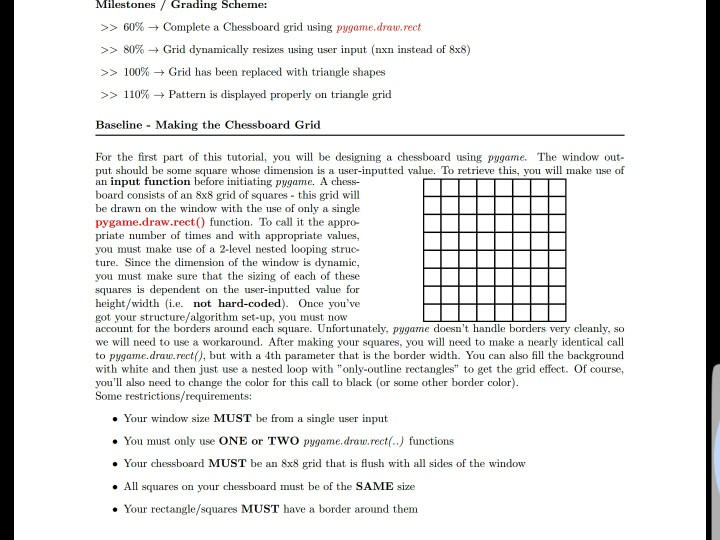
Milestones Grading Scheme: >> 60% Complete a Chessboard grid using pygarne.drue.rect >> 80% Grid dynamically resizes using user input (nxn instead of 8x8) >> 100% Grid has been replaced with triangle shapes >> 110% Pattern is displayed properly on triangle grid Baseline Making the Chessboard Grid For the first part of this tutorial, you will be designing a chessboard using pygame. The windowout put should be some square whose dimension is a user-inputted value. To retrieve this, you will make use of an input function before initiating pygame. A chess- board consists of an 8x8 grid of squares this grid will be drawn on the window with the use of only a single pygame.draw.rect) function. To call it the appro- priate number of times and with appropriate values you must make use of a 2-level nested looping struc- ture. Since the dimension of the window is dynamic you must make sure that the sizing of each of these squares is dependent on the user-inputted value for height/width (i.e. not hard-coded). Once you've got your structure/algorithm set-up, you must now account for the borders around each square. Unfortunately, pygame doesn't handle borders very cleanly, so we will need to use a workaround. After making your squares, you will need to make a nearly identical call to pygame.draw.rect(), but with a 4th parameter that is the border width. You can alsoil the background with white and then just use a nested loop with "only-outline rectangles to get the grid effect. Of course, you'll also need to change the color for this call to black (or some other border color) Some restrictions/requirements: . Your window size MUST be from a single user input . You must only use ONE or TWO pygame.draw.rect(..) functions . Your chessboard MUST be an 8x8 grid that is flush with all sides of the window All squares on your chessboard must be of the SAME size . Your rectangle/squares MUST have a border around them
Step by Step Solution
There are 3 Steps involved in it

Get step-by-step solutions from verified subject matter experts
 Study Help