







Question: please write python thank you Compression (Encoding) - Read the characters from text file - Construct the LZW dictionary - Generate the output - Encode
please write python
thank you
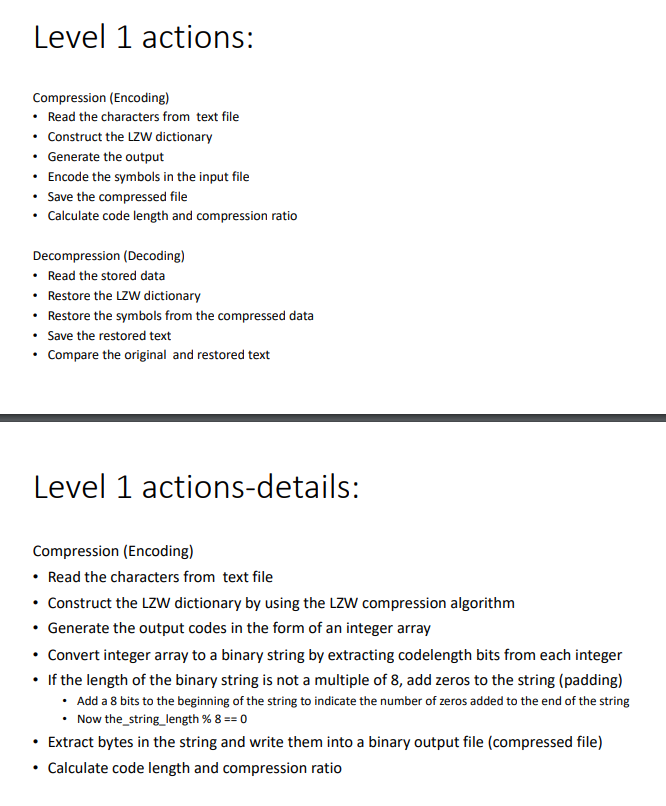
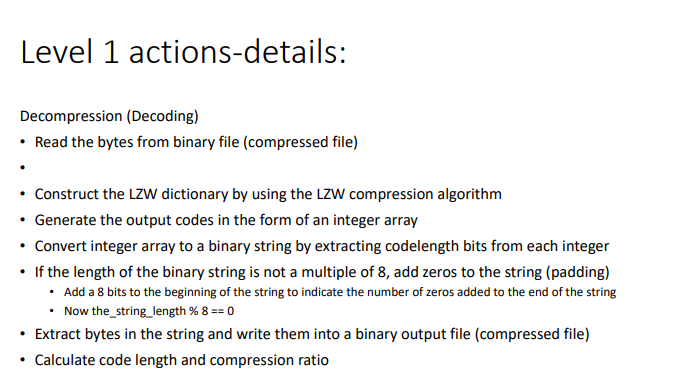
Compression (Encoding) - Read the characters from text file - Construct the LZW dictionary - Generate the output - Encode the symbols in the input file - Save the compressed file - Calculate code length and compression ratio Decompression (Decoding) - Read the stored data - Restore the LZW dictionary - Restore the symbols from the compressed data - Save the restored text - Compare the original and restored text Level 1 actions-details: Compression (Encoding) - Read the characters from text file - Construct the LZW dictionary by using the LZW compression algorithm - Generate the output codes in the form of an integer array - Convert integer array to a binary string by extracting codelength bits from each integer - If the length of the binary string is not a multiple of 8 , add zeros to the string (padding) - Add a 8 bits to the beginning of the string to indicate the number of zeros added to the end of the string - Now the_string_length %8=0 - Extract bytes in the string and write them into a binary output file (compressed file) - Calculate code length and compression ratio Decompression (Decoding) - Read the bytes from binary file (compressed file) - Construct the LZW dictionary by using the LZW compression algorithm - Generate the output codes in the form of an integer array - Convert integer array to a binary string by extracting codelength bits from each integer - If the length of the binary string is not a multiple of 8 , add zeros to the string (padding) - Add a 8 bits to the beginning of the string to indicate the number of zeros added to the end of the string - Now the_string_length %8==0 - Extract bytes in the string and write them into a binary output file (compressed file) - Calculate code length and compression ratio
Step by Step Solution
There are 3 Steps involved in it

Get step-by-step solutions from verified subject matter experts
 Study Help