







Question: Please write the codes too. PROJECT 1 : Share Your Travel Photos DIFFICULTY LEVEL: Intermediate Overview Demonstrate your ability to retrieve information from a database
Please write the codes too.
PROJECT : Share Your Travel Photos
DIFFICULTY LEVEL: Intermediate
Overview
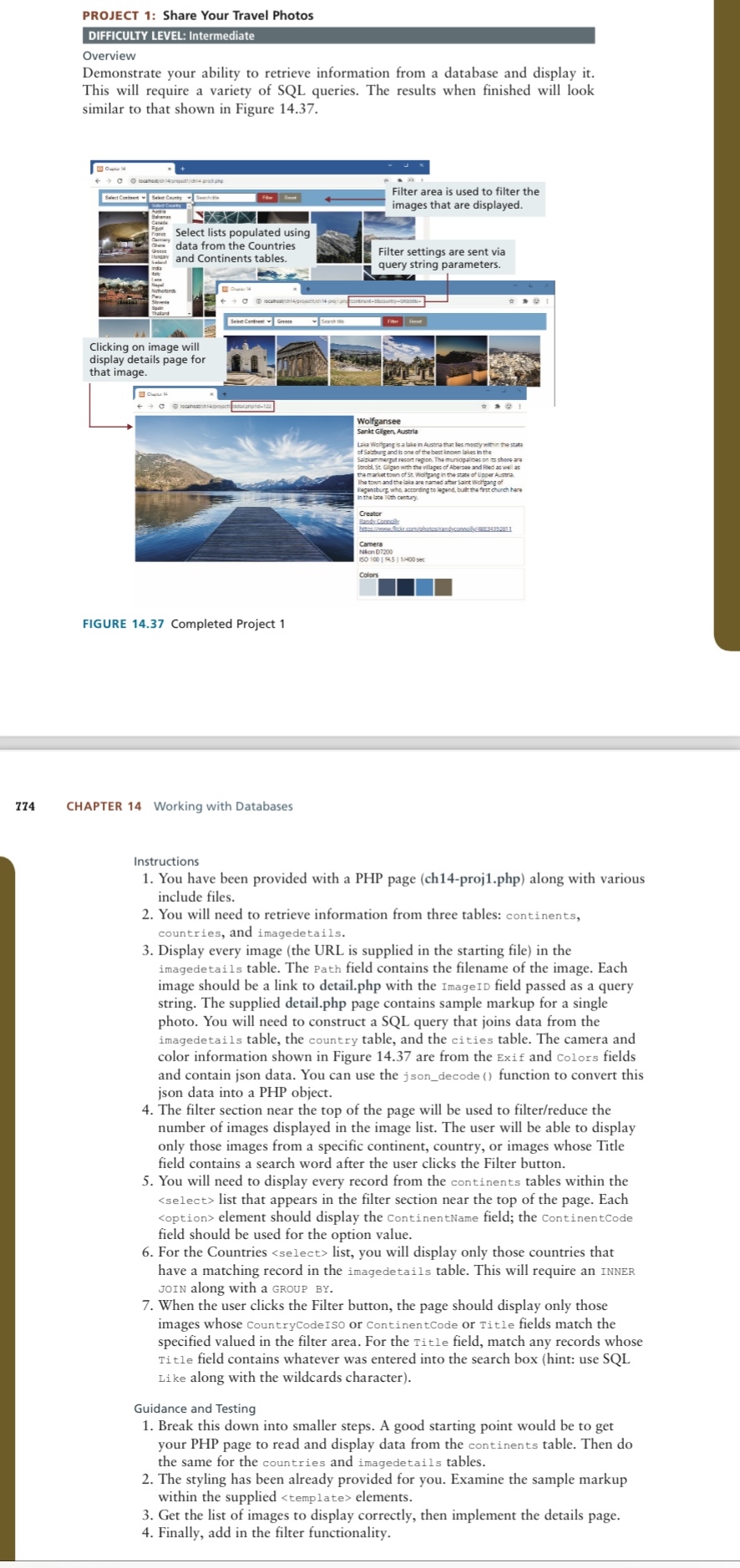
Demonstrate your ability to retrieve information from a database and display it This will require a variety of SQL queries. The results when finished will look similar to that shown in Figure
CHAPTER Working with Databases
Instructions
You have been provided with a PHP page chprojphp along with various include files.
You will need to retrieve information from three tables: continents, countries, and imagedetails.
Display every image the URL is supplied in the starting file in the imagedetails table. The Path field contains the filename of the image. Each image should be a link to detail.php with the Imageid field passed as a query string. The supplied detail.php page contains sample markup for a single photo. You will need to construct a SQL query that joins data from the imagedetails table, the country table, and the cities table. The camera and color information shown in Figure are from the Exif and Colors fields and contain json data. You can use the jsondecode function to convert this json data into a PHP object.
The filter section near the top of the page will be used to filterreduce the number of images displayed in the image list. The user will be able to display only those images from a specific continent, country, or images whose Title field contains a search word after the user clicks the Filter button.
You will need to display every record from the continents tables within the list, you will display only those countries that have a matching record in the imagedetails table. This will require an INNER JOIN along with a GROUP BY
When the user clicks the Filter button, the page should display only those images whose CountryCodeISo or ContinentCode or Title fields match the specified valued in the filter area. For the Title field, match any records whose Title field contains whatever was entered into the search box hint: use SQL Like along with the wildcards character
Guidance and Testing
Break this down into smaller steps. A good starting point would be to get your PHP page to read and display data from the continents table. Then do the same for the countries and imagedetails tables.
The styling has been already provided for you. Examine the sample markup within the supplied
Step by Step Solution
There are 3 Steps involved in it
1 Expert Approved Answer
Step: 1 Unlock

Question Has Been Solved by an Expert!
Get step-by-step solutions from verified subject matter experts
Step: 2 Unlock
Step: 3 Unlock
 Study Help