Question: PLEASE WRITE THE FULL CODE AND PICTURE FOR THE PROJECT USING TINKERCAD ex: Practice Exercise 2 Display the value of the temperature sensor on the
PLEASE WRITE THE FULL CODE AND PICTURE FOR THE PROJECT USING TINKERCAD
ex:
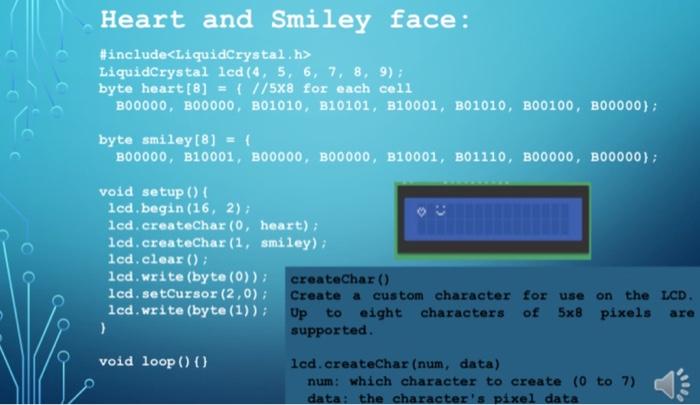
Practice Exercise 2 Display the value of the temperature sensor on the LCD. Heart and Smiley face: #include LiquidCrystal lcd (4, 5, 6, 7, 8, 9): byte heart [8] = { //5x8 for each cell B00000, 100000, 001010, B10101, B10001, B01010, B00100, 100000); byte smiley [8] = { BO0000, B10001, B00000, B00000, B10001, B01110, BOO000, B00000); void setup() { lcd.begin(16, 2) lcd.createChar(0, heart); lcd.createChar(1, smiley); lcd.clear(); lcd.write(byte(0)); createChar() lcd.setCursor (2,0); Create a custom character for use on the LCD. lcd.write(byte (1)); Up to eight characters of 5x8 pixels are ) supported void loop() 0 lcd.createChar (num, data) num: which character to create (0 to 7) data: the character's pixel data










 Study Help