







Question: please write with / in python and take note of restrictions. if both 'tasks' can be answered in one, please do , but otherwise answer
please write within python and take note of restrictions. if both 'tasks' can be answered in one, please do but otherwise answer what is allowed.
Task Learning Objectives:
Using selection statements ifelifelse
Defining functions
Using function calls
Using function return statements
Applying arithmetic operators
Assumptions
The data types of the values that are sent to the functions are the proper ones and you don't have to
validate them. Be sure to read additional assumptions made in individual problems!
Restrictions
You may:
Use arithmetic operators:
Use Boolean operators and, or etc.
Data types:int, float, str bool
Casting functions: int float str bool
You may not:
Import anything.
Use string formatting or string indexing ie stringindex
Use loops or any other features not covered in class yet. If you are unsure, ask!
Use input or print For this assignment you will be defining functions and handling
inputoutput differently. See the Testing and Functions sections below for more details.
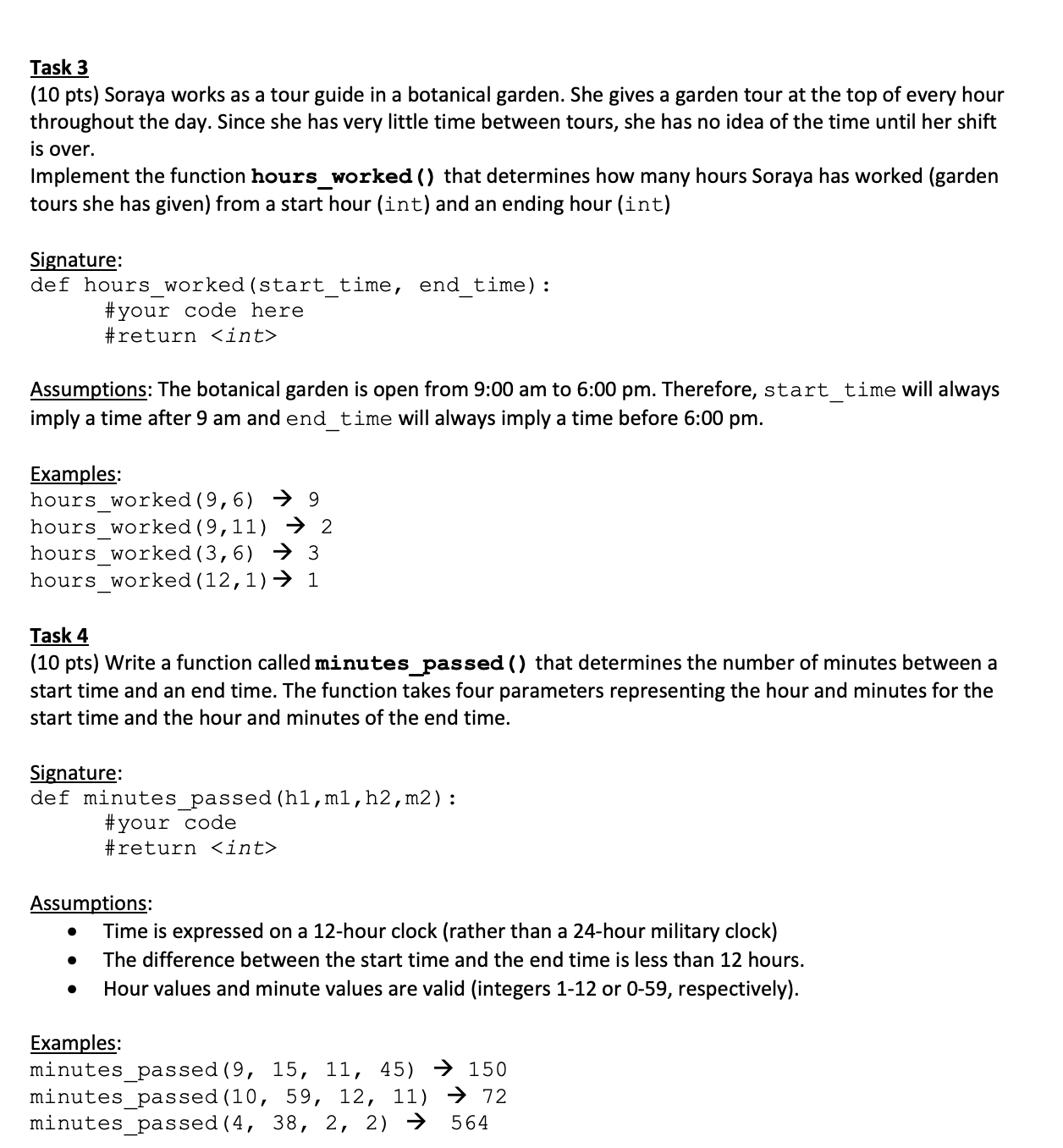
pts Soraya works as a tour guide in a botanical garden. She gives a garden tour at the top of every hour
throughout the day. Since she has very little time between tours, she has no idea of the time until her shift
is over.
Implement the function hoursworked that determines how many hours Soraya has worked garden
tours she has given from a start hour int and an ending hour int
Signature:
def hoursworkedstarttime, endtime:
#your code here
#return assed
assed
assed
Step by Step Solution
There are 3 Steps involved in it
1 Expert Approved Answer
Step: 1 Unlock

Question Has Been Solved by an Expert!
Get step-by-step solutions from verified subject matter experts
Step: 2 Unlock
Step: 3 Unlock
 Study Help