





Question: please writing as JAVA language Objective: In this assignment, we ask you to implement a student grade calculation program. Step 1. Your program will get
 please writing as JAVA language Objective: In this assignment, we askyou to implement a student grade calculation program. Step 1. Your program

will get add(adding a grade for a student) commands. User can enter

please writing as JAVA language

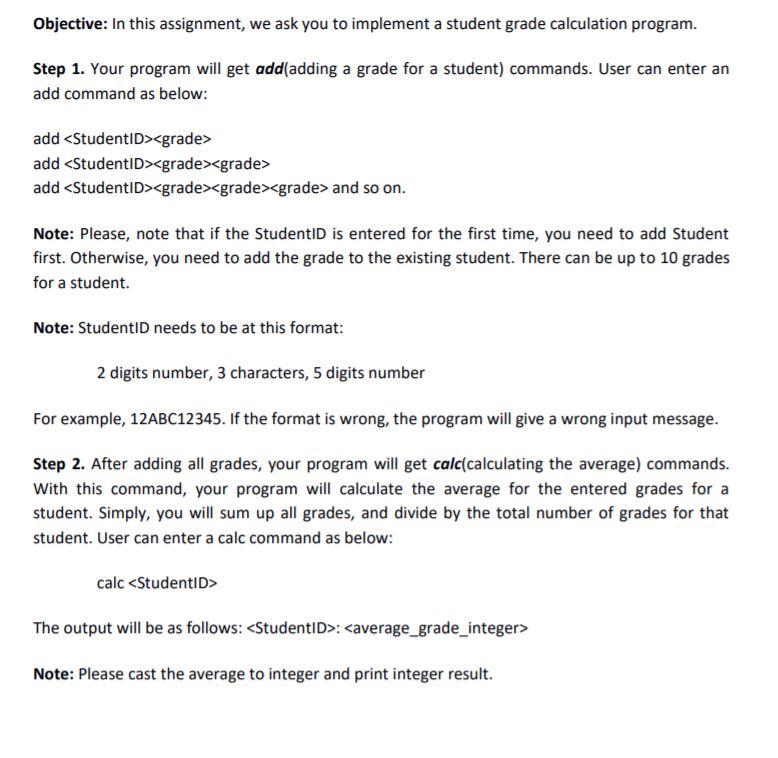
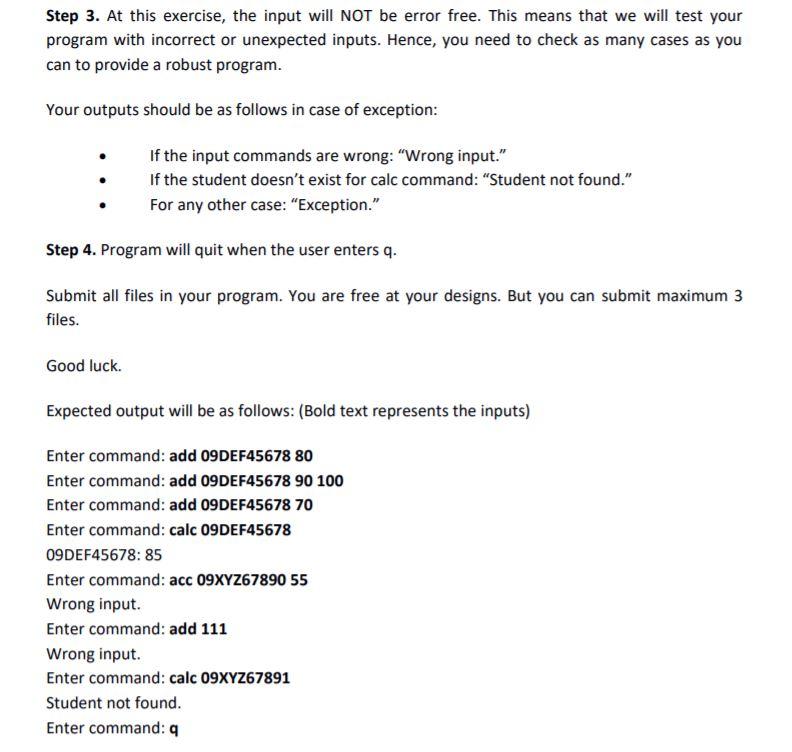
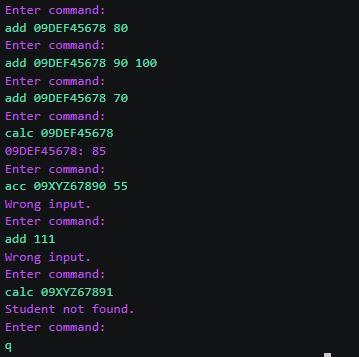
Objective: In this assignment, we ask you to implement a student grade calculation program. Step 1. Your program will get add(adding a grade for a student) commands. User can enter an add command as below: add add add and so on. Note: Please, note that if the StudentiD is entered for the first time, you need to add Student first. Otherwise, you need to add the grade to the existing student. There can be up to 10 grades for a student. Note: Studentin needs to be at this format: 2 digits number, 3 characters, 5 digits number For example, 12ABC12345. If the format is wrong, the program will give a wrong input message. Step 2. After adding all grades, your program will get calc(calculating the average) commands. With this command, your program will calculate the average for the entered grades for a student. Simply, you will sum up all grades, and divide by the total number of grades for that student. User can enter a calc command as below: calc The output will be as follows: : Note: Please cast the average to integer and print integer result. Step 3. At this exercise, the input will NOT be error free. This means that we will test your program with incorrect or unexpected inputs. Hence, you need to check as many cases as you can to provide a robust program. Your outputs should be as follows in case of exception: If the input commands are wrong: "Wrong input." If the student doesn't exist for calc command: "Student not found." For any other case: "Exception." Step 4. Program will quit when the user enters q. Submit all files in your program. You are free at your designs. But you can submit maximum 3 files. Good luck. Expected output will be as follows: (Bold text represents the inputs) Enter command: add 09DEF45678 80 Enter command: add 09DEF45678 90 100 Enter command: add 09DEF45678 70 Enter command: calc 09DEF45678 09DEF45678: 85 Enter command: acc 09XYZ67890 55 Wrong input. Enter command: add 111 Wrong input. Enter command: calc 09XYZ67891 Student not found. Enter command: Enter command: add 69DEF45678 80 Enter command: add 69DEF45678 90 100 Enter command: add 9DEF45678 70 Enter command: calc 99DEF45678 89DEF45678: 85 Enter command: acc @9XYZ67890 55 Wrong input. Enter command: add 111 Wrong input. Enter command: calc 99XYZ67891 Student not found. Enter command: : 9
Step by Step Solution

There are 3 Steps involved in it

1 Expert Approved Answer
Step: 1 Unlock blur-text-image
Question Has Been Solved by an Expert!

Get step-by-step solutions from verified subject matter experts

Step: 2 Unlock
Step: 3 Unlock

Students Have Also Explored These Related Databases Questions!