



Question: Pleasue use Excel if you can EA 1 - A 2 RECORD JOURNAL ENTRIES PG In this exercise, you will record four journal entries in
Pleasue use Excel if you can
EAA RECORD JOURNAL ENTRIES PG
In this exercise, you will record four journal entries in Excel.
Access the proper file. Your starting file is intentionally blank.
Using Project Grader: Download EAAJournalEntrieseStart.
Not using Project Grader: Open EAAJournalEntries.
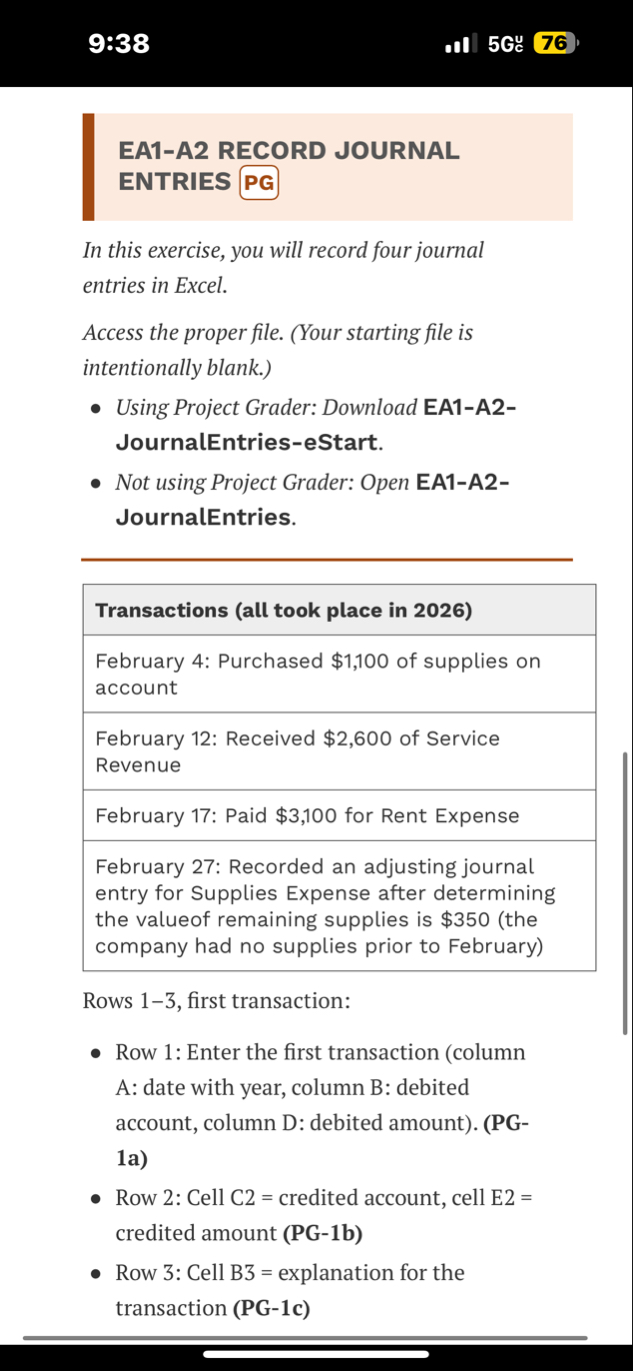
tableTransactions all took place in February : Purchased $ of supplies on accountFebruary : Received $ of Service RevenueFebruary : Paid $ for Rent ExpenseFebruary : Recorded an adjusting journal entry for Supplies Expense after determining the valueof remaining supplies is $the company had no supplies prior to February
Rows first transaction:
Row : Enter the first transaction column A: date with year, column B: debited account, column D: debited amountPGa
Row : Cell C credited account, cell E credited amount PGb
Row : Cell B explanation for the transaction PGc
:
Gy
Rows first transaction:
Row : Enter the first transaction column A: date with year, column B: debited account, column D: debited amountPGa
Row : Cell C credited account, cell E credited amount PGb
Row : Cell B explanation for the transaction PGc
Rows : Enter the second transaction. PG
Rows : Enter the third transaction. PG
Rows : Enter the fourth transaction. PG
All Transactions:
All dates: Short Date format PGa
All amounts: Accounting number format, zero decimals PGb
Columns A and CE width: AutoFit simultaneously using one command. PGc
Column B: Set the width to exactly PGd
Explanations: Italicize each, using a keyboard shortcut for the first and second and the Ribbon for the third; copy the formatting in cell B to cell BPGe
Print area: First two journal entries including explanationsPGf
Save and close the file.
Using Project Grader: Save the file as
Step by Step Solution
There are 3 Steps involved in it
1 Expert Approved Answer
Step: 1 Unlock

Question Has Been Solved by an Expert!
Get step-by-step solutions from verified subject matter experts
Step: 2 Unlock
Step: 3 Unlock