







Question: plesse can I get answer with python today because I have due date tommorw COSC 1336 Lab: 2 Relevant Reading Chapter 2 Due February 8,
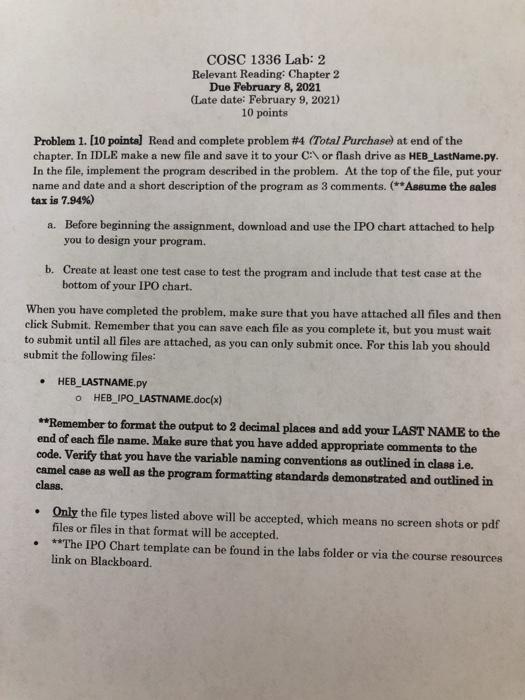
COSC 1336 Lab: 2 Relevant Reading Chapter 2 Due February 8, 2021 (Late date: February 9, 2021) 10 points Problem 1. (10 points) Read and complete problem #4 (Total Purchase) at end of the chapter. In IDLE make a new file and save it to your C:\or flash drive as HEB_LastName.py. In the file, implement the program described in the problem. At the top of the file, put your name and date and a short description of the program as 3 comments. (**Assume the sales tax is 7.94%) a. Before beginning the assignment, download and use the IPO chart attached to help you to design your program. b. Create at least one test case to test the program and include that test case at the bottom of your IPO chart. When you have completed the problem, make sure that you have attached all files and then click Submit. Remember that you can save each file as you complete it, but you must wait to submit until all files are attached, as you can only submit once. For this lab you should submit the following files: HEB_LASTNAME.PY o HEB_IPO_LASTNAME.doc(x) **Remember to format the output to 2 decimal places and add your LAST NAME to the end of each file name. Make sure that you have added appropriate comments to the code. Verify that you have the variable naming conventions as outlined in class i.e. camel case as well as the program formatting standards demonstrated and outlined in class. Only the file types listed above will be accepted, which means no screen shots or pdf files or files in that format will be accepted. **The IPO Chart template can be found in the labs folder or via the course resources link on Blackboard. COSC 1336 Lab: 2 Relevant Reading Chapter 2 Due February 8, 2021 (Late date: February 9, 2021) 10 points Problem 1. (10 points) Read and complete problem #4 (Total Purchase) at end of the chapter. In IDLE make a new file and save it to your C:\or flash drive as HEB_LastName.py. In the file, implement the program described in the problem. At the top of the file, put your name and date and a short description of the program as 3 comments. (**Assume the sales tax is 7.94%) a. Before beginning the assignment, download and use the IPO chart attached to help you to design your program. b. Create at least one test case to test the program and include that test case at the bottom of your IPO chart. When you have completed the problem, make sure that you have attached all files and then click Submit. Remember that you can save each file as you complete it, but you must wait to submit until all files are attached, as you can only submit once. For this lab you should submit the following files: HEB_LASTNAME.PY o HEB_IPO_LASTNAME.doc(x) **Remember to format the output to 2 decimal places and add your LAST NAME to the end of each file name. Make sure that you have added appropriate comments to the code. Verify that you have the variable naming conventions as outlined in class i.e. camel case as well as the program formatting standards demonstrated and outlined in class. Only the file types listed above will be accepted, which means no screen shots or pdf files or files in that format will be accepted. **The IPO Chart template can be found in the labs folder or via the course resources link on Blackboard
Step by Step Solution
There are 3 Steps involved in it

Get step-by-step solutions from verified subject matter experts
 Study Help