







Question: pls provide code NOTE: You may work on Assignment 3 if you wish (not necessary though), to apply the requirements for this assignment. Specification: Part
pls provide code
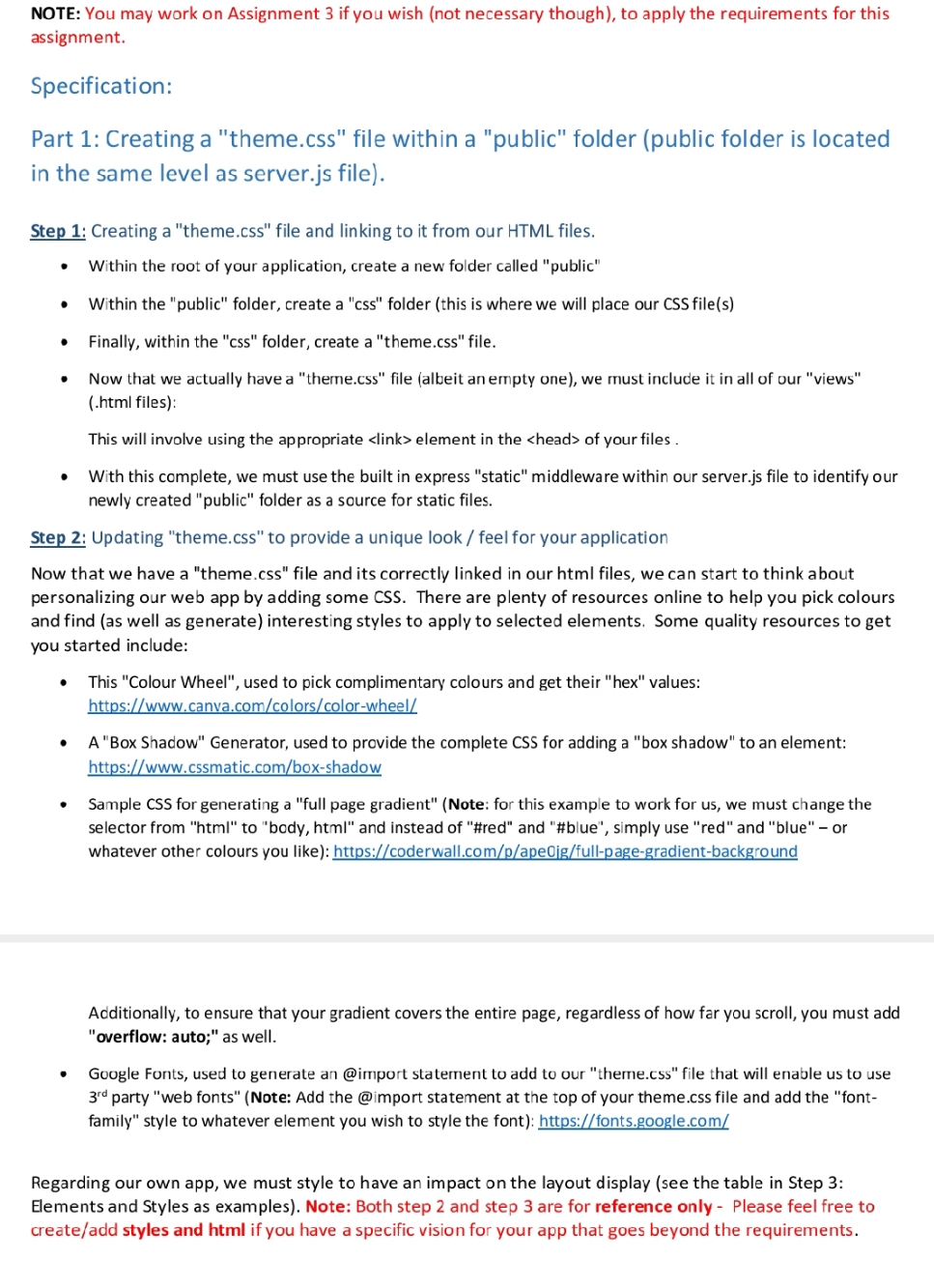
NOTE: You may work on Assignment 3 if you wish (not necessary though), to apply the requirements for this assignment. Specification: Part 1: Creating a "theme.css" file within a "public" folder (public folder is located in the same level as server.js file). Step 1: Creating a "theme.css" file and linking to it from our HTML files. Within the root of your application, create a new folder called "public" Within the "public" folder, create a "css" folder (this is where we will place our CSS file(s) Finally, within the "css" folder, create a "theme.css" file. Now that we actually have a "theme.css" file (albeit an empty one), we must include it in all of our "views" (.html files): This will involve using the appropriate element in the of your files . With this complete, we must use the built in express "static" middleware within our server.js file to identify our newly created "public" folder as a source for static files. Step 2: Updating "theme.css" to provide a unique look / feel for your application Now that we have a "theme.css" file and its correctly linked in our html files, we can start to think about personalizing our web app by adding some CSS. There are plenty of resources online to help you pick colours and find (as well as generate) interesting styles to apply to selected elements. Some quality resources to get you started include: This "Colour Wheel", used to pick complimentary colours and get their "hex" values: https://www.canva.com/colors/color-wheel/ A "Box Shadow" Generator, used to provide the complete CSS for adding a "box shadow" to an element: https://www.cssmatic.com/box-shadow Sample CSS for generating a "full page gradient" (Note: for this example to work for us, we must change the selector from "html" to "body, html" and instead of "#red" and "#blue", simply use "red" and "blue" - or whatever other colours you like): https://coderwall.com/p/apedig/full-page-gradient-background Additionally, to ensure that your gradient covers the entire page, regardless of how far you scroll, you must add "overflow: auto;" as well. Google Fonts, used to generate an @import statement to add to our "theme.css" file that will enable us to use 3"d party "web fonts" (Note: Add the @import statement at the top of your theme.css file and add the "font- family" style to whatever element you wish to style the font): https://fonts.google.com/ Regarding our own app, we must style to have an impact on the layout display (see the table in Step 3: Elements and Styles as examples). Note: Both step 2 and step 3 are for reference only - Please feel free to create/add styles and html if you have a specific vision for your app that goes beyond the requirements
NOTE: You may work on Assignment 3 if you wish (not necessary though), to apply the requirements for this assignment. Specification: Part 1: Creating a "theme.css" file within a "public" folder (public folder is located in the same level as server.js file). Step 1: Creating a "theme.css" file and linking to it from our HTML files. Within the root of your application, create a new folder called "public" Within the "public" folder, create a "css" folder (this is where we will place our CSS file(s) Finally, within the "css" folder, create a "theme.css" file. Now that we actually have a "theme.css" file (albeit an empty one), we must include it in all of our "views" (.html files): This will involve using the appropriate element in the of your files. With this complete, we must use the built in express "static" middleware within our server.js file to identify our newly created "public" folder as a source for static files. Step 2: Updating "theme.css" to provide a unique look / feel for your application Now that we have a "theme.css" file and its correctly linked in our html files, we can start to think about personalizing our web app by adding some CSS. There are plenty of resources online to help you pick colours and find (as well as generate) interesting styles to apply to selected elements. Some quality resources to get you started include: This "Colour Wheel", used to pick complimentary colours and get their "hex" values: https://www.canva.com/colors/color-wheel/ A "Box Shadow" Generator, used to provide the complete CSS for adding a "box shadow" to an element: https://www.cssmatic.com/box-shadow Sample CSS for generating a "full page gradient" (Note: for this example to work for us, we must change the selector from "html" to "body, html" and instead of "#red" and "#blue", simply use "red" and "blue" - or whatever other colours you like): https://coderwall.com/p/ape0jg/full-page-gradient-background Additionally, to ensure that your gradient covers the entire page, regardless of how far you scroll, you must add "overflow: auto;" as well. Google Fonts, used to generate an @import statement to add to our "theme.css" file that will enable us to use 3rd party "web fonts" (Note: Add the @import statement at the top of your theme.css file and add the "font- family" style to whatever element you wish to style the font): https://fonts.google.com/ Regarding our own app, we must style to have an impact on the layout display (see the table in Step 3: Elements and Styles as examples). Note: Both step 2 and step 3 are for reference only - Please feel free to create/add styles and html if you have a specific vision for your app that goes beyond the requirements.
Step by Step Solution
3.52 Rating (155 Votes )
There are 3 Steps involved in it
Lets break down the steps and provide the necessary code to accomplish the tasks outlined in the specification Part 1 Creating a themecss file within a public folder Step 1 Setting Up the Folder Struc... View full answer

Get step-by-step solutions from verified subject matter experts
 Study Help