







Question: plz answee question 9 Page Layout formula Ver DC and te 0 D 1 11 1 210 WERELT SICH w Cho meone VO Change 22
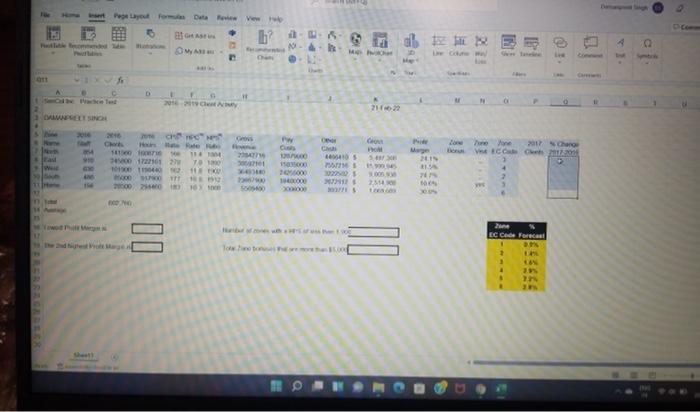

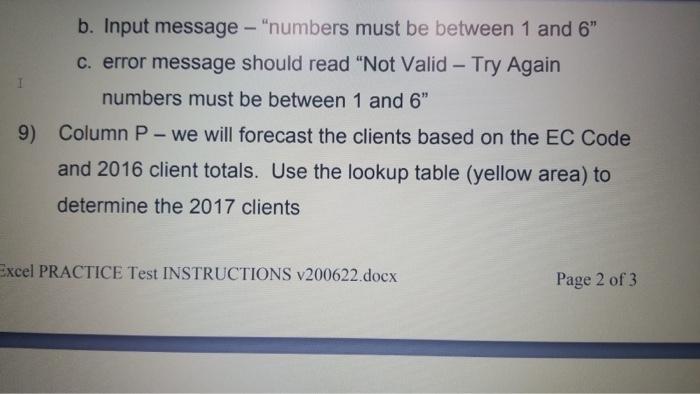
Page Layout formula Ver DC and te 0 D 1 11 1 210 WERELT SICH w Cho meone VO Change 22 ge 2 Com C Hot LOS 5. PA 22000 22 01900040 10 NI 10.00 ICON No 00 DHE ON EC Code Forecast 1 3 . . ) 9) Column P- we will forecast the clients based on the EC Code and 2016 client totals. Use the lookup table (yellow area) to determine the 2017 clients b. Input message - "numbers must be between 1 and 6" c. error message should read "Not Valid - Try Again I numbers must be between 1 and 6" 9) Column P- we will forecast the clients based on the EC Code and 2016 client totals. Use the lookup table (yellow area) to determine the 2017 clients Excel PRACTICE Test INSTRUCTIONS v200622.docx Page 2 of 3 Page Layout formula Ver DC and te 0 D 1 11 1 210 WERELT SICH w Cho meone VO Change 22 ge 2 Com C Hot LOS 5. PA 22000 22 01900040 10 NI 10.00 ICON No 00 DHE ON EC Code Forecast 1 3 . . ) 9) Column P- we will forecast the clients based on the EC Code and 2016 client totals. Use the lookup table (yellow area) to determine the 2017 clients b. Input message - "numbers must be between 1 and 6" c. error message should read "Not Valid - Try Again I numbers must be between 1 and 6" 9) Column P- we will forecast the clients based on the EC Code and 2016 client totals. Use the lookup table (yellow area) to determine the 2017 clients Excel PRACTICE Test INSTRUCTIONS v200622.docx Page 2 of 3
Step by Step Solution
There are 3 Steps involved in it

Get step-by-step solutions from verified subject matter experts
 Study Help