







Question: Plz, use a C++ code Stopping sight distance (SD) is defined as the distance needed for a driver to see an object on the roadway
Plz, use a C++ code
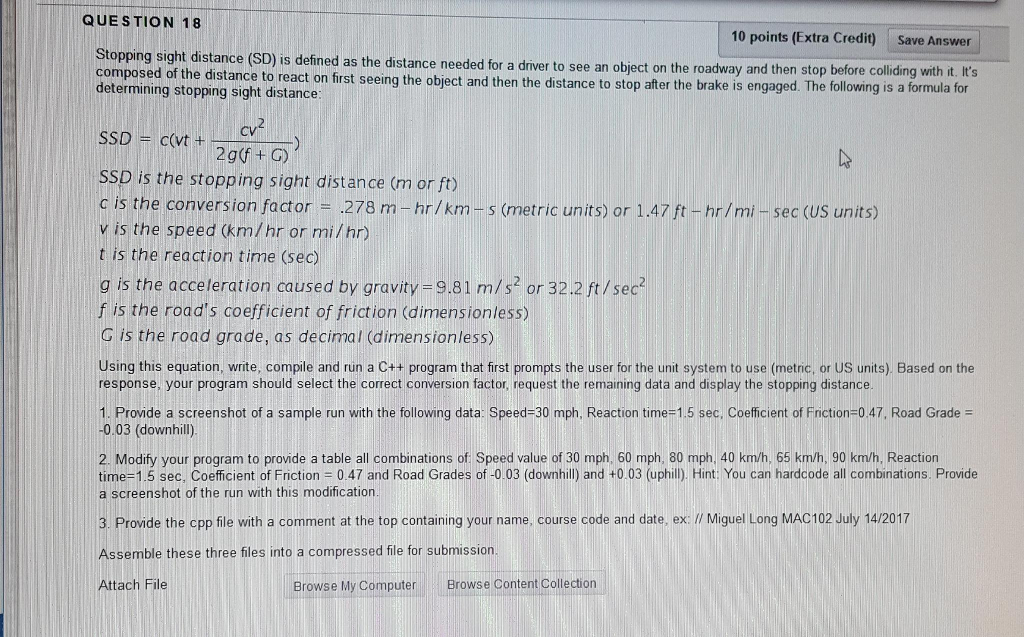
Stopping sight distance (SD) is defined as the distance needed for a driver to see an object on the roadway and then stop before colliding with it. It's composed of the distance to react on first seeing the object and then the distance to stop after the brake is engaged. The following is a formula for determining stopping sight distance. SSD = c (vt + cv^2/2g (f + G)) SSD is the stopping sight distance (m or ft) c is the coversion factor = 278 m - hr/km - s (metric units) or 1.47 ft-hr/mi-sec (US units) v is the speed (km/hr or mi/hr) t is the reaction time (sec) g is the acceleration caused by gravity = 9.81 m/s^2 or 32.2 ft/sec^2 f is the road's coefficient of friction (dimensionless) G is the road grade, as decimal (dimensionless) Using this equation, write, compile and run a C++ program that first prompts the user for the unit system to use (metric, or US units). Based on the response, your program should select the correct conversion factor, request the remaining data and display the stopping distance. Provide a screenshot of a sample run with the following data: Speed = 30 mph, Reaction time = 1.5 sec, Coefficient of Friction = 0.47, Road Grade = -0.03 (downhill). Modify your program to provide a table all combinations of: Speed value of 30 mph, 60 mph, 80 mph, 40 km/h, 65 km/h, 90 km/h, Reaction time = 1.5 sec, Coefficient of Friction = 0.47 and Road Grades of -0.03 (downhill) and +0.03 (uphill) Provide the cpp file with a comment at the top containing your name, course code and date, ex: //Miguel Long MAC102 July 14/2017 Assemble these three files into a compressed file for submission
Step by Step Solution
There are 3 Steps involved in it

Get step-by-step solutions from verified subject matter experts
 Study Help