







Question: plzz need it in python fast Requirement You need to implement the Babylonian Method for computing square roots. Based on that core functionality, you are
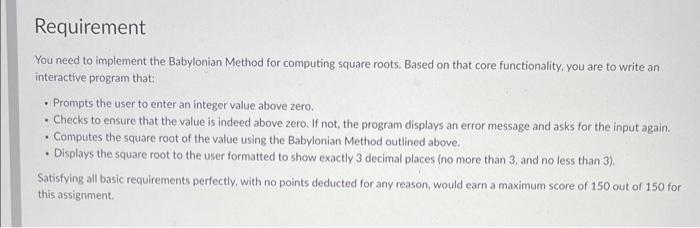
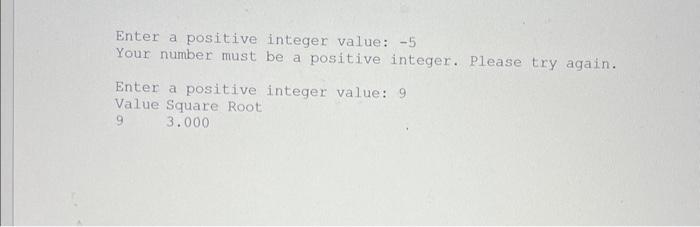
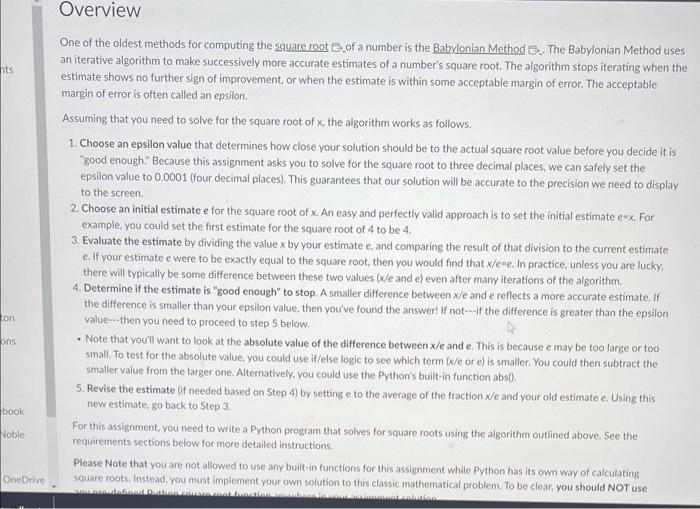
Requirement You need to implement the Babylonian Method for computing square roots. Based on that core functionality, you are to write an interactive program that: - Prompts the user to enter an integer value above zero. - Checks to ensure that the value is indeed above zero. If not, the program displays an error message and asks for the input again. - Computes the square root of the value using the Babylonian Method outlined above. - Displays the square root to the user formatted to show exactly 3 decimal places (no more than 3, and no less than 3). Satisfying all basic requirements perfectly, with no points deducted for any reason, would earn a maximum score of 150 out of 150 for this assignment. Enter a positive integer value: 5 Your number must be a positive integer. Please try again. Enter a positive integer value: 9 Value Square Root 93.000 One of the oldest methods for computing the square root 0 of a number is the Babylonian Method B. The Babylonian Method uses an iterative algorithm to make successively more accurate estimates of a number's square root. The algorithm stops iterating when the estimate shows no further sign of improvement, or when the estimate is within some acceptable margin of error. The acceptable margin of error is often called an epsilon. Assuming that you need to solve for the square root of x, the algorithm works as follows. 1. Choose an epsilon value that determines how close your solution should be to the actual square root value before you decide it is "good enough." Because this assignment asks you to solve for the square root to three decimal places, we can safely set the epsilon value to 0.0001 (four decimal places). This guarantees that our solution will be accurate to the precision we need to display to the screen. 2. Choose an initial estimate e for the square root of x. An easy and perfectly valid approach is to set the initial estimate e=x. For example, you could set the first estimate for the square root of 4 to be 4 , 3. Evaluate the estimate by dividing the value x by your estimate e, and comparing the result of that division to the current estimate. c. If your estimate e were to be exactly equal to the square root, then you would find that x/e=e. In practice, unless you are lucky, there will typically be some difference between these two values (x/e and e ) even after many iterations of the algorithm. 4. Determine if the estimate is "good enough" to stop. A smaller difference between x/e and e reflects a more accurate estimate. If the difference is smaller than your epsilon value, then you've found the answer! If not if the difference is greater than the epsilon value - . then you need to proceed to step 5 below: - Note that you'll want to look at the absolute value of the difference between x/e and e. This is because e may be too large or too small. To test for the absolute value, you could use if/else logic to see which term (x/e or e ) is smaller. You could then subtract the smaller value from the larger one. Alternatively, you could use the Python's built-in function abs 0 . 5. Revise the estimate (if needed based on Step 4) by setting e to the average of the fraction x/e and your old estimate e. Using this now estimate, go back to Step 3 . For this assignment, you need to write a Python program that solves for square roots using the algorithm outlined above. See the requirements sections below for more detailed instructions. Please Note that you are not allowed to use any built-in functions for this assignment while Python has its own way of calculating square roots. Instead, you must implement your own solution to this classic mathematical problem. To be clear, you should NOT use
Step by Step Solution
There are 3 Steps involved in it

Get step-by-step solutions from verified subject matter experts
 Study Help