







Question: Polynomial Interpolation An important problem in various science and engineering application is to find a polynomial whose graph passes through a specified set of points
Polynomial Interpolation
An important problem in various science and engineering application is to find a polynomial whose graph passes through a specified set of points in the plane; this is called an interpolating polynomial for the points. Interpolating polynomial help scientist and engineers to design solution to problems or understand the mechanisms of the systems they study. A key skill for quantitative data analysis involves fitting models to data. A good model can be used to predict the behaviour of the system in conditions not originally measured in experiment.
In this project the effect of temperature (T) on microalgae (Dinobryon divergens) growth rate (Gr) is shown in the table below [1].
| T (0C) | 2 | 5 | 8 | 11 | 14 | 20 |
| Gr ( d-1) | 0.20 | 0.29 | 0.44 | 0.50 | 0.66 | 0.56 |
Project Part B (Marks: 20)
Solve the augmented matrix obtained in part A to find the coefficients
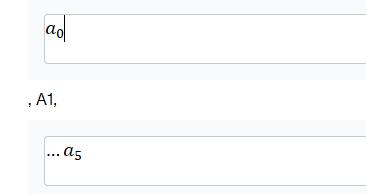
using MATLAB. Using the coefficients, write the interpolating polynomial that can model the data in the table above. (Marks: 4)
Plot the polynomial and the measured data in the same x-y coordinate.
Use the MATLAB plot in (b) above to estimate the growth rate of the microalgae at 17.5 0C.
Is the polynomial a good fit for the measured data in the table? Are there any distortions between the graph of the polynomial and the data?
Explain your observation. (answer in the m.file, you can use the % sign to comment the written text). (Marks: 3)
Resources
Note: Use the rref() function in MATLAB to perform Gauss-Jordan elimination and reduce the augmented matrix to reduced row echelon form. From the reduced row echelon form, extract the unknown coefficient
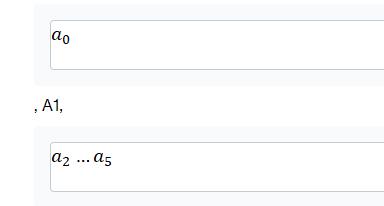
for the interpolating polynomial.
MATLAB access: Install Horizon Client for your device here. Different OS types includes Windows, MacOS, Linux, iOS and Android versions. To connect, start the Horizon Client and enter vdiconncas2.cdu.edu.au as the server address.
ad , 1, ..
Step by Step Solution
There are 3 Steps involved in it

Get step-by-step solutions from verified subject matter experts
 Study Help