







Question: Popular Kids Documentation 1 3 . Populate the cells using formulas and table references or range names. For example, in the cell that intersects Grades
Popular Kids Documentation
Populate the cells using formulas and table references or range names. For example, in the cell that intersects Grades & in overall responses, using range names, enter: COUNTIF Grades and in the column that intersects Grades & in Girl's Responses, enter: COUNTIFS Gender "Girl", Grades,
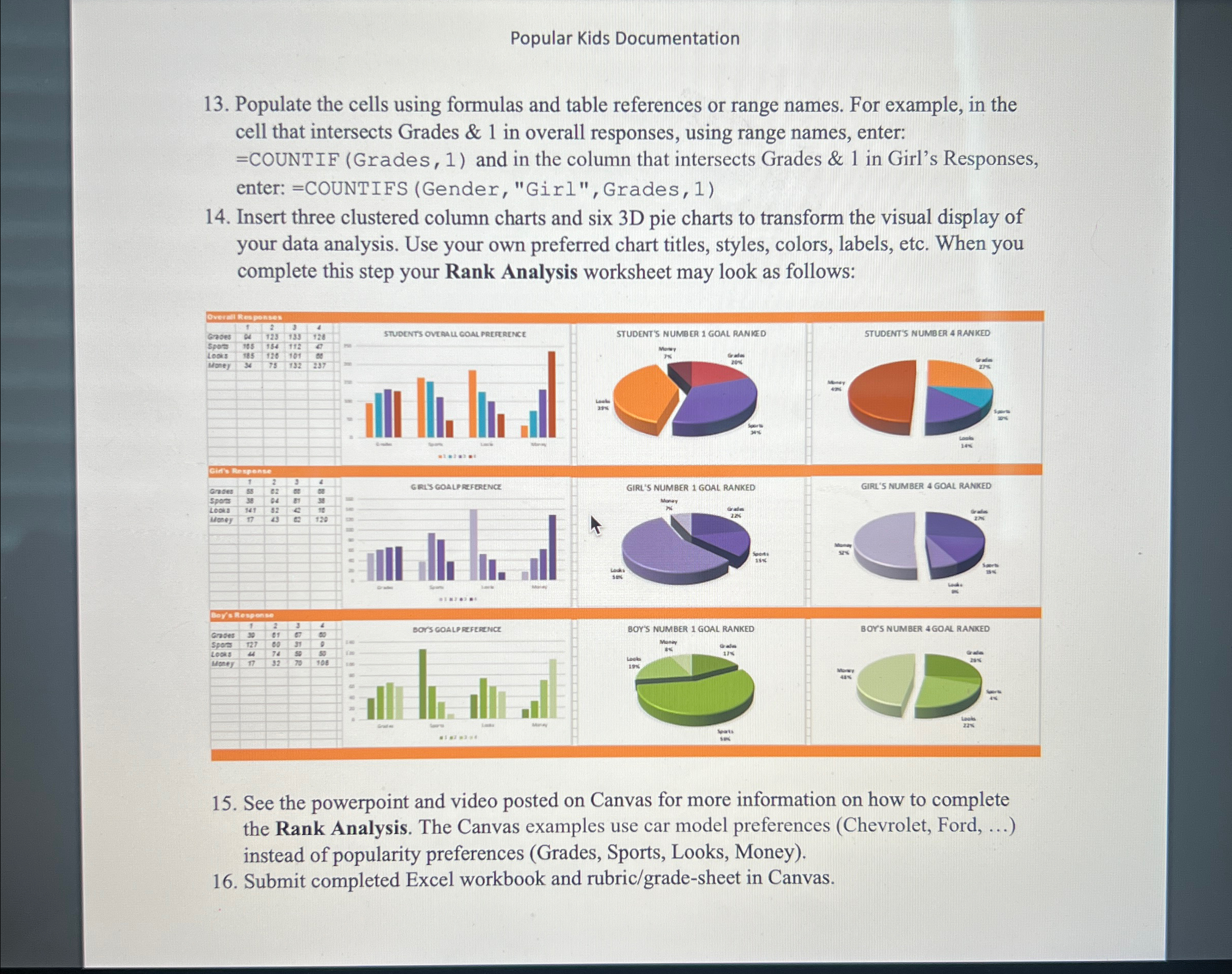
Insert three clustered column charts and six pie charts to transform the visual display of your data analysis. Use your own preferred chart titles, styles, colors, labels, etc. When you complete this step your Rank Analysis worksheet may look as follows:
See the powerpoint and video posted on Canvas for more information on how to complete the Rank Analysis. The Canvas examples use car model preferences Chevrolet Ford, instead of popularity preferences Grades Sports, Looks, Money
Submit completed Excel workbook and rubricgradesheet in Canvas.
Step by Step Solution
There are 3 Steps involved in it
1 Expert Approved Answer
Step: 1 Unlock

Question Has Been Solved by an Expert!
Get step-by-step solutions from verified subject matter experts
Step: 2 Unlock
Step: 3 Unlock
 Study Help