







Question: PORTION 2: Write a program (save as draw displays following _line.pyw) that allows the user to draw a line segment and then some graphical and
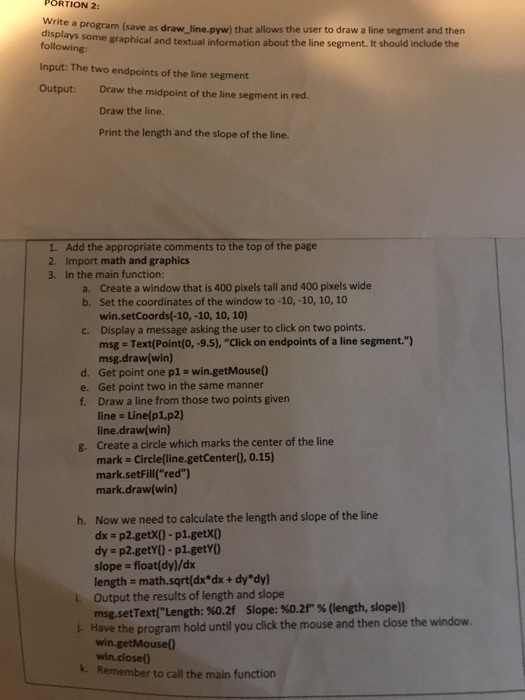
PORTION 2: Write a program (save as draw displays following _line.pyw) that allows the user to draw a line segment and then some graphical and textual information about the line segment. It should include the Input: The two endpoints of the line segment Output: Draw the midpoint of the line segment in red. Draw the line. Print the length and the slope of the line. 1. Add the appropriate comments to the top of the page 2. Import math and graphics 3. In the main function: Create a window that is 400 pixels tall and 400 pixels wide Set the coordinates of the window to -10,-10, 10, 10 win.setCoords(-10, -10, 10, 10) Display a message asking the user to click on two points. msg msg.draw(win) a. b. c. Text(Point(0,-9.5), "Click on endpoints of a line segment.") d. Get point one p1-win.getMouse) e. Get point two in the same manner f. Draw a line from those two points given line Line(p1,p2) line.draw(win) Create a circle which marks the center of the line mark Circlelline.getCenter),0.15) mark.setFill("red") mark.draw(win) g. Now we need to calculate the length and slope of the line dx = p2.getxo-p 1.getX() dy p2.getyO -pl.getYO slope = float(dy)/dx length math.sqrt(dx*dx+ dy'dy) h. i. Output the results of length and slope i- Have the program hold until you click the mouse and then close the window. k. Remember to call the main function msg.setText(..Length: %0.2f Slope: %0.2f" % (length, slope)) win.getMouse) win.close(
Step by Step Solution
There are 3 Steps involved in it

Get step-by-step solutions from verified subject matter experts
 Study Help