







Question: Post Problem Closing Entries Reports Tools Help GLS Problem ACR 4-3. Problem: On August 1, 2017, the following were the account balances of B&B Repair
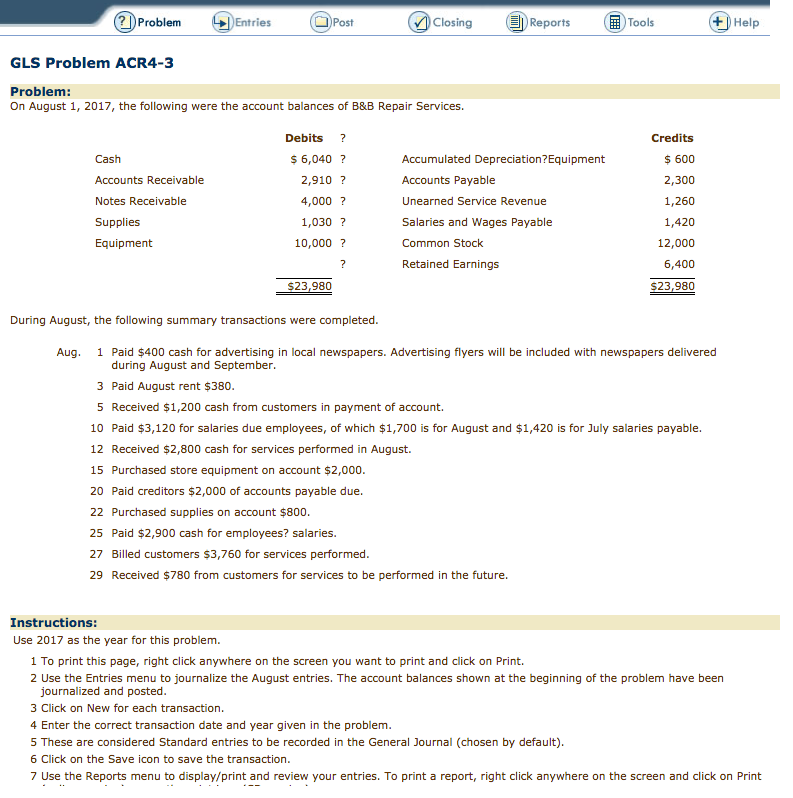
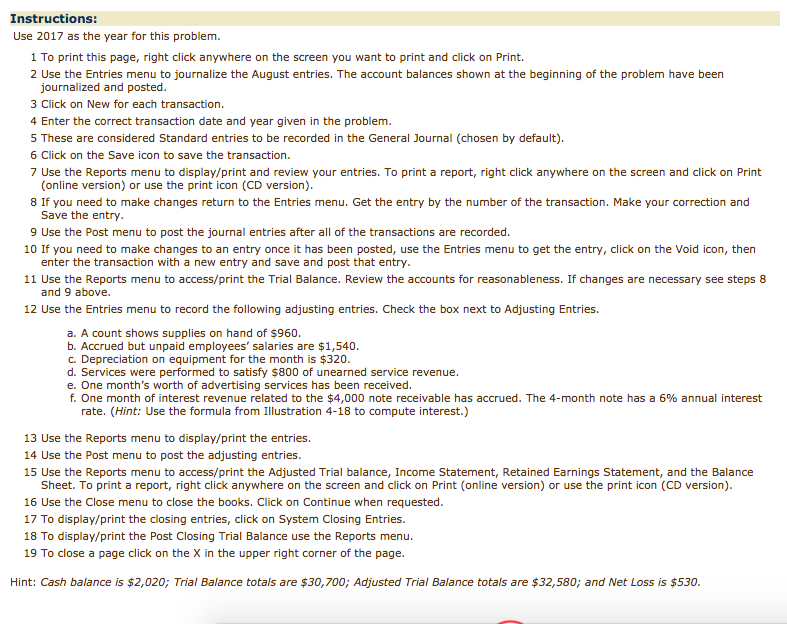
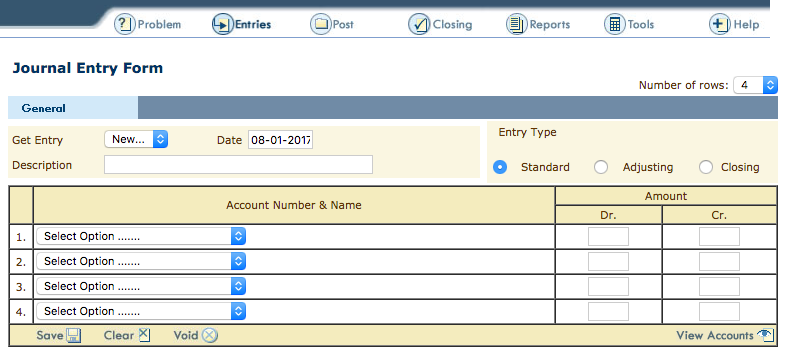
Post Problem Closing Entries Reports Tools Help GLS Problem ACR 4-3. Problem: On August 1, 2017, the following were the account balances of B&B Repair Services. Debits Credits Cash 6,040 Accumulated Depreciation?Equipment 6000 Accounts Receivable 2,910 Accounts Payable 2,300 unearned Service Revenue Notes Receivable 4,000 1,260 Salaries and Wages Payable Supplies 1,030 1,420 Common Stock 12,000 Equipment 10,000 Retained Earnings 6,400 $23,980 $23,980 During August, the following summary transactions were completed. Aug. Paid $400 cash for advertising in local newspapers. Advertising flyers will be included with newspapers delivered during August and September. 3 Paid August rent $380. 5 Received $1,200 cash from customers in payment of account. 10 Paid $3,120 for salaries due employees, of which $1,700 is for August and $1,420 is for July salaries payable. 12 Received $2,800 cash for services performed in August. 15 Purchased store equipment on account $2,000. 20 Paid creditors $2,000 of accounts payable due 22 Purchased supplies on account $800 25 Paid $2,900 cash for employees? salaries. 27 Billed customers $3,760 for services performed. 29 Received $780 from customers for services to be performed in the future Instructions: Use 2017 as the year for this problem 1 To print this page, right click anywhere on the screen you want to print and click on Print 2 Use the Entries menu to journalize the August entries. The account balances shown at the beginning of the problem have been journalized and posted. 3 Click on New for each transaction 4 Enter the correct transaction date and year given in the problem 5 These are considered Standard entries to be recorded in the General Journal (chosen by default). 6 Click on the Save icon to save the transaction 7 Use the Reports menu to display/print and review your entries. To print a report, right click anywhere on the screen and click on Print
Step by Step Solution
There are 3 Steps involved in it

Get step-by-step solutions from verified subject matter experts
 Study Help